Software Upgrade Guide
◆ Notice
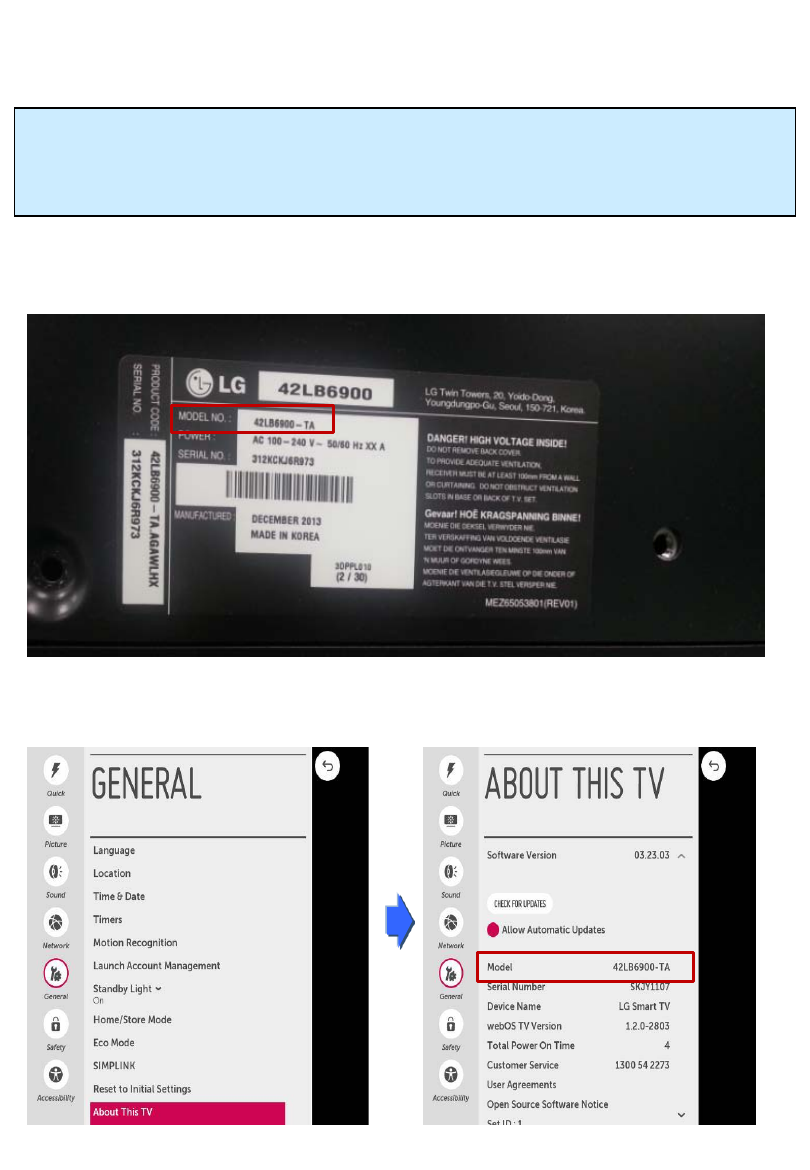
1. Check correctly the Full model name of TV Set.
Ex) 42LB6900-TA : The Full model name must include national code.(ex. –TA)
2. Do not unplug the TV power cord during software upgrading.
1. Method to verify the Full model name of TV Set .
Method①. Check the label on the back of the TV set.
1) Press [Settings] key of remote control.
2) Move to the “General”
3) Select the ”About This TV”
4) Check the “Model”
Method ②. Check the Settings.
1) Check the “Model NO.” (EX. 42LB6900-TA)
1
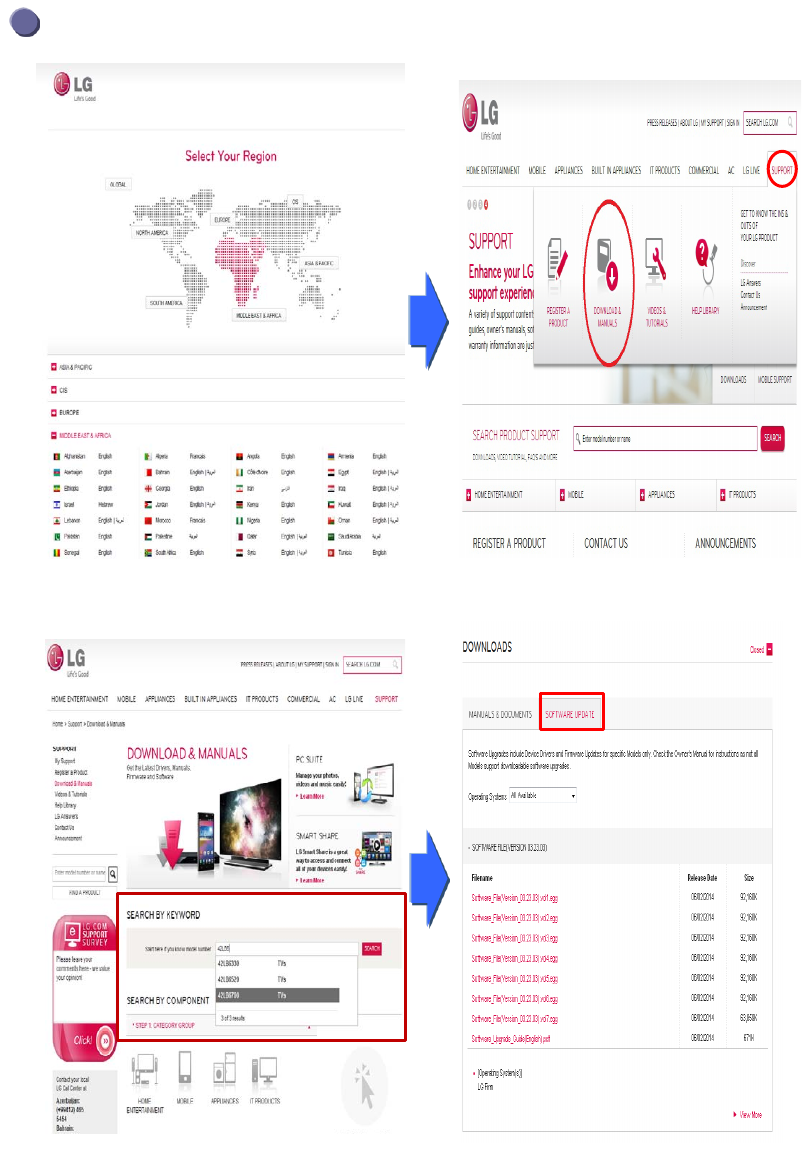
Searching the software.
① Select your country after connecting to www.lg.com.
② Move to the ”Support” and click the “Download &
Manuals”
③ Fill in the your Model name.
(Ex. 42LB6700(Fill Model name except “-TA”.)
④ Click the “Search”.
⑤ Click the “Software update” and you can see the
software file.
2
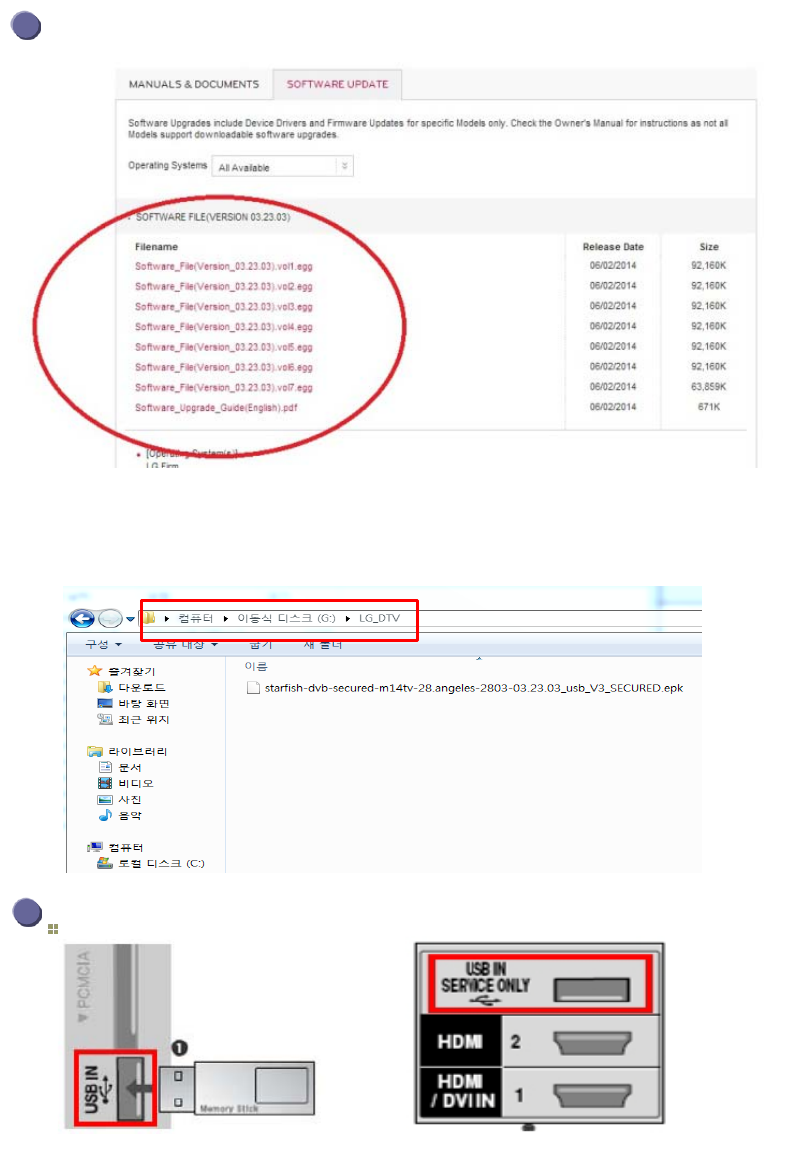
Downloading the software file to the USB Memory device.
Insert the USB memory device into USB port of the TV.
3
Position of USB port : Side or Rear
① Click to all of file to download it from the website to your PC.
② Unzip the first “….vol1” software file.
③ Insert the USB memory device into USB Port of the PC.
④ Make a folder in USB Memory device.
Folder name must be “LG_DTV”.
⑤ Save the software file to “LG_DTV” folder of USB Memory device.
or
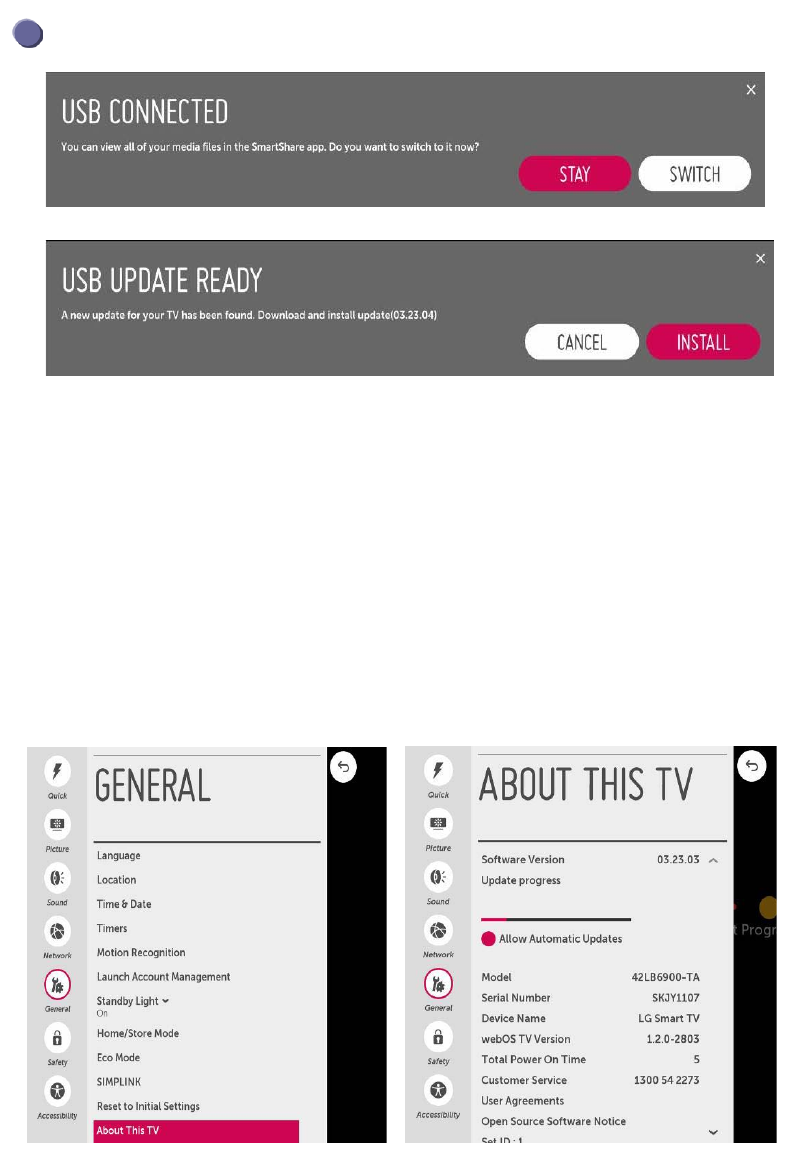
② If below message will appear on TV, please select “INSTALL”
1) Copying the new version software file from USB Memory device to the
TV system memory.
※ Don’t remove the USB Memory device while this message is displayed.
Do not unplug the TV power cord while this message is displayed.
2) Running the software upgrade.
※ Do not unplug the TV power cord while this message is displayed.
3) Go to “MENU”, then choose “General”, then “About this TV” to see your update progress bar. If the
upgrade is completed, TV will restart automatically in 5 seconds.
4
Running the software Upgrade.
① If below message appear on TV, please select “STAY”.
※ If there are the same or lower software version in the USB memory device
than software version in your TV, doesn’t appear message.
※ A few USB memory device may not be compatible with the TV,
in that case you use another USB device.
Document Outline
Wyszukiwarka
Podobne podstrony:
GD510 Software Upgrade Guide
Software Upgrade Guide ES2
MEO GUIDE v2 0
[dcpp][Bidemare][Crociera Guide][Pacifico][Eng] Cruising the Galapagos Islands
DTV Software Download Guide LExxR41 51
README FIRST! Upgrade Guide bestblackhatforum com
quick start guide v2 1
KENDO M7 Upgrade instruction v2
Read before Software upgrade RS 232 cable compatiblity with receiver
HUAWEI U8815 V100R001C00B952 Software Upgrade Guideline
[dcpp][Bidemare][Crociera Guide][Mediterraneo][Eng] Sailing to Ithaca
Upgrade Guide
Groove XR OS53 Operating System Installation and Upgrade Guide 31 Oct 2011
ciss ism implementation guide v2
MMConverter v2 0 Users Guide
BYT 2006 Software Life cycles & roles in project team v2
Installation Guide, Software Registration Form
ebook Snort v2 0 0 Install Guide FreeBSD english
więcej podobnych podstron