www.globo.com.pl
support@globo.com.pl
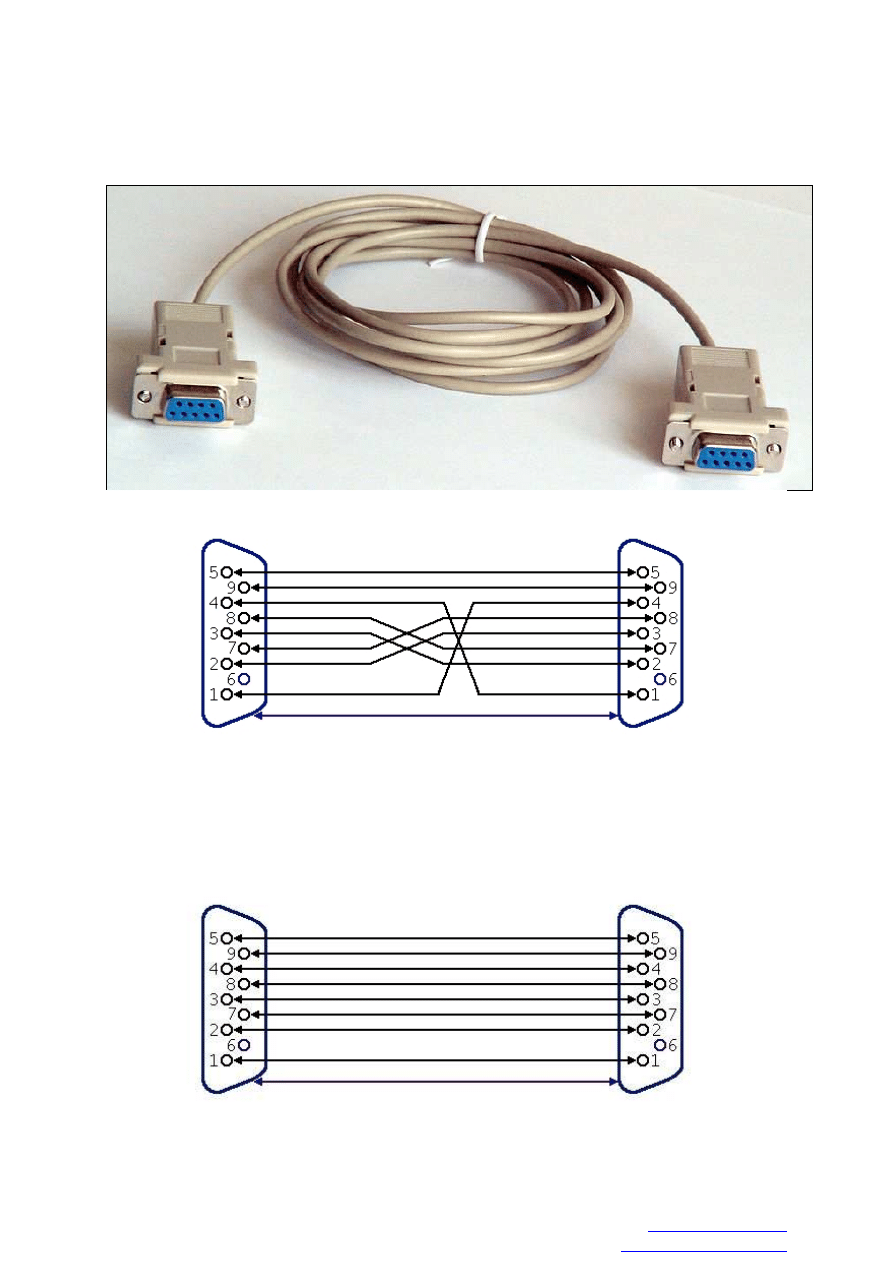
RS-232 Cable compatible with GLOBO and OPTICUM
Software upgrade PC tool:
We recommend to take ready-to-use NULL-MODEM cable (see the
outlook
and connection
diagram of example cable below):
You can also use simple RS-232 cable,
but You need to make rework (see next page)
Example of simple RS-232 cable with female connector on both end:
www.globo.com.pl
support@globo.com.pl
RS-232 cable signal details:
1. Carrier Detect
2. Rx – Recieve Data
3. Tx – Transmit Data
4. Data Terminal Ready
5. System Ground
6. Data Set To Ready
7. Request To Send
8. Clear To Send
9. Ring indicator
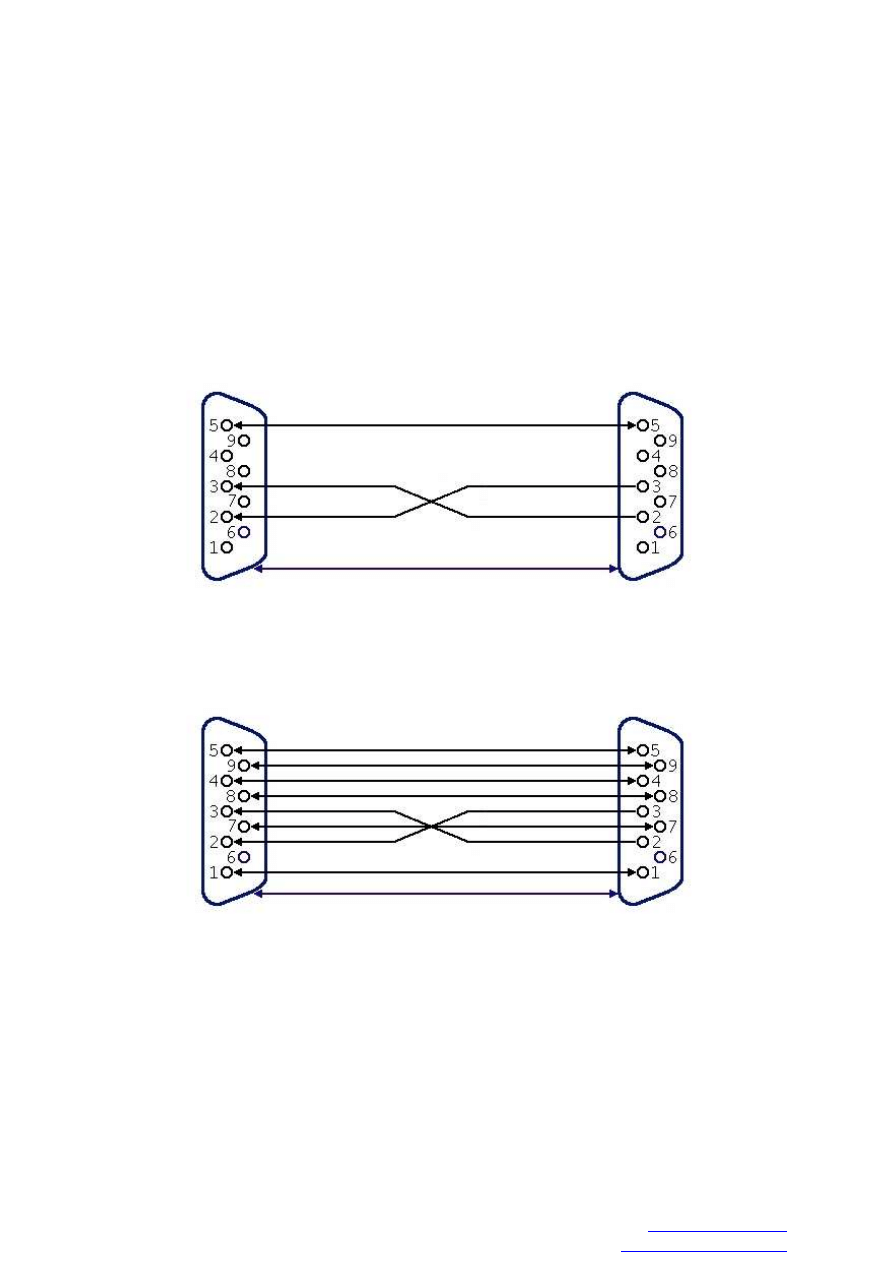
You just need to cross line number 2 and 3 to use RS-232 cable for the software upgrade in
Opticum and Globo receivers . You can disconnect other signals from connector – be sure any
of the unused signal cable isn’t connected to used one or cable chassis.
Cable outlook after rework:
Second version (also acceptable):
CAUTON!!!
Cable rework require advanced knowledge in electronics.
If You don’t know how to solder, better buy ready-to-use cable recommended by
shop-
assistant
Wyszukiwarka
Podobne podstrony:
miernik czestotliwosci po przez port RS 232, Standard RS 232
NMEA0183 to RS 232 RS 422 or RS 485 Model 183COR
miernik czestotliwosci po przez port RS-232 Standard RS-232
PL Instrukcja zmiany oprogramowania odbiorników serii X4 i X7 przez RS 232
Instrukcja zmiany oprogramowania przez RS 232 (seria 7300)
AL 232 CAB RS 232 C PL
GD510 Software Upgrade Guide
Instrukcja zmiany oprogramowania przez RS 232 (X402p X403p)
obd II ISO 9141 to RS 232 schemat
Procedura wgrywania plik�w przez RS 232
obd II ISO 9141 to RS 232 schemat
instrukcja interfejsu na rs 232 com port
RS 232 do LG pol
RS 232 to RS 232 Optical Isolator Model 232OP4
Software Upgrade Guide v2 eng (webos)
50 book to read before you die
Onkyo RS 232 RCVR 061207
więcej podobnych podstron