[Mograph]
Textured Stone
This tutorial shows how to create textured stone using MoGraph Displace Deformer
Step 1:
Now add a
Cube object
then
change
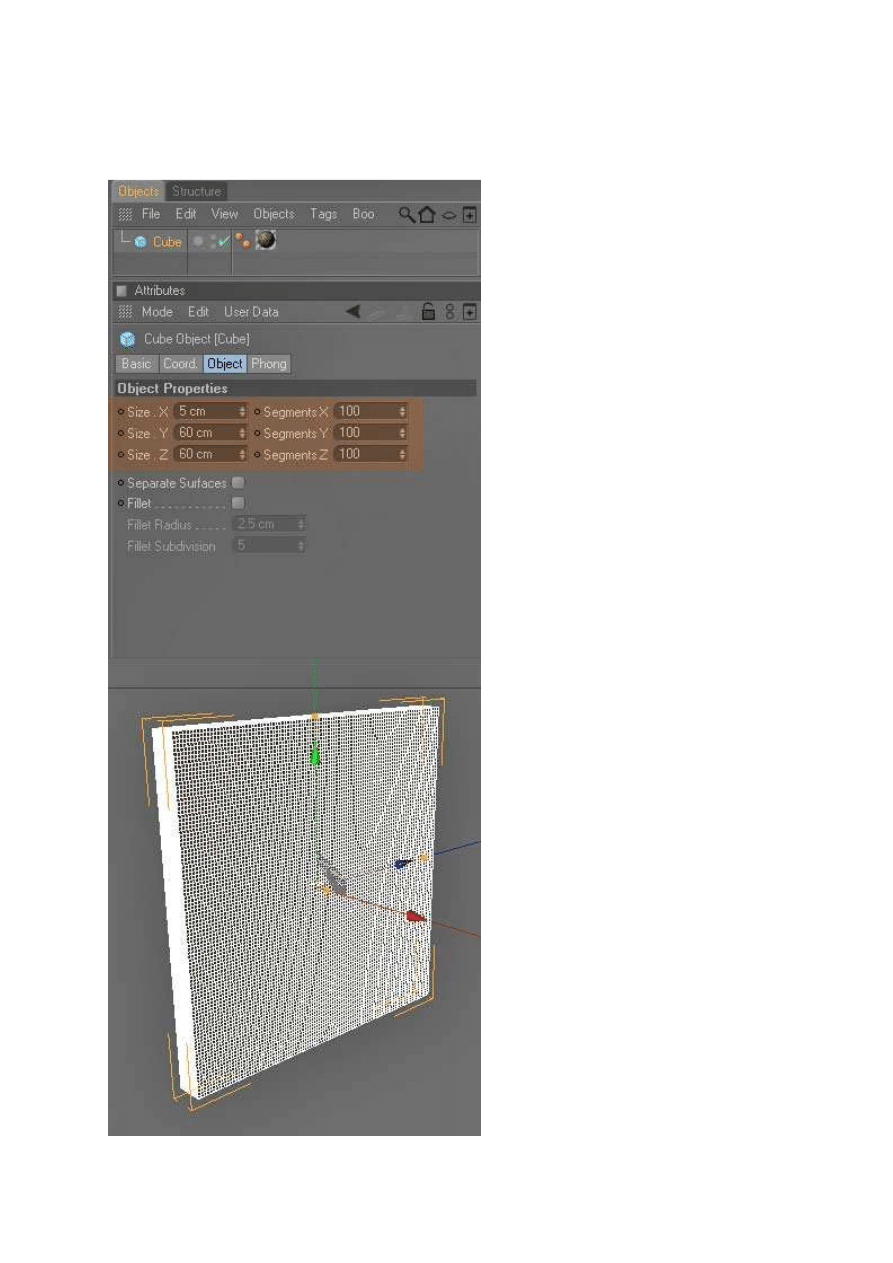
its Size X to 5cm Y to 60cm Z to 60cm and Segments
XYZ to 100. Create a
stone
material and
apply
it to the Cube
object
Step 2:
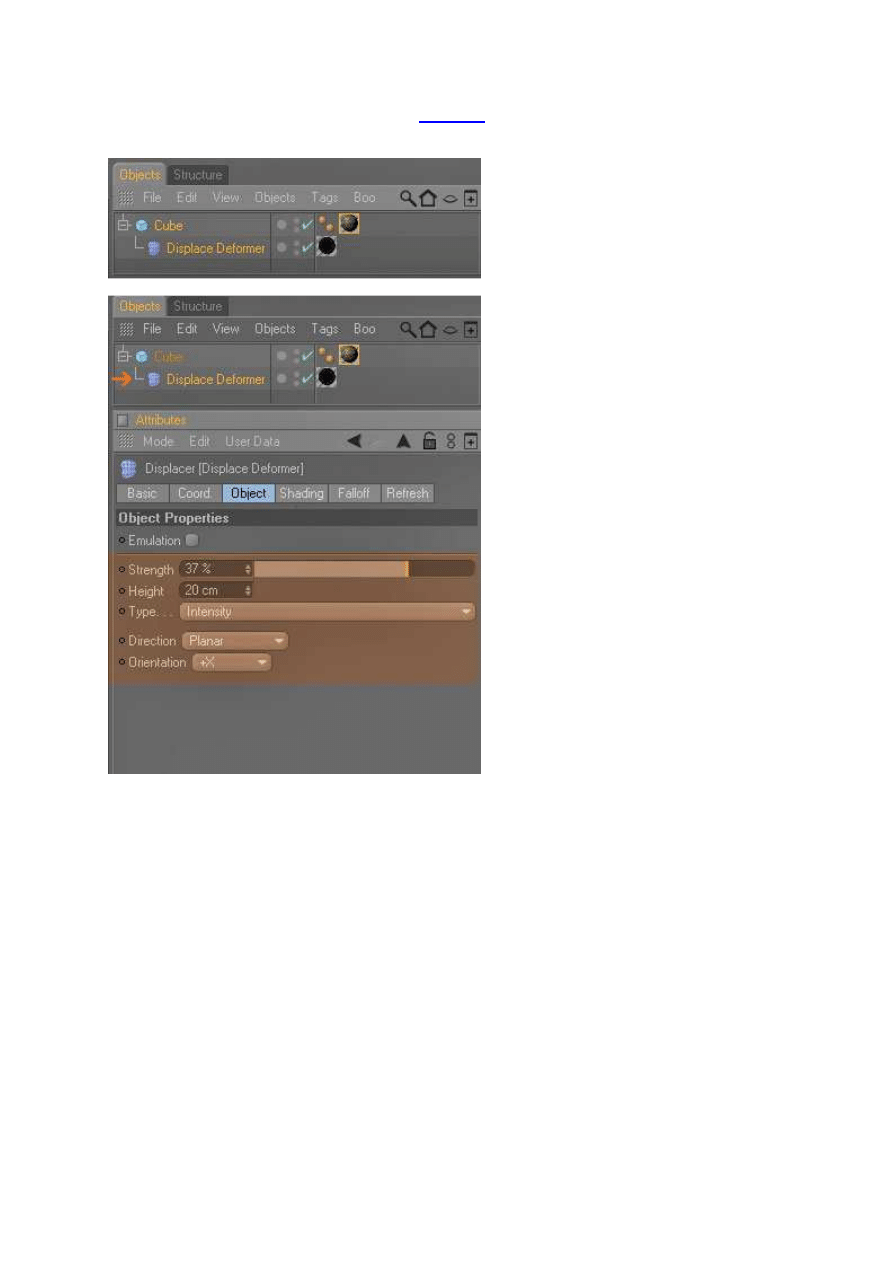
Add The
Displace deformer
from The
MoGraph
module menu and
drop
the Displace
deformer under the Cube Object. Create a new material and disable color and specular channels,
activate the alpha
channel
and
insert
the image below.
Apply
it to the Displace deformer
Step 3:
Afterwards you must change the
displace deformer settings
, like this
Object
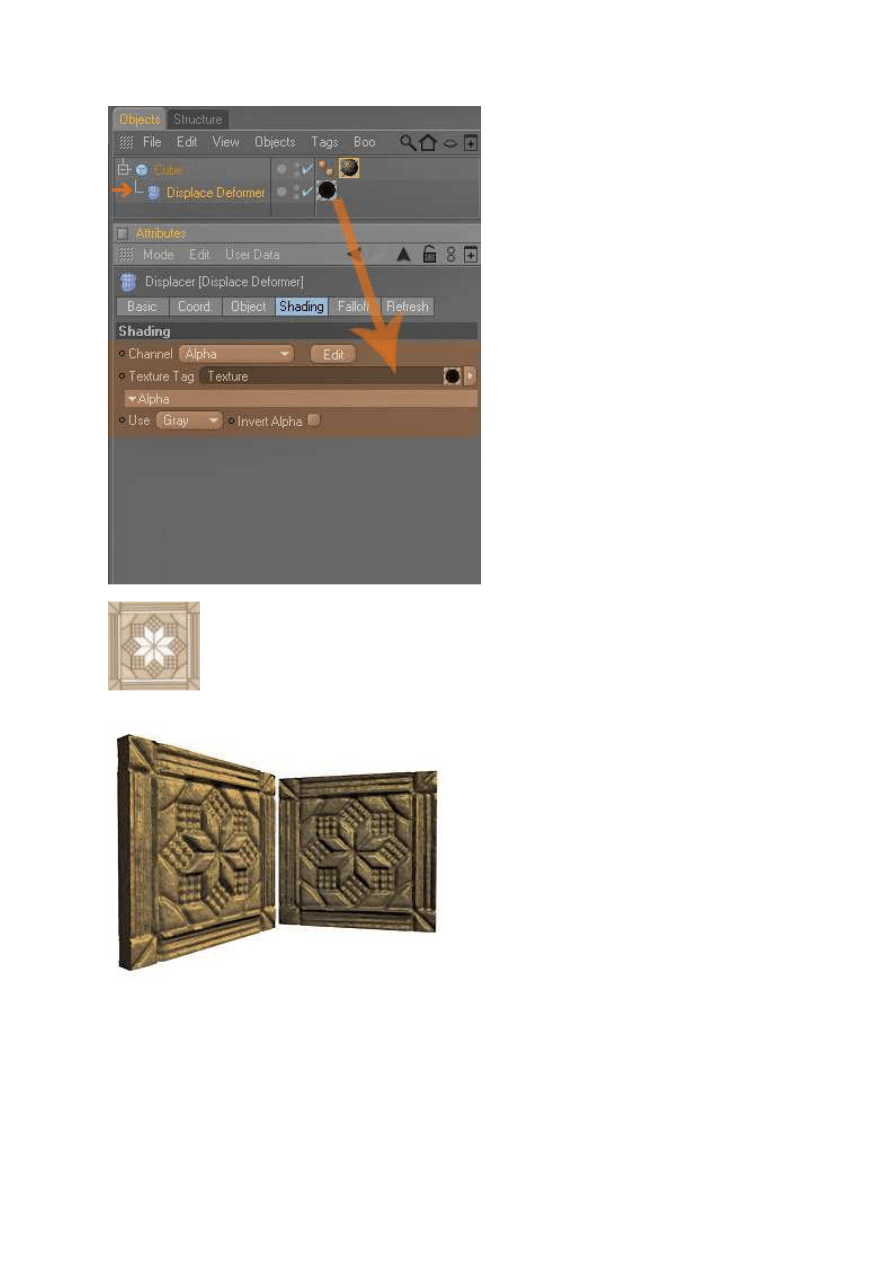
Shading
Alpha Chanel
Step 4:
Render it and this is
the result
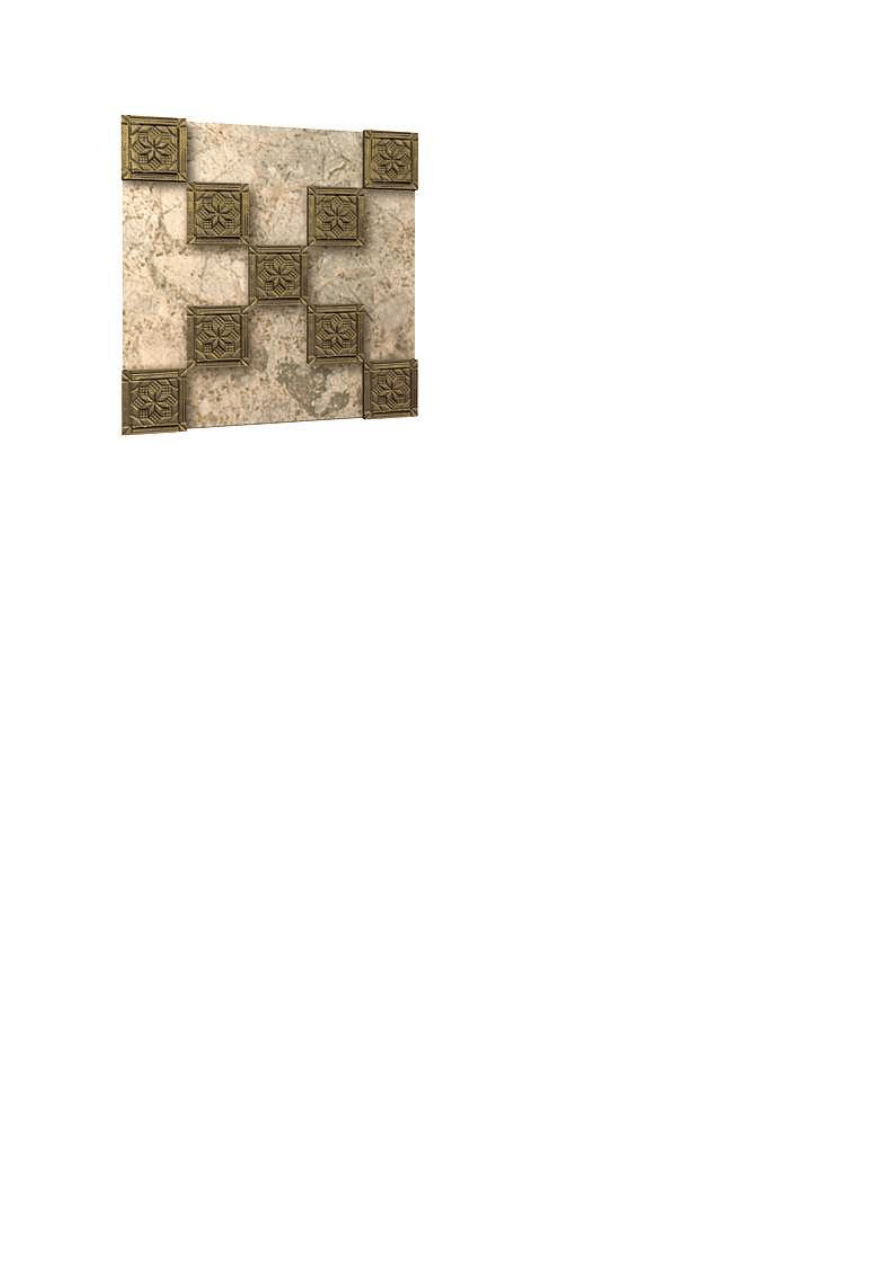
Tips:
with the
Linear Clone Tool
, you will get
result
like this
Wyszukiwarka
Podobne podstrony:
druga połowa, rysunek wg tekstu
Taks.ABC a poziomy odbioru tekstu wg B.CH., Metodyka
Moralność wg Kanta, Autor tekstu: Michał Piotrowski; Oryginał: www
Blender 3D Materiały Podstawy Teksturowania Proste nakładanie tekstur Tutorial
Krysztal wg. Atlantow, kamienie szlachetne
Taks.ABC a poziomy odbioru tekstu wg B.CH., Metodyka
TUTORIALE Teksturowanie Materiał Srebra (baza starszych tutoriali max3d pl )
kamień
KOLOKWIUM 2 zadanie wg Adamczewskiego na porownawczą 97
1F CWICZENIE zadanie wg Adamczewskiego na porownawczą 97id 18959 ppt
Ustalony ruch przez dyfuzje gazow wg Maxwella
Kolczyki z kamieni jaspis dalmatyńczyk
04 Eco U Jak napisac prace dyplomowa Redakcja tekstu Adresat
konstytucje wg ayurvedy
więcej podobnych podstron