USB-Storage Mode (HDD) Operation Manual
Tyros OS Version 1.20
USB-Storage Mode (HDD) accelerates the speed of the connection between the
computer and TYROS Hard Disk. This mode is exclusively for the file transferring;
other functions on the Tyros are unavailable in this mode.
System Requirements
USB Connector
Windows 98/98SE/98Me/2000/XP
CPU: 166 MHz or more; Intel Pentium/Celeron processor
RAM: 128 MB or more
TYROS: Optional Hard disk installed
Operation
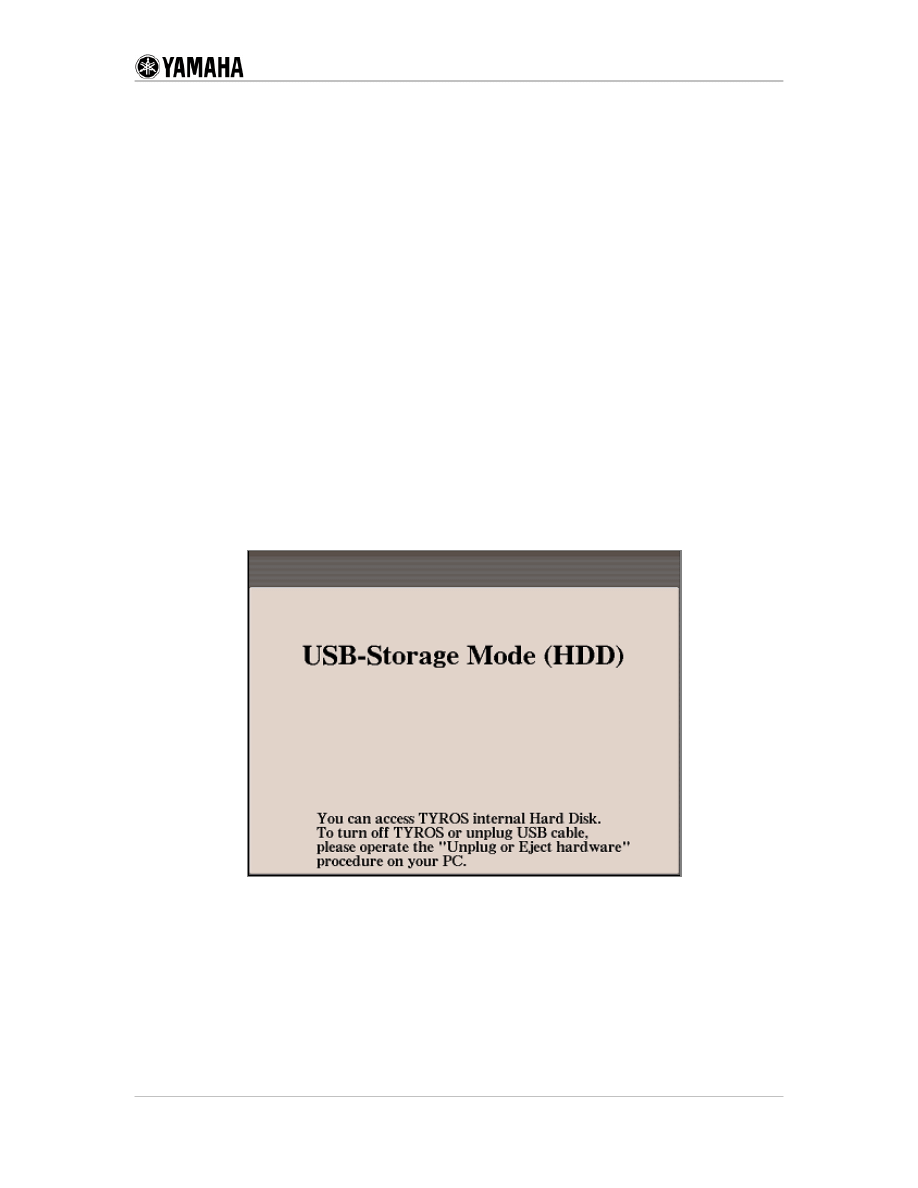
1. Turn on the power while [MUSIC FINDER] button is pressed. Tyros displays the
following screen (USB-Storage Mode).
2.
3.
4.
Connect the TYROS and the computer by USB Cable.
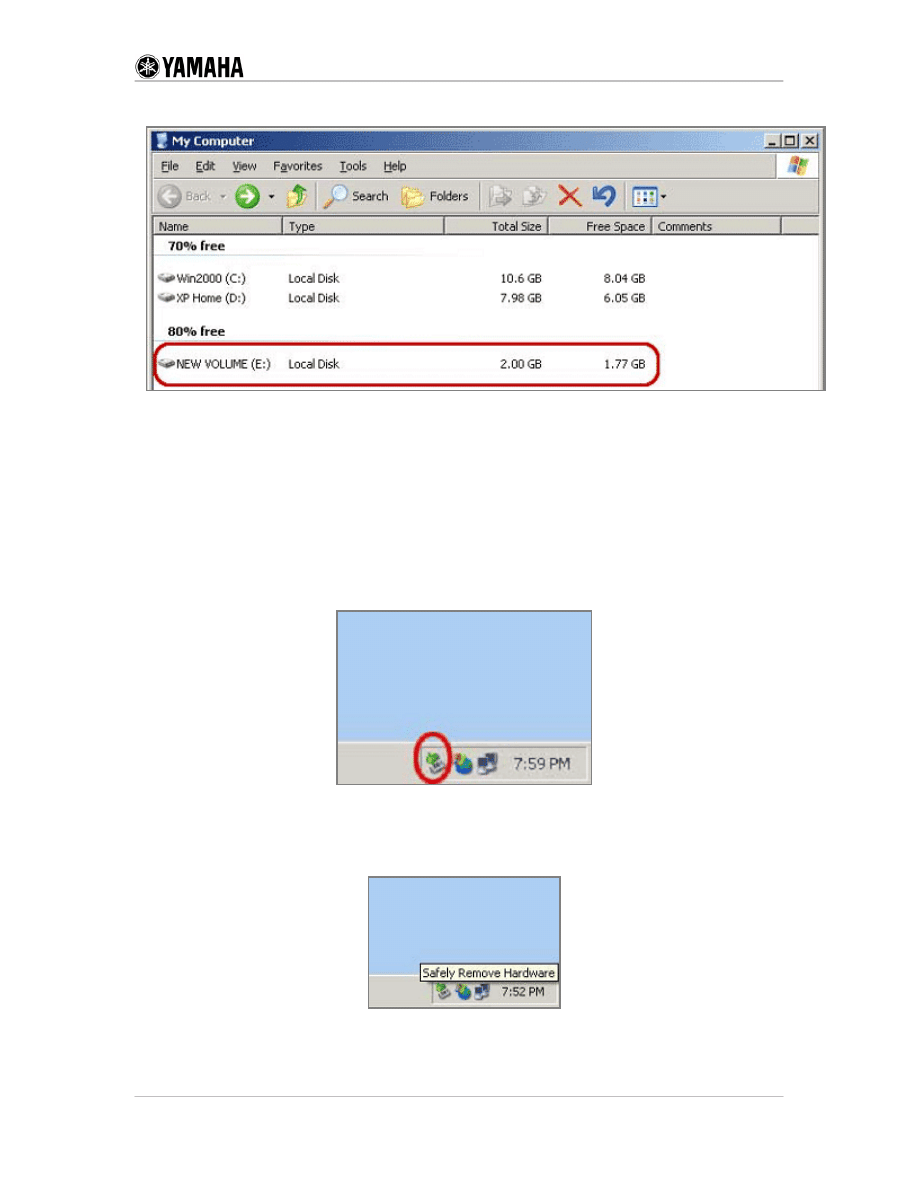
Double-click "My Computer" on the computer.
You will see the new volume as shown below. This drive is the Hard Disk on the
Tyros. (If you already set the volume name for this hard disk, then that volume
name will appear.)
Copyright © 1999 YAMAHA CORPORATION All Rights Reserved.
Page 1 of 3
5.
6.
7.
Double click the new volume. You can operate on the files just like you do on
your computer. You can copy, move, rename, delete and so on.
Before you turn off the TYROS or remove the USB cable, you need to perform
the following operation.
Find the "Safety Remove Hardware" icon in the Task Tray.
Usually the Task Tray is located at the right-lower corner on your computer
screen.
a. When the mouse cursor is located near the icon, the following message
displays.
Copyright © 1999 YAMAHA CORPORATION All Rights Reserved.
Page 2 of 3
Copyright © 1999 YAMAHA CORPORATION All Rights Reserved.
Page 3 of 3
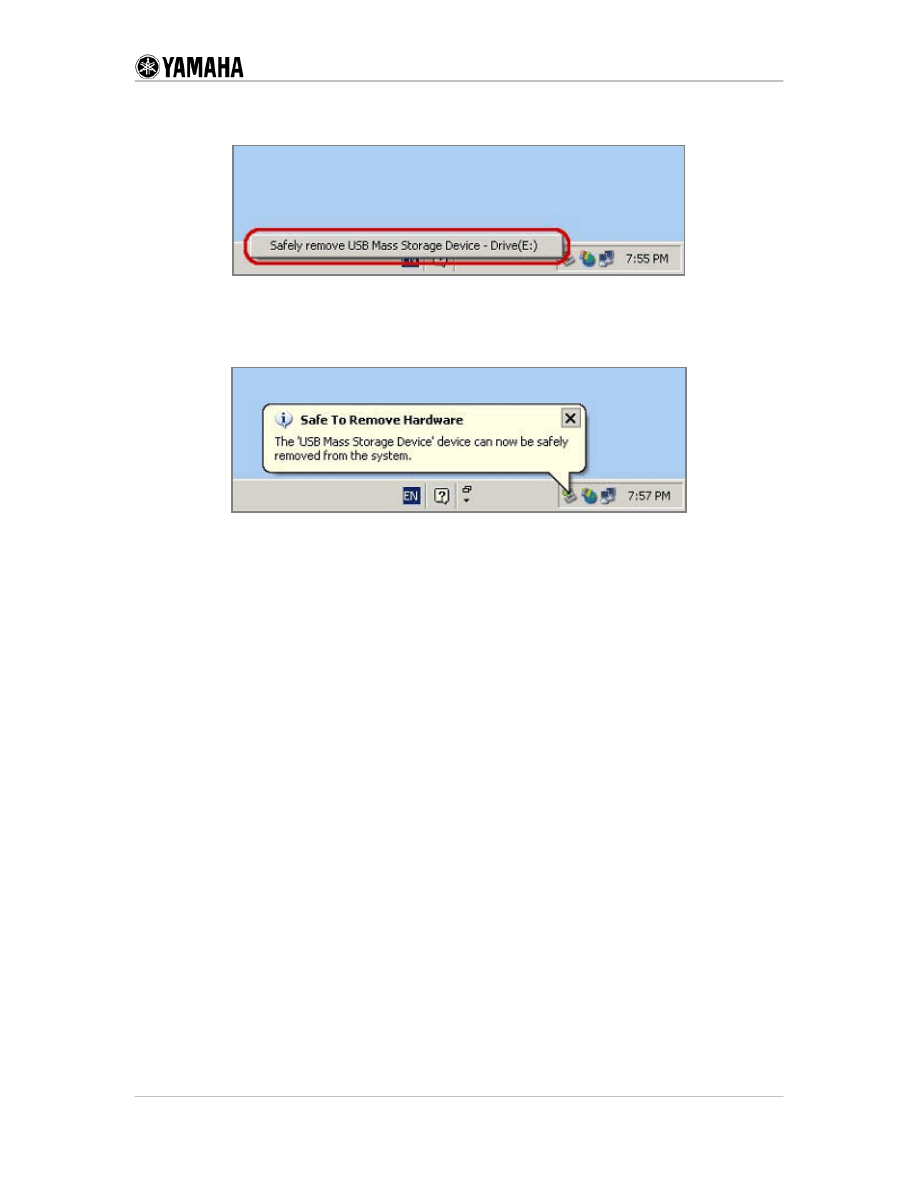
b. Click the icon and select the message that is circled in red in the figure
below.
c. The computer proceeds to remove the connection to the Tyros Hard Disk.
When you finish disconnecting, the following message appears. You can now
turn off the power or remove the USB cable.
Document Outline
Wyszukiwarka
Podobne podstrony:
AudioBox USB Manual
USB driver install manual
11 po PowerMust 1 2K USB User Manual
usb to can comp manual
AudioBox USB Manual
J750 USB Downloader Manual for English
USB TO RS232 Cable for Windows 2000 user s manual
USB TO RS232 Cable for Windows 2000(Chinese) user s manual
USB ORZECH
usb
Porównanie USB FireWire
4 USB 2
PANsound manual
als manual RZ5IUSXZX237ENPGWFIN Nieznany
hplj 5p 6p service manual vhnlwmi5rxab6ao6bivsrdhllvztpnnomgxi2ma vhnlwmi5rxab6ao6bivsrdhllvztpnnomg
BSAVA Manual of Rabbit Surgery Dentistry and Imaging
Okidata Okipage 14e Parts Manual
więcej podobnych podstron