
How to read full flash from MS43?
Here´s a short instruction on how to read the full flash
(29F400) of your MS43 equipped BMW (E46, E36/7, E53,
E39…)
What do you need:
- MS43 (obviously!)
- Star screwdriver TR15
- Allen wrench (5mm)
- Galetto software and interface
- Computer/notebook
- Jumper wire to ground a pin
- Second person
First of, make shure your ignition is fully switched of for at
least 3minutes! Now open the bonnet of your car and
unmount the black cover which seals the ecu, you´ll probably
need the Allen wrench to do so. Next step, disconnect all
plugs from the ecu. Take the ecu out by gently pulling it
upwards.
Open the ecu cover by using the star screwdriver. Make shure
to not touch any electrical contacts, if possible use some thin
gloves, to avoid electrical discharge.
When placing the circuit board to connect the ground pin,
make shure there is no conductive parts around to avoid
shorts! Use a towel or something else nonconductive to place
the circuit board on.
When having the circuit board in place, connect the plugs to
the circuit board. You can connect all plugs, but only
connector X60001 is necessary. The connector is marked with
an “1” in the socket!
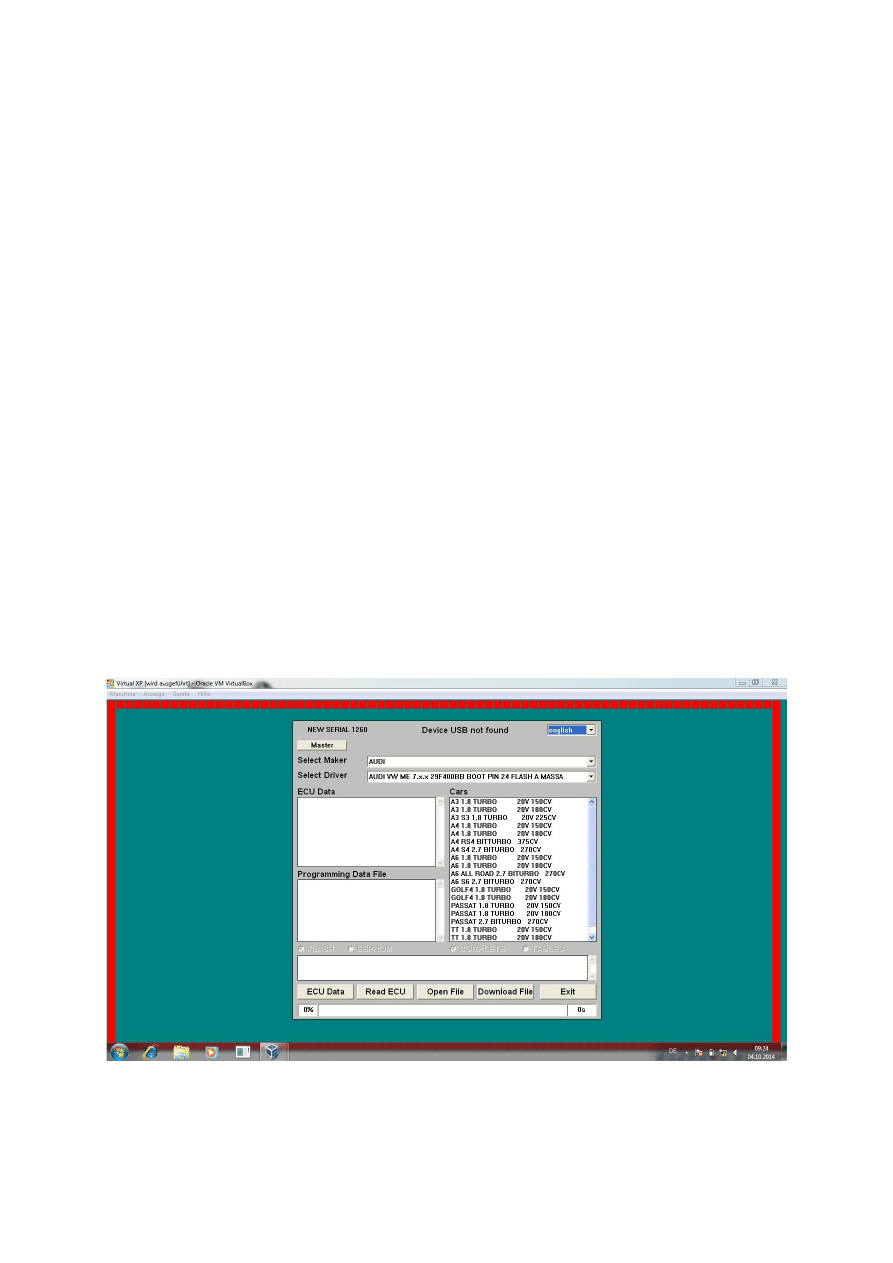
Start your computer, connect your Galetto interface
(installation procedure already done!) and use the different
settings shown in the following pictures.
After you have properly chosen the correct Make and Driver,
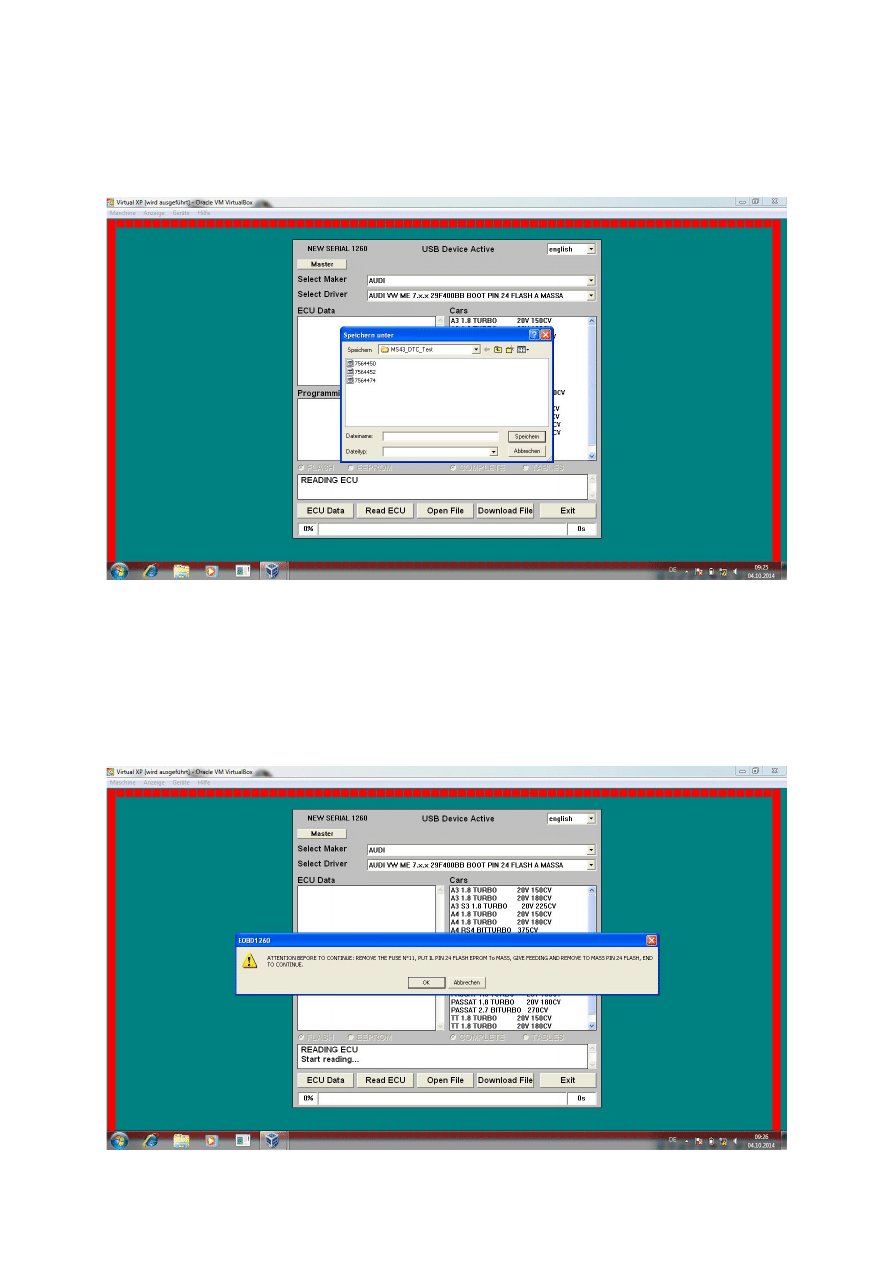
click on “Read ECU”. The following window will open.
Use a proper name to make identifying of your file easier. You
don´t need to select file type, if you like choose “*.bin” and
hit “save”. The following prompt will occur, telling you what´s
needed to further read the full flash.
Differing from that prompt, we don´t need to remove fuse
#11!
Do not click ok right now; let the program wait until we
forced the ecu into bootmode.
For forcing the ecu into bootmode, it´s handy to have a
second person helping you.
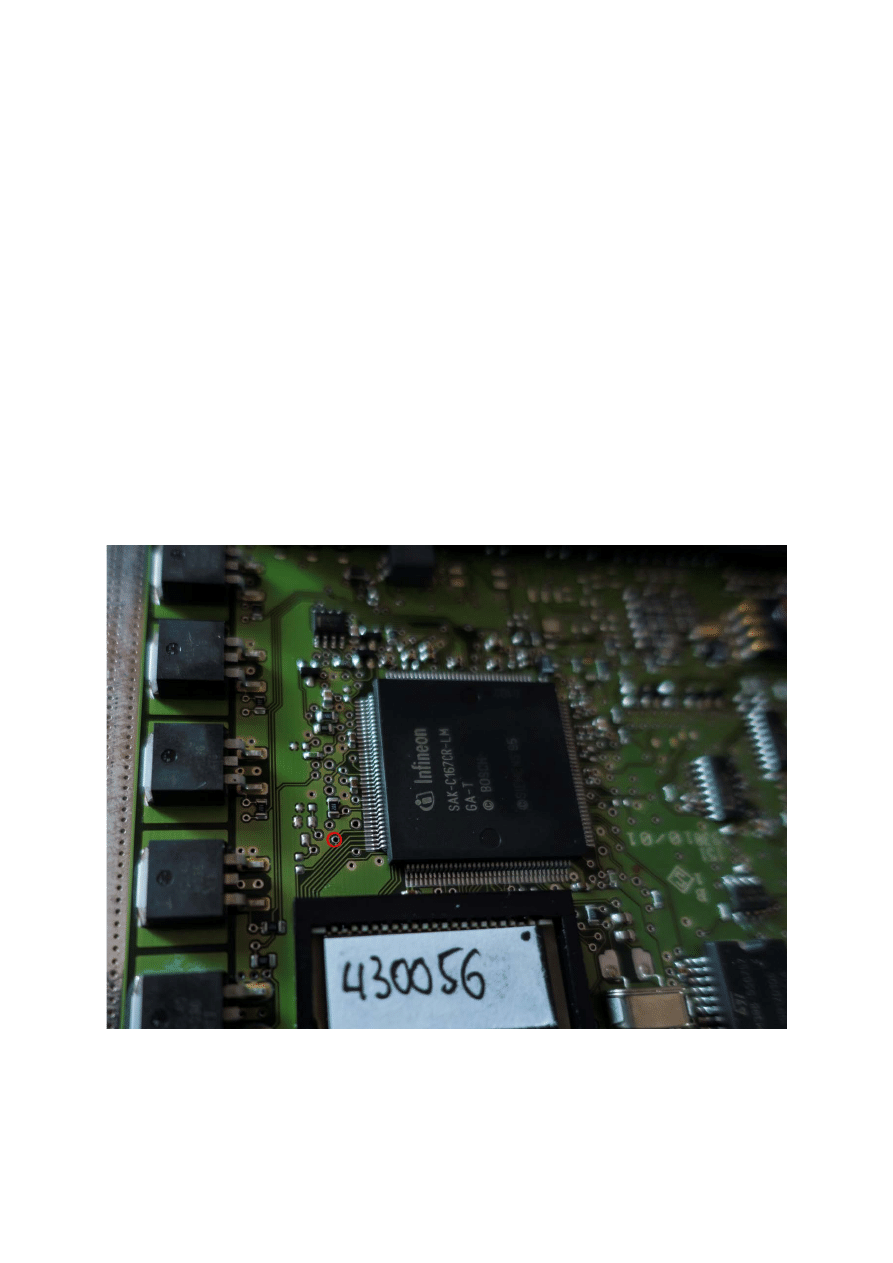
You need to ground either “pin24” at the 29F400 flash or
“pin104” at the SAK-C167CR-LM processor. Choose the one
which best suits your needs. I personally use the round
connection shown in the next picture.

Now, which pin ever you did chose, ground that pin to
a proper ground and while still grounding that pin,
switch on ignition to position 2 (radio is active,
dashboard is fully active…).
Ground that pin for at least 3 seconds after switching
ignition on and release the ground afterwards.
!!Make absolutely shure to not touch anything else on
the circuit board to prevent damage!!!
Congratulations, your ecu will now be in bootmode
Now it´s time to click ok in the Galetto software. It will
start to read out the full flash, which will take several
seconds.
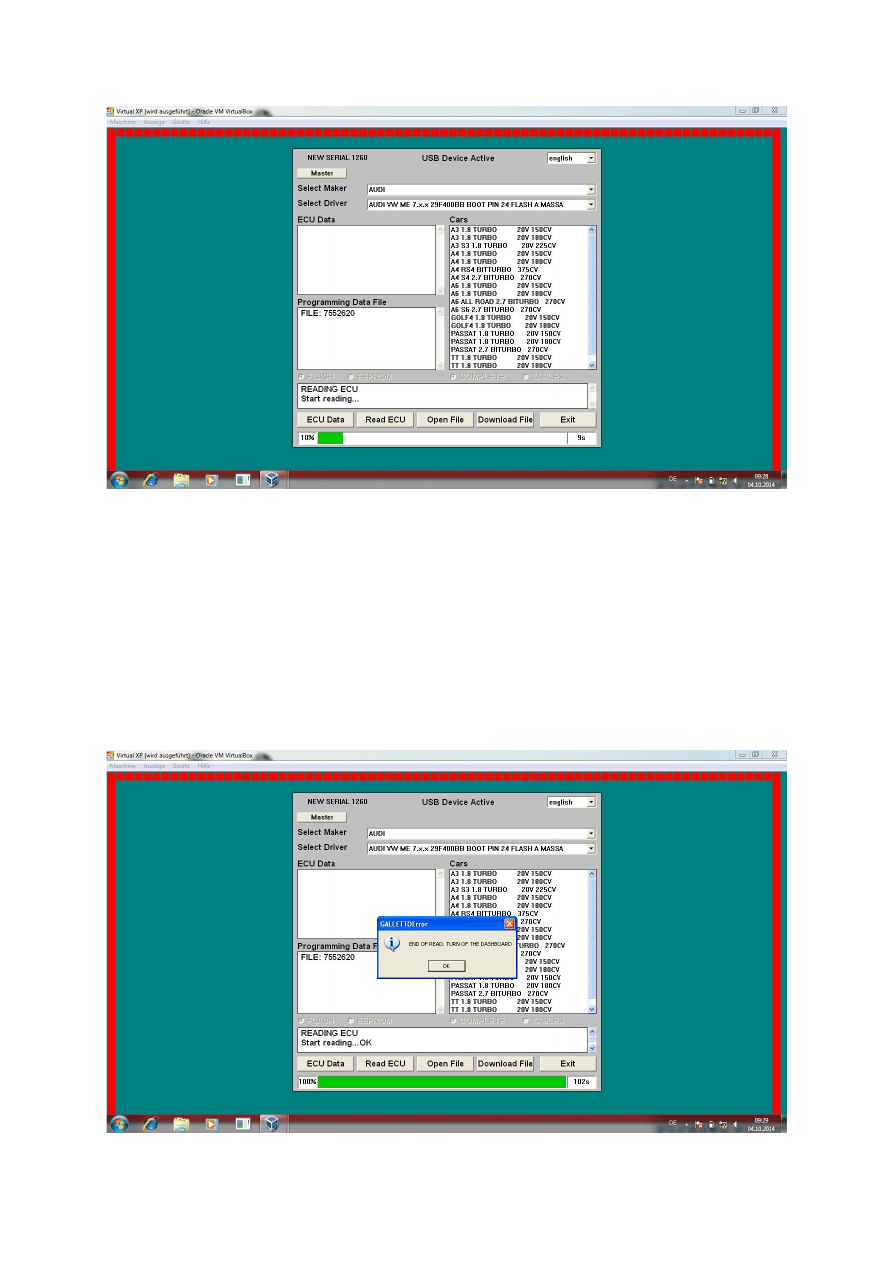
After around 90-100 seconds, the full flash file will be
read and stored under the name and folder you had
chosen earlier. The file size will be 512kb, which can
then be further tweaked by special software.

If you get that message in the upper screenshot, you
have successfully read the ecu´s flash without the need
to unsolder the flash.
Now it´s time to switch off the ignition and let the ecu
do all its magic. Wait for at least 3 minutes to unplug
the connectors and reassemble the cover. Mount the
ecu back into its housing and screw the black cover
back in place. Use OBD scanning software to check if
any faults occurred and delete them if necessary.
Troubleshooting:
- If you get a message telling you the ecu is not in
bootmode, make shure your ground is proper
chosen and you´re touching the correct pin on the
circuit board.
-
Wyszukiwarka
Podobne podstrony:
How to read the equine ECG id 2 Nieznany
How To Read Body Language www mixtorrents blogspot com
ECU codes and how to read them out
How to read maths
How To Mix A Pop Song From Scra jezar@dreampoint co uk id 20633
how to use the flash tool for Xperia
Body Lang How to Read and Make Body Movements for Maximum Success
How to read the equine ECG id 2 Nieznany
How To Read Body Language www mixtorrents blogspot com
How to get the best from your green vehicles
Financial Times Prentice Hall, Executive Briefings, Business Continuity Management How To Protect Y
How To Mix A Pop Song From Scratch jezar@dreampoint co uk
John Tracy how to read financial report
Getting Fired How to Avoid Getting Fired from Your Job
ECU codes and how to read them out
Lekcja 2 How to read job ads
więcej podobnych podstron