
Presentation of
Presentation of
the computer
the computer

Structure of the
Structure of the
contemporary
contemporary
computer
computer

The computer makes
The computer makes
up around
up around
:
:
O
O
f processor
f processor
O
O
f the motherboard
f the motherboard
O
O
f the memory
f the memory
o
o
f frames
f frames
O
O
f a graphics card
f a graphics card
O
O
f a sound card
f a sound card
O
O
f the bulk storage
f the bulk storage
O
O
f the network card
f the network card
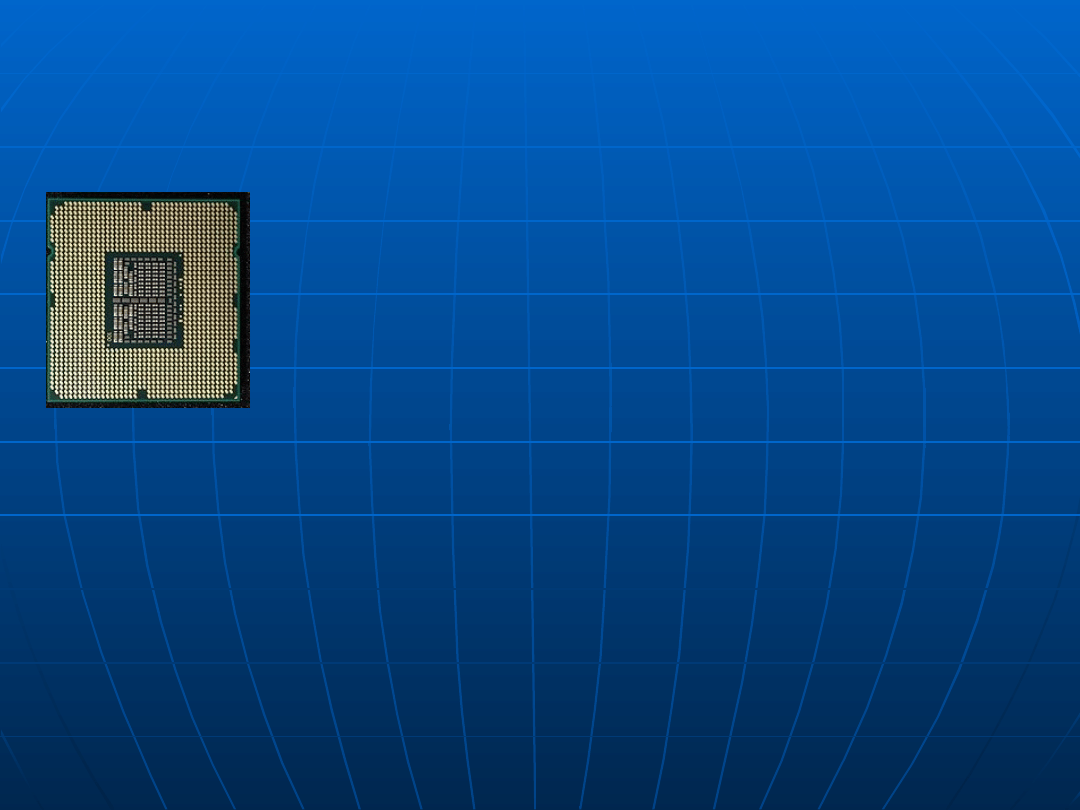
Processor
Processor
Main element of the computer, of which
Main element of the computer, of which
carrying
carrying
out a command and controlling the
out a command and controlling the
work of all
work of all
remaining blocks of the
remaining blocks of the
system are a task (among
system are a task (among
others of the
others of the
memory and input-output circuits). They are basic
memory and input-output circuits). They are basic
functional blocks, from which the processor is built,:
functional blocks, from which the processor is built,:
arithmetic-logic unit, control system with the clock of
arithmetic-logic unit, control system with the clock of
the processor and team of registers of the central
the processor and team of registers of the central
processing unit. They are the most important
processing unit. They are the most important
parameters: length of the data word inside the
parameters: length of the data word inside the
processor (in microprocessors 8, 16 or 32 beats),
processor (in microprocessors 8, 16 or 32 beats),
word length of the address (usually 16 or 20 beats),
word length of the address (usually 16 or 20 beats),
the list of orders and the time of the machine cycle.
the list of orders and the time of the machine cycle.
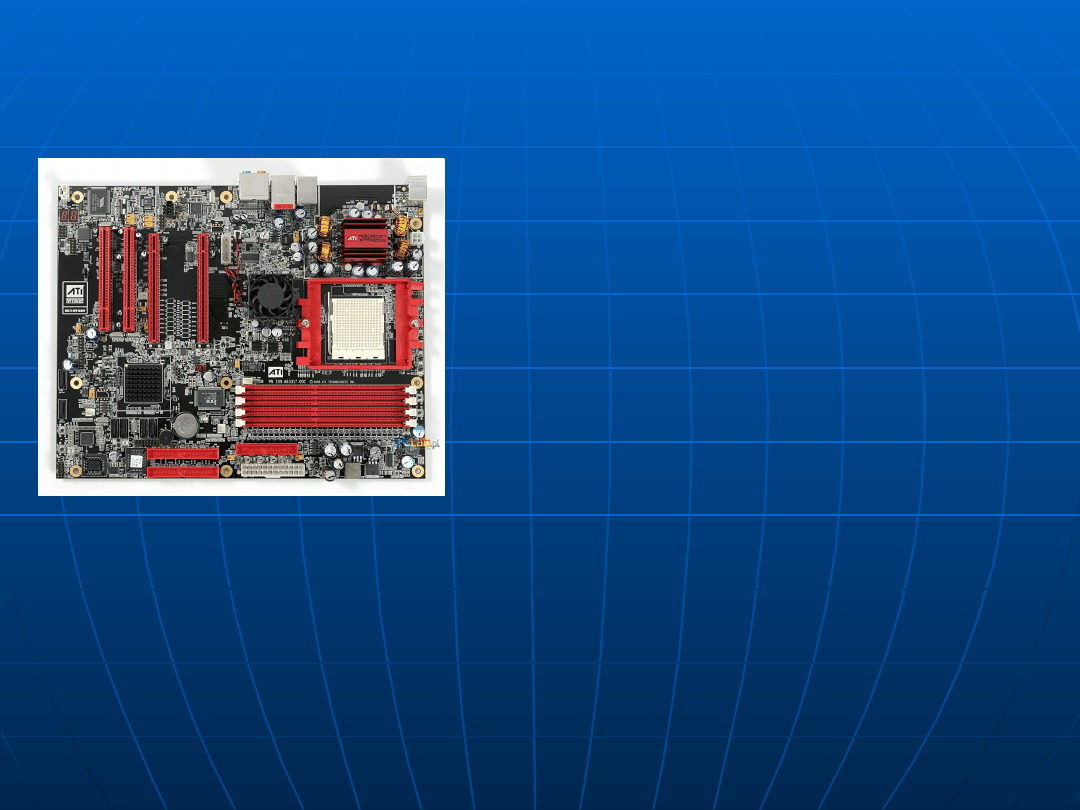
Motherboard
Motherboard
On the motherboard important
On the motherboard important
components
components
of the device are being
of the device are being
assembled, enabling the
assembled, enabling the
transport
transport
for everyone for remaining
for everyone for remaining
components
components
and modules. In the
and modules. In the
computer
computer
processor
processor
, the
, the
main
main
memory or nests are on a motherboard for
memory or nests are on a motherboard for
installing these devices and the nest for putting
installing these devices and the nest for putting
additional called plates in with widening cards (e.g.
additional called plates in with widening cards (e.g.
PCI), of storing devices (hard disks, optical drives itp.)
PCI), of storing devices (hard disks, optical drives itp.)
and of power pack. In some structures of also other
and of power pack. In some structures of also other
external devices (serial port, parallel port, USB,
external devices (serial port, parallel port, USB,
connector of the keyboard, connector of the mouse).
connector of the keyboard, connector of the mouse).
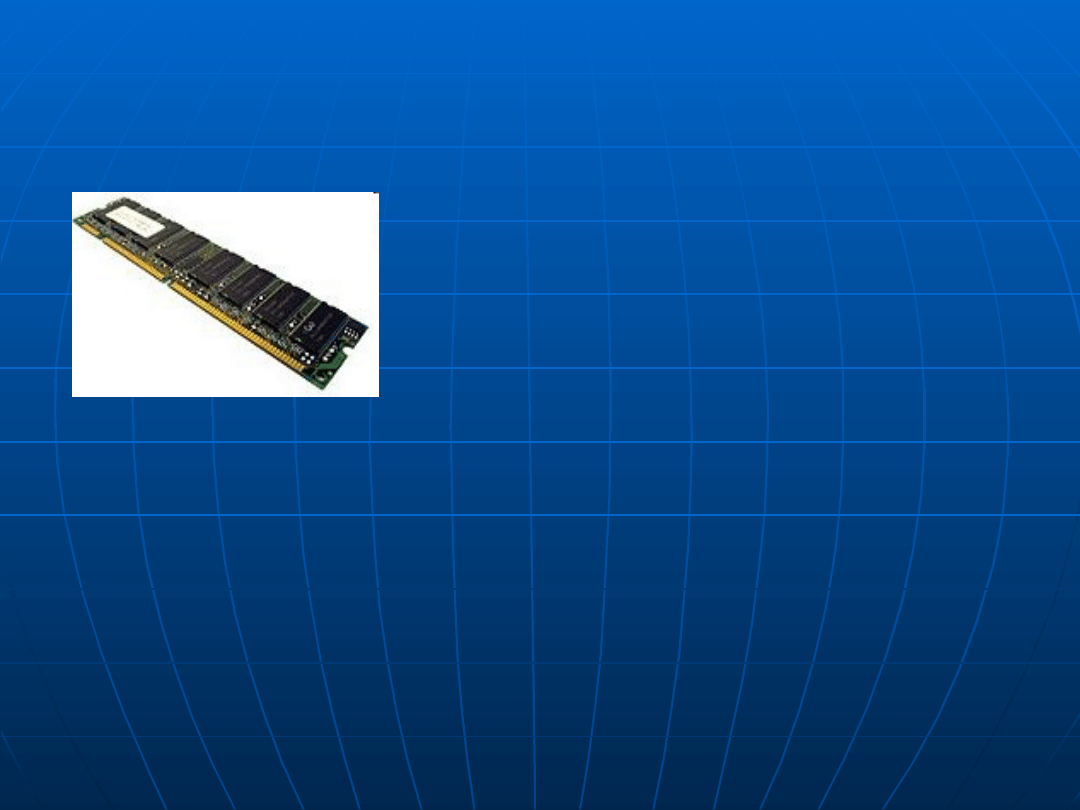
Memory of frames
Memory of frames
RAM (ang. for Rands Memory Access –
RAM (ang. for Rands Memory Access –
random access memory) basic kind of the
random access memory) basic kind of the
digital
digital
memory. At least a name is
memory. At least a name is
implying that it means
implying that it means
every memory about the direct access to the any
every memory about the direct access to the any
storage cell in the memory RAM programs currently
storage cell in the memory RAM programs currently
carried out and data are being stored for these
carried out and data are being stored for these
programs and results of their work. Content of the
programs and results of their work. Content of the
majority of the memory the RAM is lost a few
majority of the memory the RAM is lost a few
seconds after the disappearance of stretching the
seconds after the disappearance of stretching the
power supply, some types require also refreshing,
power supply, some types require also refreshing,
therefore results of the work of programs must be
therefore results of the work of programs must be
recorded on other data carrier.
recorded on other data carrier.
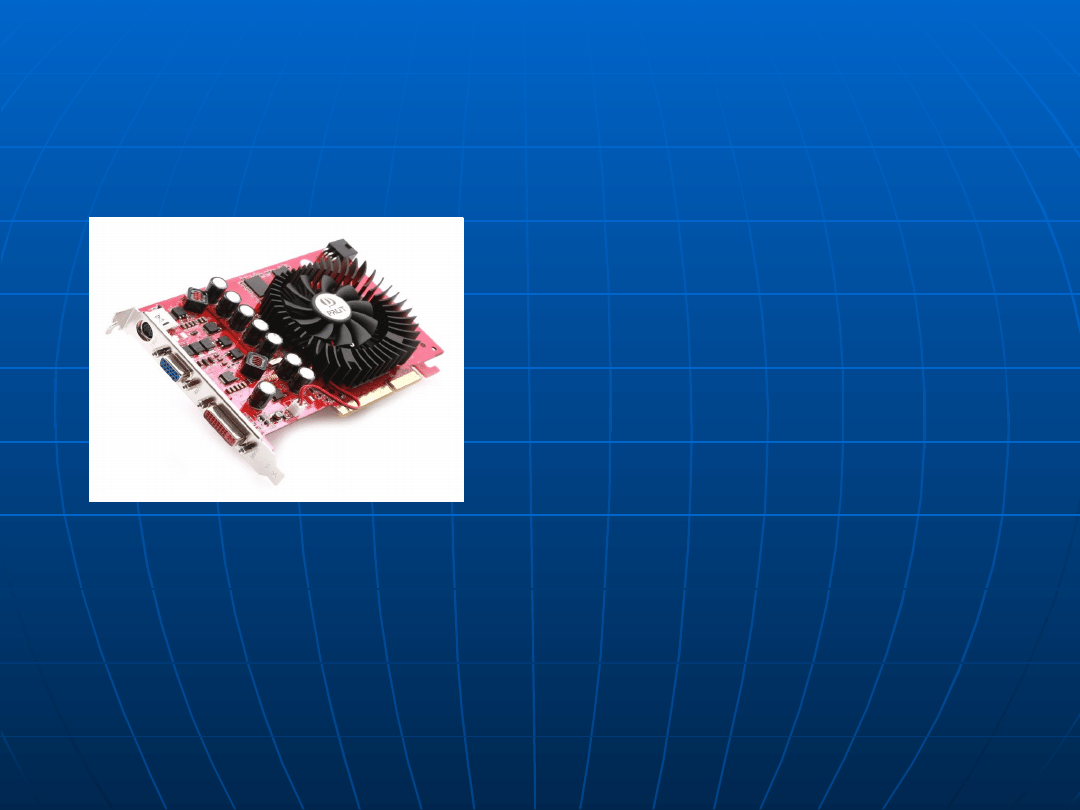
Graphics card
Graphics card
Expansion card of the computer
Expansion card of the computer
generating the signal for the
generating the signal for the
screen of the
screen of the
monitor. A receipt
monitor. A receipt
and processing the
and processing the
information
information
received from the computer
received from the computer
about
about
the insult and proper showing this
the insult and proper showing this
image are a basic task of a graphics card
image are a basic task of a graphics card
behind the mediation of monitor. This sub-
behind the mediation of monitor. This sub-
assembly is also being called the date VGA
assembly is also being called the date VGA
card.
card.
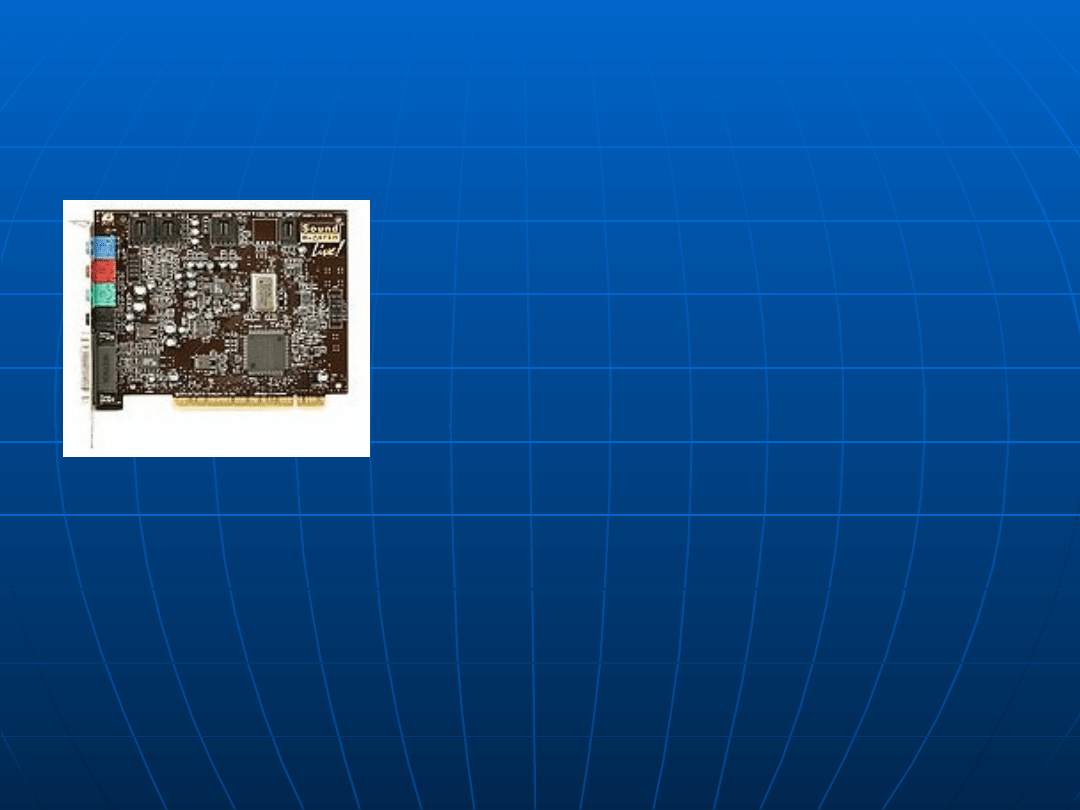
Sound card
Sound card
It is the computer expansion card,
It is the computer expansion card,
enabling the registration, processing
enabling the registration, processing
and
and
reconstructing sound. Also a
reconstructing sound. Also a
term equally
term equally
often applied is correct
often applied is correct
musical card.
musical card.
At present sound arrangements being
At present sound arrangements being
enough for amateur applications are usually
enough for amateur applications are usually
being built in into the motherboard, and they
being built in into the motherboard, and they
don't constitute the expansion board. Also
don't constitute the expansion board. Also
outside sound cards connected by the USB
outside sound cards connected by the USB
port to the computer appeared.
port to the computer appeared.
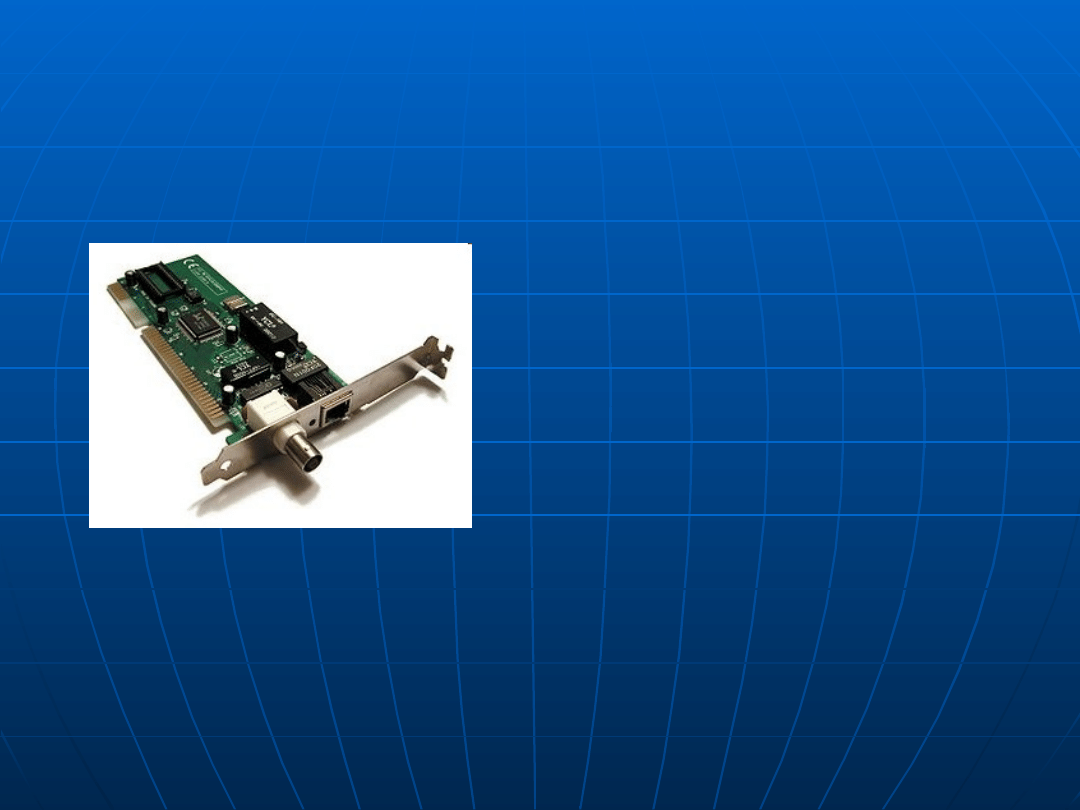
Network interface card
Network interface card
Ex
Ex
pansion board which serves
pansion board which serves
for
for
converting data packets
converting data packets
into signals
into signals
which are being
which are being
sent in the computer
sent in the computer
network.
network.
Cards nothing are working in
Cards nothing are working in
the specific standard, e.g. Ethernet, token
the specific standard, e.g. Ethernet, token
ring, FDDI, ArcNet, 100 VGAnylan.
ring, FDDI, ArcNet, 100 VGAnylan.
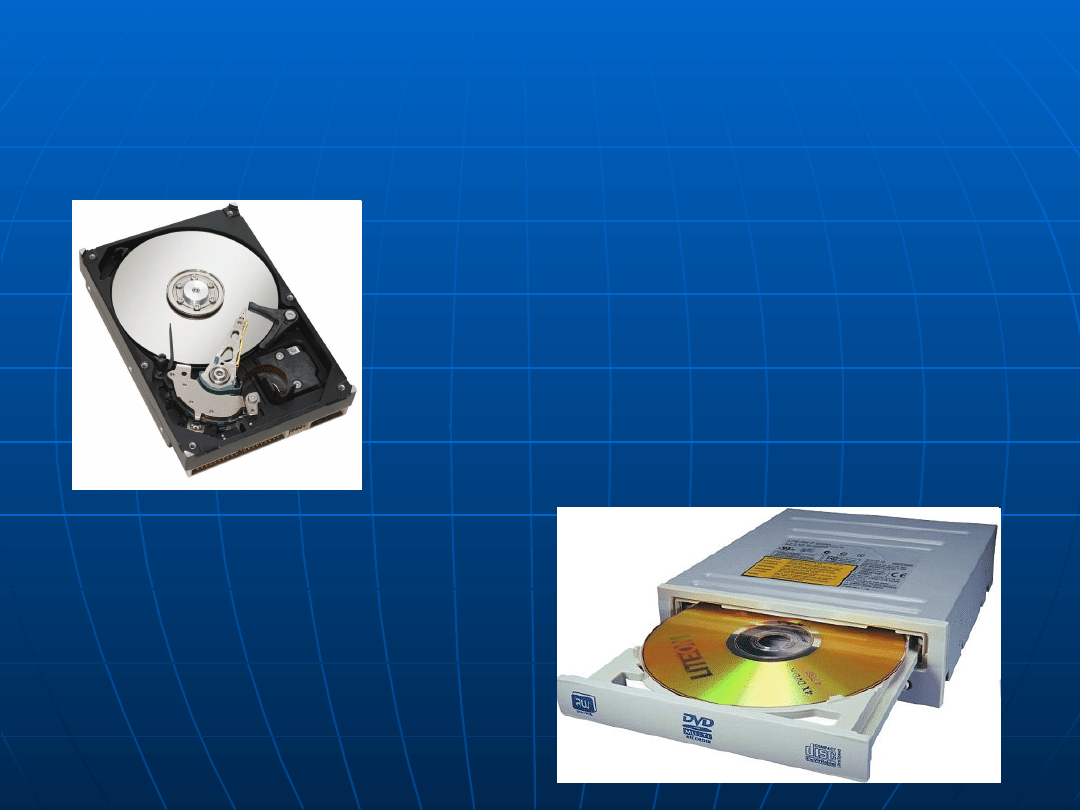
Bulk storage
Bulk storage
P
P
ermanent memory,
ermanent memory,
allocated for long-
allocated for long-
term storing
term storing
the large amount of data in
the large amount of data in
contrast with the memory the RAM and
contrast with the memory the RAM and
the ROM. the bulk storage is being
the ROM. the bulk storage is being
put
put
down on outside media of
down on outside media of
communication.
communication.
Media of
Media of
communication are written and read out in
communication are written and read out in
devices called drives.
devices called drives.

Kinds of the bulk
Kinds of the bulk
storage
storage
fixed disks - random access memory; data
fixed disks - random access memory; data
carriers installed in disk arrays against
carriers installed in disk arrays against
magnetic tapes - memory about the
magnetic tapes - memory about the
sequential access written and read out in
sequential access written and read out in
the band drive
the band drive
the CD-ROM
the CD-ROM
plates DVD
plates DVD
plates Blu-Ray Disk
plates Blu-Ray Disk
HD plates DVD
HD plates DVD
the USB memory.
the USB memory.
for memory cards
for memory cards
SSD
SSD


History
History
windowsa
windowsa

MS-DOS and covers
MS-DOS and covers
MS-DOS (i PC-DOS - version
MS-DOS (i PC-DOS - version
IBM)
IBM)
Windows 1.0
Windows 1.0
Windows 2.0
Windows 2.0
Windows 2.1 (also Windows/286 i Windows/386)
Windows 2.1 (also Windows/286 i Windows/386)
Windows 3.0, Windows 3.1, Windows 3.11 (additionally
Windows 3.0, Windows 3.1, Windows 3.11 (additionally
Windows
Windows
for Workgroups)
for Workgroups)
Systems from the line
Systems from the line
9x
9x
Windows 95 (Windows 4.0)
Windows 95 (Windows 4.0)
Windows 98 (Windows 4.1), Windows 98 Second Edition
Windows 98 (Windows 4.1), Windows 98 Second Edition
Windows Millenium Edition (Windows Me, Windows 4.9)
Windows Millenium Edition (Windows Me, Windows 4.9)
Products of the line
Products of the line
OS/2
OS/2
wersje 16-bitowe: OS/2 1.0 (
wersje 16-bitowe: OS/2 1.0 (
only a version with the
only a version with the
interface
interface
CLI), 1.1,
CLI), 1.1,
1.2, 1.3
1.2, 1.3
wersje 32-bitowe: OS/2 2.0, 2.1, 2.11, 2.11 SMP, Warp 3,
wersje 32-bitowe: OS/2 2.0, 2.1, 2.11, 2.11 SMP, Warp 3,
Warp 4
Warp 4

Products of the line
Products of the line
NT
NT
Windows NT 3.1, 3.5, 3.51
Windows NT 3.1, 3.5, 3.51
Windows NT 4.0
Windows NT 4.0
Windows 2000 (Windows NT 5.0)
Windows 2000 (Windows NT 5.0)
Windows XP (Windows NT 5.1)
Windows XP (Windows NT 5.1)
Windows XP x64 (Windows NT 5.2)
Windows XP x64 (Windows NT 5.2)
Windows Vista (Windows NT 6.0)
Windows Vista (Windows NT 6.0)
Windows 7 (Windows NT 6.1)
Windows 7 (Windows NT 6.1)
in the future
in the future
Windows 8 (?)
Windows 8 (?)

Server products
Server products
Windows NT 3.51 Server
Windows NT 3.51 Server
Windows NT 4.0 Server
Windows NT 4.0 Server
Windows 2000 Server (a few varieties) - NT
Windows 2000 Server (a few varieties) - NT
5.0/NT 5.1
5.0/NT 5.1
Widows Server 2003 (a few varieties) - NT 5.2
Widows Server 2003 (a few varieties) - NT 5.2
Windows Server 2008 (a few varieties) - NT
Windows Server 2008 (a few varieties) - NT
6.0
6.0
in the future:
in the future:
Windows Server 2008 R2 - 7.0
Windows Server 2008 R2 - 7.0

History of the version
History of the version
20
20
November 1985
November 1985
–
–
Windows 1.0
Windows 1.0
9 December 1987
9 December 1987
–
–
Windows 2.0
Windows 2.0
22 May 1990
22 May 1990
-
-
Windows 3.0
Windows 3.0
6 April 1992
6 April 1992
-
-
Windows 3.1
Windows 3.1
27 October 1992
27 October 1992
-
-
Windows for Workgroups
Windows for Workgroups
3.1
3.1
27 July 1993
27 July 1993
-
-
Windows NT 3.1
Windows NT 3.1
8 November 1993
8 November 1993
-
-
Windows for Workgroups
Windows for Workgroups
3.11
3.11
21 September 1994
21 September 1994
-
-
Windows NT 3.5
Windows NT 3.5
30 May 1995
30 May 1995
-
-
Windows NT 3.51
Windows NT 3.51
24 August 1995
24 August 1995
-
-
Windows 95
Windows 95
29 July 1996
29 July 1996
-
-
Windows NT 4.0
Windows NT 4.0
25 June 1998
25 June 1998
-
-
Windows 98
Windows 98
9 May 1999
9 May 1999
-
-
Windows 98 SE
Windows 98 SE

17 February 2000
17 February 2000
-
-
Windows 2000
Windows 2000
14 September 2000
14 September 2000
-
-
Windows ME
Windows ME
25 October 2001
25 October 2001
-
-
Windows XP
Windows XP
25 April 2003
25 April 2003
-
-
Windows Server 2003
Windows Server 2003
18 December 2003
18 December 2003
-
-
Windows XP Media Center
Windows XP Media Center
Edition 2003
Edition 2003
12 October 2004
12 October 2004
-
-
Windows XP Media Center
Windows XP Media Center
Edition 2003
Edition 2003
25 April 2005
25 April 2005
-
-
Windows Xp Profesional x64
Windows Xp Profesional x64
Edition
Edition
30 November 2006
30 November 2006
-
-
Windows Vista
Windows Vista
30 January 2007
30 January 2007
-
-
Windows Vista
Windows Vista
2007
2007
-
-
Windows Vista Ultimate
Windows Vista Ultimate
2007
2007
-
-
Windows Home Server
Windows Home Server
22 October 2009
22 October 2009
-
-
Windows 7
Windows 7

THE END
THE END
For contractor:
For contractor:
Mateusz Mamala
Mateusz Mamala
Jakub Jodłowski
Jakub Jodłowski
Paulina Koterla
Paulina Koterla
Paulina Pawłowska
Paulina Pawłowska
Mateusz Jodłowski
Mateusz Jodłowski
Klaudia Bobak
Klaudia Bobak
Drawn up on the base:
Drawn up on the base:
Of popular encyclopedia PWN
Of popular encyclopedia PWN
Dictionaries:
Dictionaries:
The contemporary English-Polish
The contemporary English-Polish
Polish-English dictionary
Polish-English dictionary
Help at translations:
Help at translations:
Mgr Grzegorz Krawczyk
Mgr Grzegorz Krawczyk
Magdalena Wojnarowska
Magdalena Wojnarowska
Document Outline
- Slide 1
- Slide 2
- Slide 3
- Slide 4
- Slide 5
- Slide 6
- Slide 7
- Slide 8
- Slide 9
- Slide 10
- Slide 11
- Slide 12
- Slide 13
- Slide 14
- Slide 15
- Slide 16
- Slide 17
- Slide 18
- Slide 19
Wyszukiwarka
Podobne podstrony:
sciaga biol UKLAD NERWOWY CZLOWIEKA, wypracowania z każdego przedmiotu oraz prezentacje komputerowe-
11 urzadz komputer cz2
fermentacja alkoholi chemia(1), wypracowania z każdego przedmiotu oraz prezentacje komputerowe- OSOB
Prezentacja Komputera
PROJEKT INSTRUKCJA, MTiPIproj cz2 , Projekt zaliczeniowy z przedmiotu: Komputerowe wspomaganie zadań
Bajtek domowy komputer prezentacja
Wykorzystanie komputera w pracy dydaktycznej nauczyciela prezentacja w PowerPoint
ako pytania zadania cz2 2010, Studia - informatyka, materialy, Architektura komputerów
Utk, UTK - Urządzenia Techniki Komputerowej Prezentacje
Budowa zestawu komputerowego prezentacja
prezentowanie informacji w komputerze
prezentacja urzadzenia sieci komputerowych
Medium transmisyjne, UTK - Urządzenia Techniki Komputerowej Prezentacje
08.Warstwa Prezentacji (5 Warstwa), Technik Informatyk, Technik - Informatyk, Podręczniki i materiał
Topologia magistrali, UTK - Urządzenia Techniki Komputerowej Prezentacje
Giełda Komputerowa, Szkoła Prezentacje, Szkoła
Prezentacja Zagrożenia i ochrona systemu komputerowego
więcej podobnych podstron