
July 2, 2021
Copyright © 2007, 2008 IBM Corporation. All rights
reserved.
Planning Your Work
RTC Build – 1.0
Jazz Jumpstart Team, IBM Rational
RTC Introductory User Workshop
2 / 8 | Copyright © 2007, 2008 IBM Corporation. All rights reserved.
What is a Bug Tracking System?
• An application to help development teams
keep track of reported software bugs in
their work.
• Support the concept of bug life cycle
which is tracked through status assigned
to the bug.
RTC Introductory User Workshop
3 / 8 | Copyright © 2007, 2008 IBM Corporation. All rights reserved.
How is Rational Team Concert
Different?
• RTC calls them work items.
• The set of work item types is open-
ended.
• Standard types: Plan Item, Story, Task,
Enhancement, Defect
• The set is defined by each team.
• The work item life cycle is configurable.
• All work items are stored in the Jazz
repository
RTC Introductory User Workshop
4 / 8 | Copyright © 2007, 2008 IBM Corporation. All rights reserved.
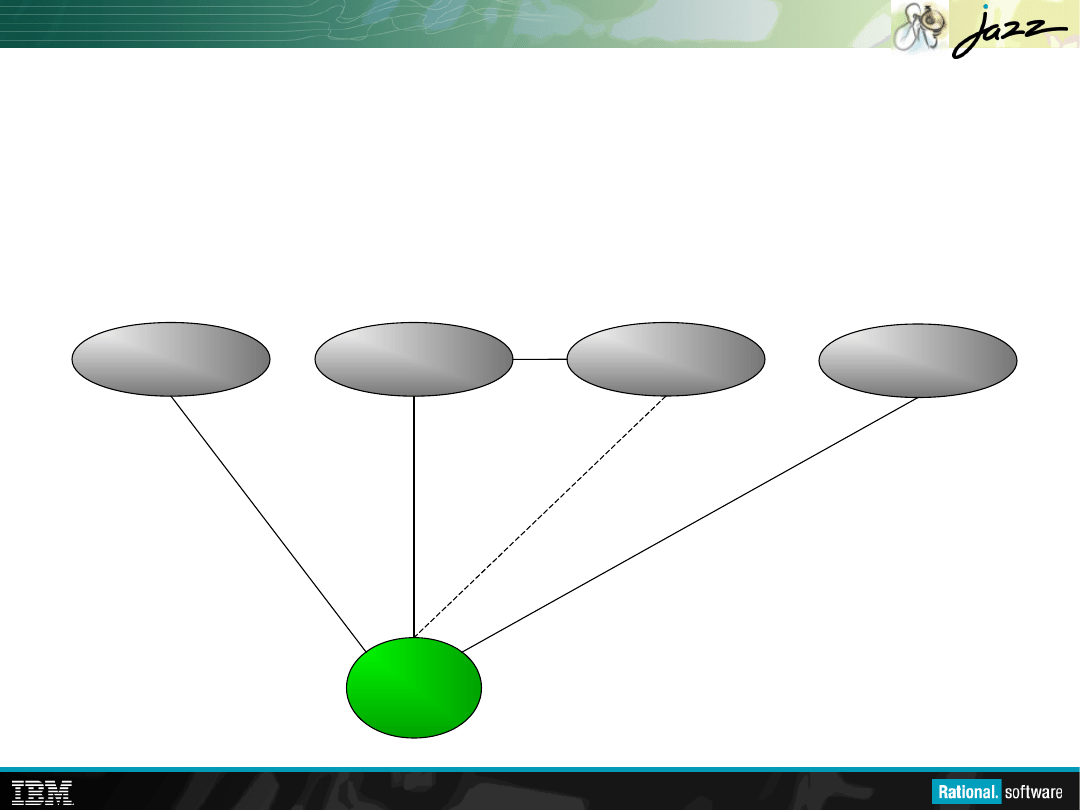
Report
Report
Work Items are Central to Rational Team
Concert
Work
Work
Items
Items
Plans
define &
organize
work items
Planning
Planning
Source Control
Source Control
Change sets
implement
work items
Build
includes
change sets
Build
Build
Reports
show work
item activity
Work items
describe
the builds
RTC Introductory User Workshop
5 / 8 | Copyright © 2007, 2008 IBM Corporation. All rights reserved.
Our Situation: A Bunch of Work Items
• We have a bunch of work items
• We have a deadline (M2)
• Who will work on what?
• How can we track our progress on M2?
• What if there’s too much to fit in?
RTC Introductory User Workshop
6 / 8 | Copyright © 2007, 2008 IBM Corporation. All rights reserved.
Our Solution: The Iteration Plan
• A collection of work items…
– Assigned to a given milestone
– For a given team
• Plans are live
– Changing work items changes the plan
– Changing the plan directly changes the work items
– Create new work items from the plan
• Plan structure is dynamic
– Easily be grouped by owner, category, tags, custom folders
• Plans are visible
– Available to everybody on the team
– Observable by interested outsiders
RTC Introductory User Workshop
7 / 8 | Copyright © 2007, 2008 IBM Corporation. All rights reserved.
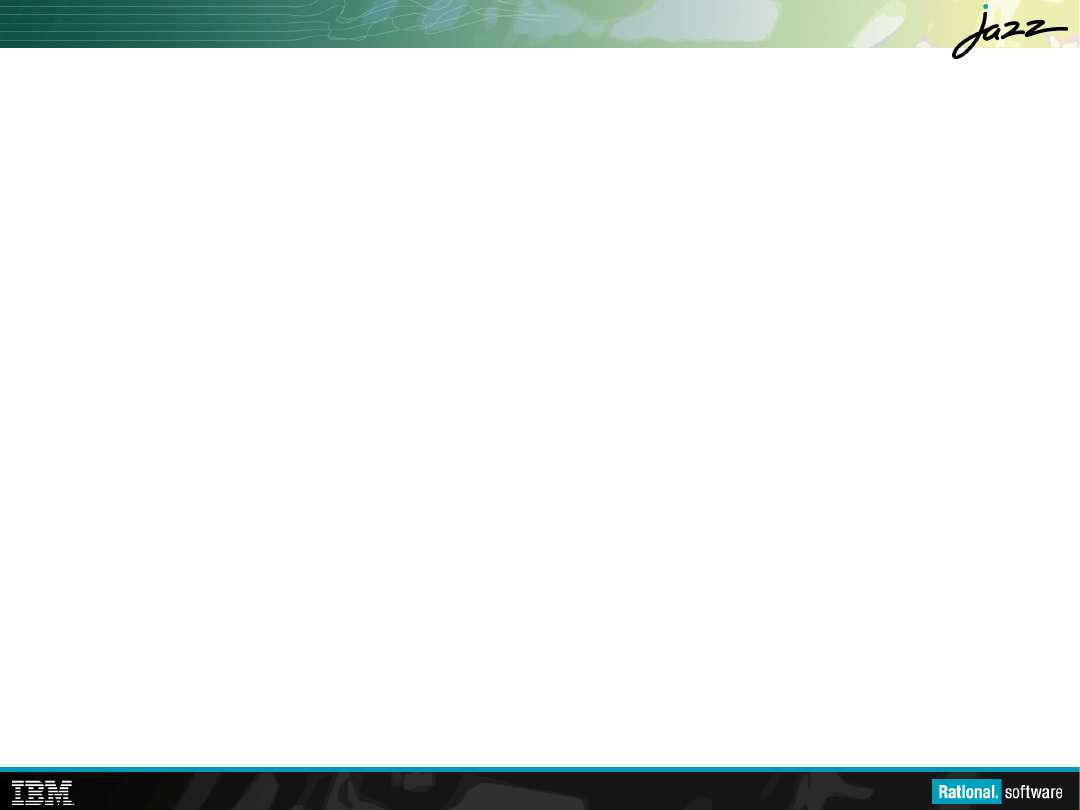
Iteration Planning in Rational Team
Concert
Release N
Milestone 1
Warm-up
Milestone i
Milestone M
End Game
D
e
c
o
m
p
re
s
s
io
n
R
e
tr
o
s
p
e
c
ti
v
e
In
it
ia
l
R
e
le
a
s
e
P
la
n
Te
s
t
P
la
n
D
e
v
e
lo
p
m
e
n
t
R
e
tr
o
s
p
e
c
ti
v
e
Te
st
P
la
n
D
e
v
e
lo
p
m
e
n
t
R
e
tr
o
s
p
e
c
ti
v
e
Te
st
P
la
n
D
e
v
e
lo
p
m
e
n
t
R
e
tr
o
s
p
e
c
ti
v
e
Work Items
Work Items
Previous
Plan
Next
Plan
Postponed
Work Items
Organize and
Distribute
Work Items
Resolve and/or
Create
Work Items
Postpone
Work Items
Iteration
Iteration
Plan
Plan
RTC Introductory User Workshop
8 / 8 | Copyright © 2007, 2008 IBM Corporation. All rights reserved.
[Exercise] Planning M2
• File: 030-exercise-Planning Your Work.doc
• Demo: Use the Squawk release plan to set
determine content for the M2 plans.
• Create a couple work items
– One for creating your squawker and its test case
– One for creating your squawker documentation
– Dog, Cat, Car and Lion are already taken
• Create M2 plans for the Core Library and
Documentation teams
Document Outline
- Planning Your Work
- What is a Bug Tracking System?
- How is Rational Team Concert Different?
- Work Items are Central to Rational Team Concert
- Our Situation: A Bunch of Work Items
- Our Solution: The Iteration Plan
- Iteration Planning in Rational Team Concert
- [Exercise] Planning M2
Wyszukiwarka
Podobne podstrony:
030 exercise Planning Your Work
040 charts Tracking Workid 5320 ppt
Planning Your Personal Development
Planning Your Play
Planning Your Strategy
030 ANATOMIA 2id 4630 ppt
050 030 zwi osobowe v03id 5986 ppt
030 ANATOMIA 2id 4630 ppt
03 Sejsmika04 plytkieid 4624 ppt
Choroby układu nerwowego ppt
10 Metody otrzymywania zwierzat transgenicznychid 10950 ppt
10 dźwigniaid 10541 ppt
03 Odświeżanie pamięci DRAMid 4244 ppt
Prelekcja2 ppt
więcej podobnych podstron