
Printer Server & Ethernet Backup
1 v1.00
Demo Project for Printer Saver
&
Ethernet Backup

Printer Server & Ethernet Backup
2 v1.00
Table of Contents
1. Overview and Operation
2. Setting Up the Screen
3. Objects
Printer Server & Ethernet Backup
3 v1.00
1. Overview and Operation
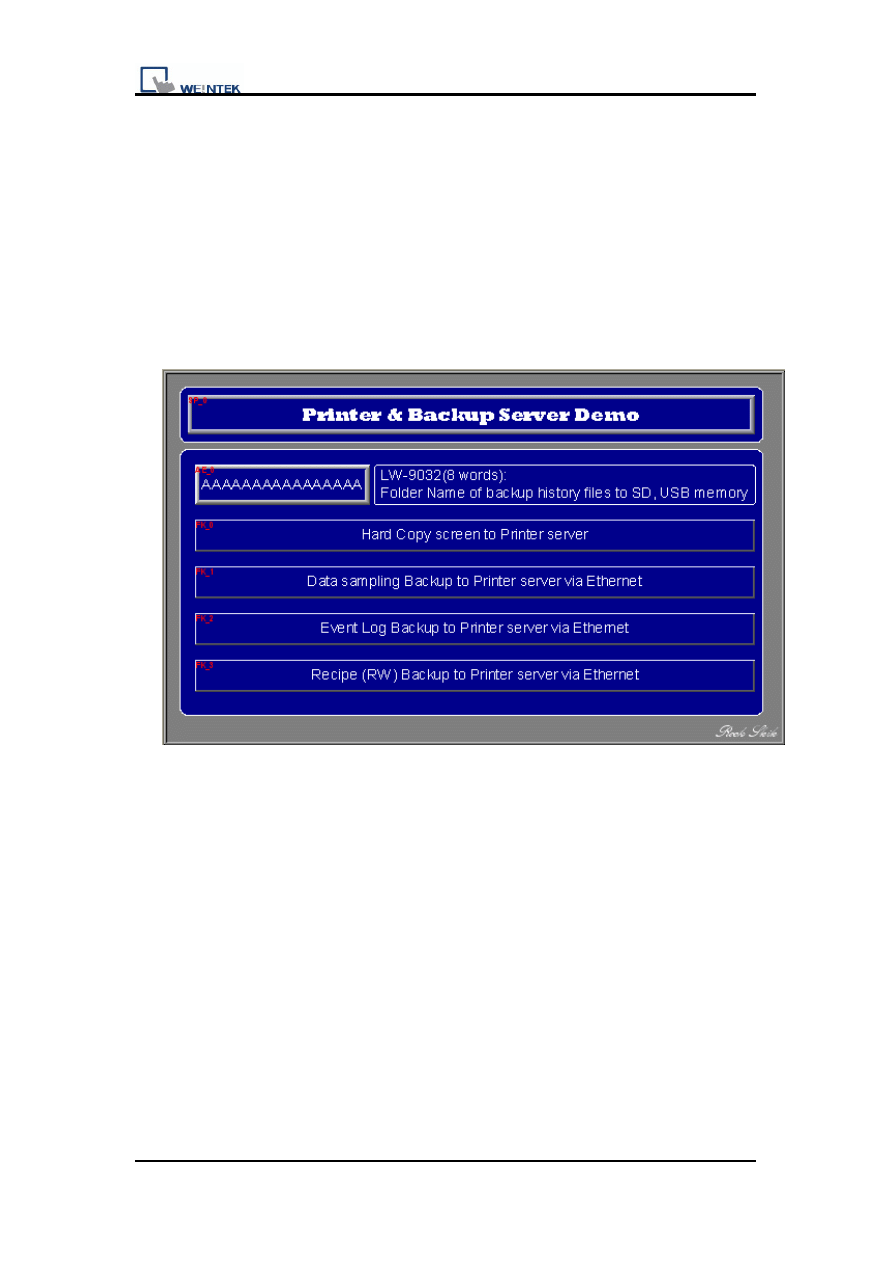
This demo introduces how to use Printer/Backup Server to backup data via
Ethernet. There are four data types can be served.
Data sampling
Event log
Recipe memory
Hard Copy
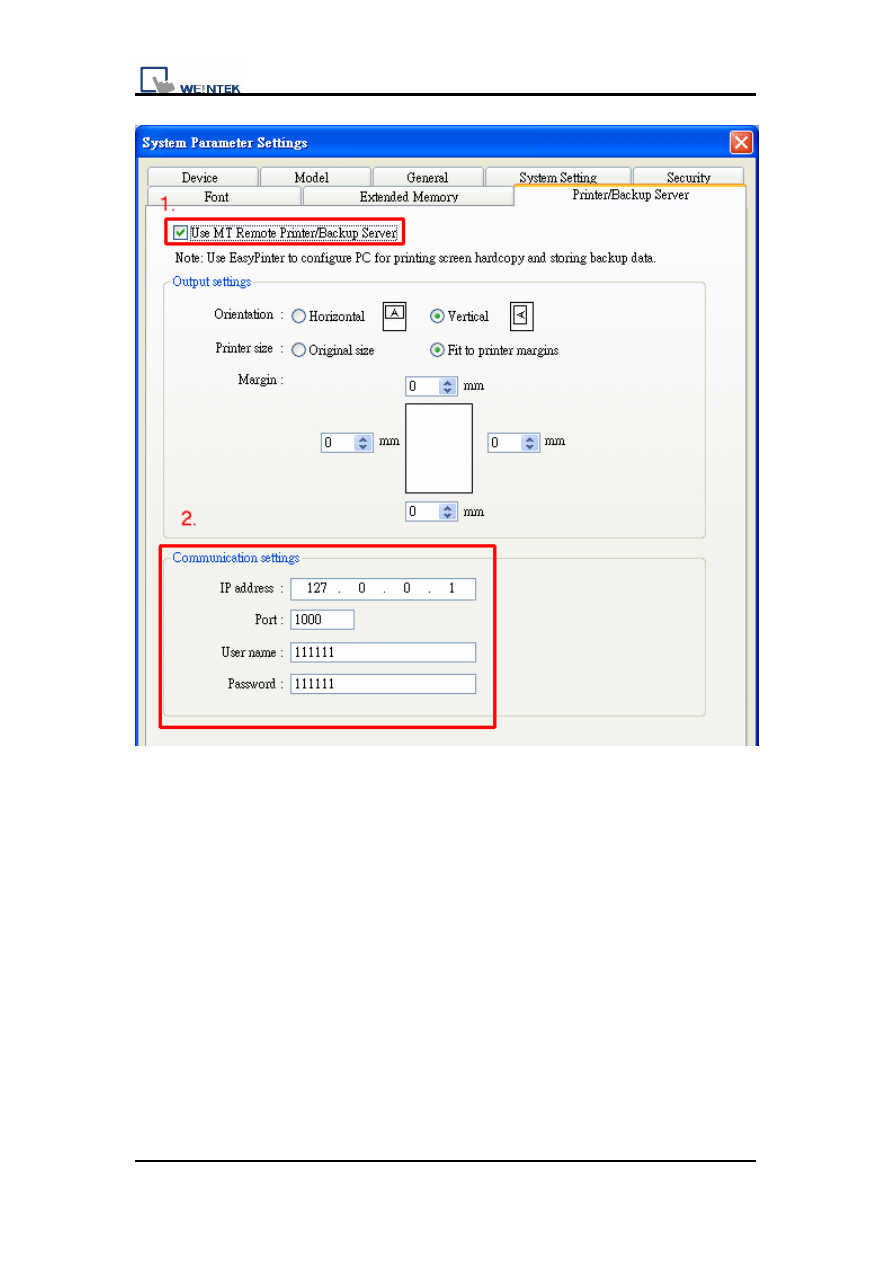
1. It needs to set up the system parameter of [Printer/Backup Server] while
building the new project. Follow the graph to pick up the [Use MT Remote
Printer/Backup Server] firstly then set up the communication setting.
Printer Server & Ethernet Backup
4 v1.00
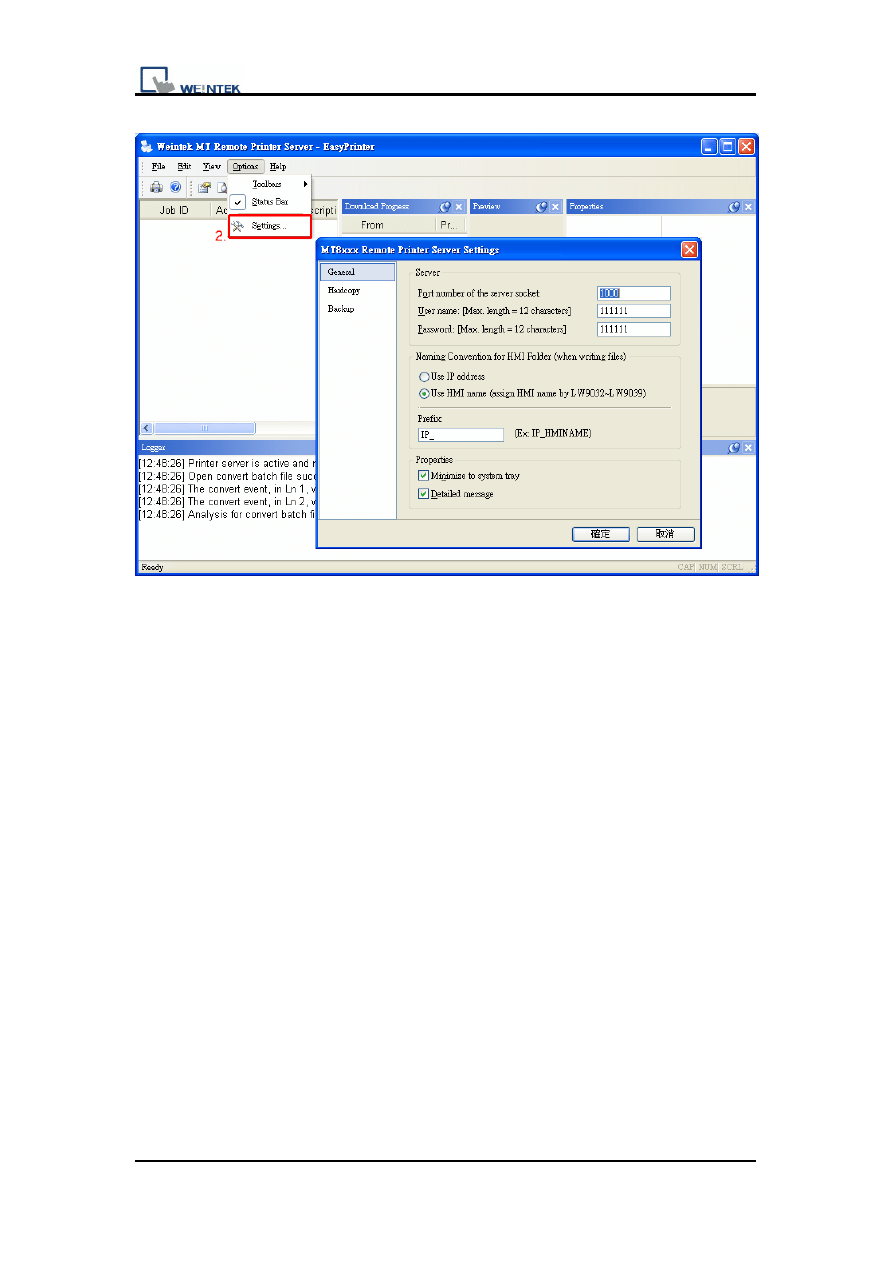
2. Start the EasyPrinter.exe and then setup the setting in Remote Printer
Server. For the detailed procedure, please refer to the relevant chapter.
Printer Server & Ethernet Backup
5 v1.00
3. In this demo project there’s some data of [event log] and [data sampling]. If
user needs to know how to create the data please refer to the relevant
chapter.
Printer Server & Ethernet Backup
6 v1.00
Setting Up the Screen
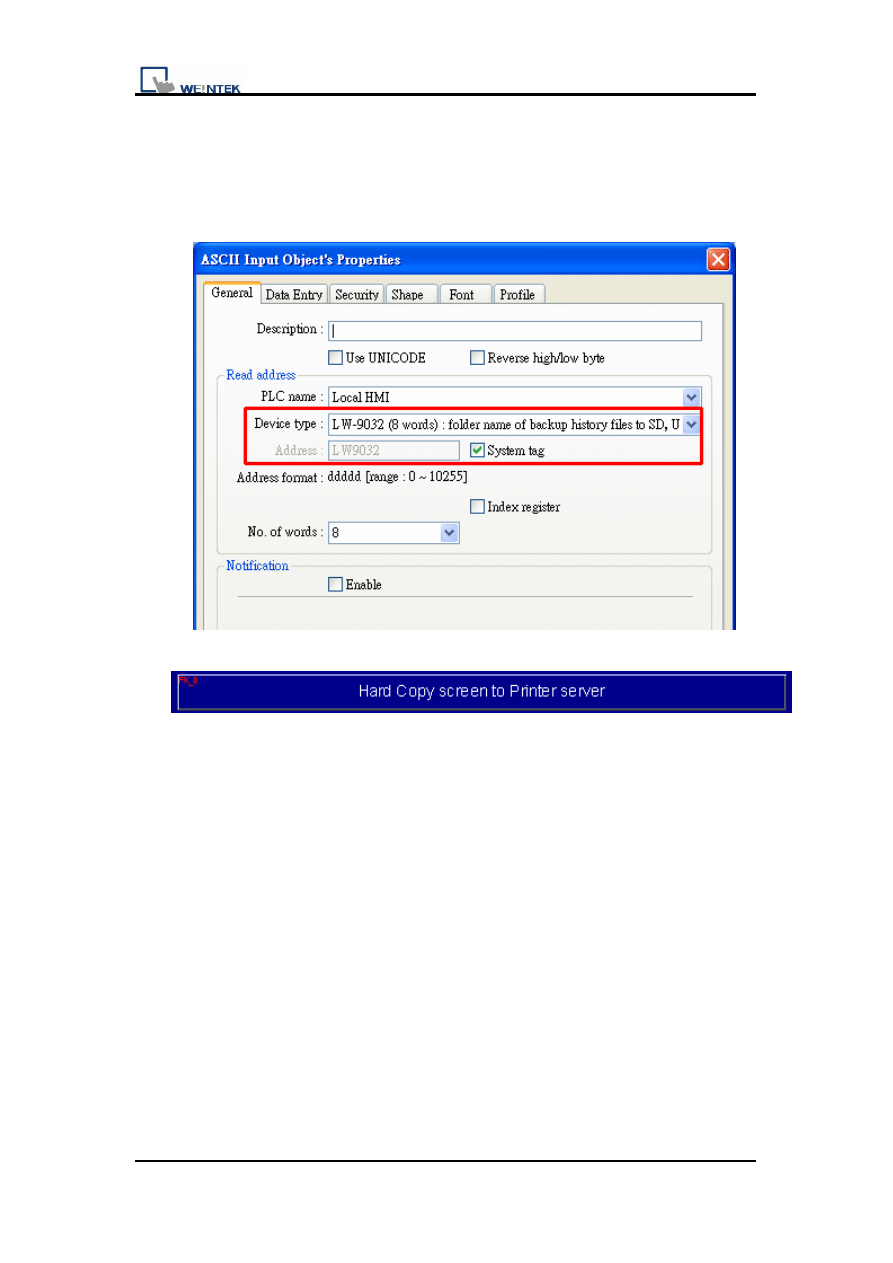
1. Create a Numeric Input object to read system tag LW9032. Users can
set folder name with this system register.
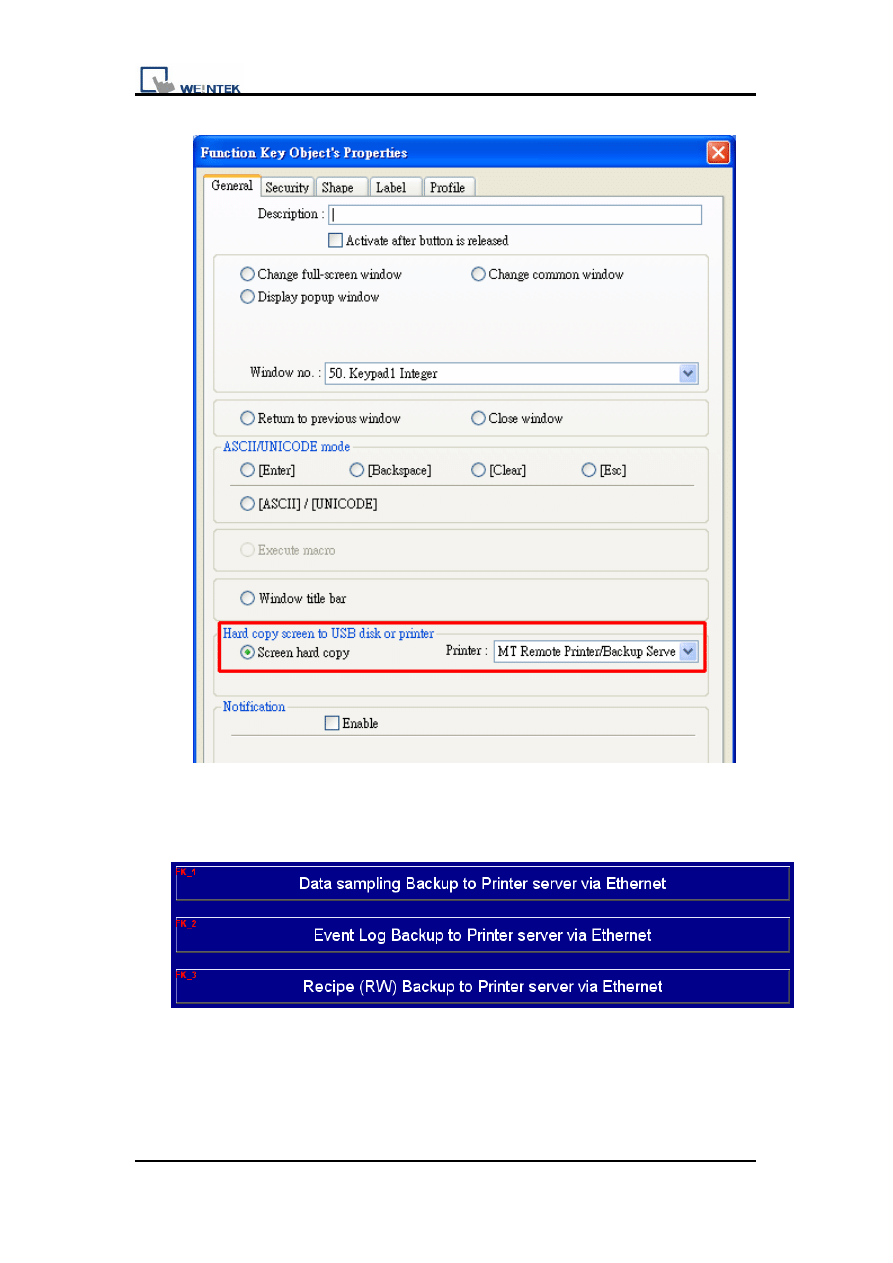
2. Set up the function key to hard copy to USB disk or Printer server.
Printer Server & Ethernet Backup
7 v1.00
3. Create new Function Key objects to change different window. Please
refer to operation in the following steps.
Printer Server & Ethernet Backup
8 v1.00
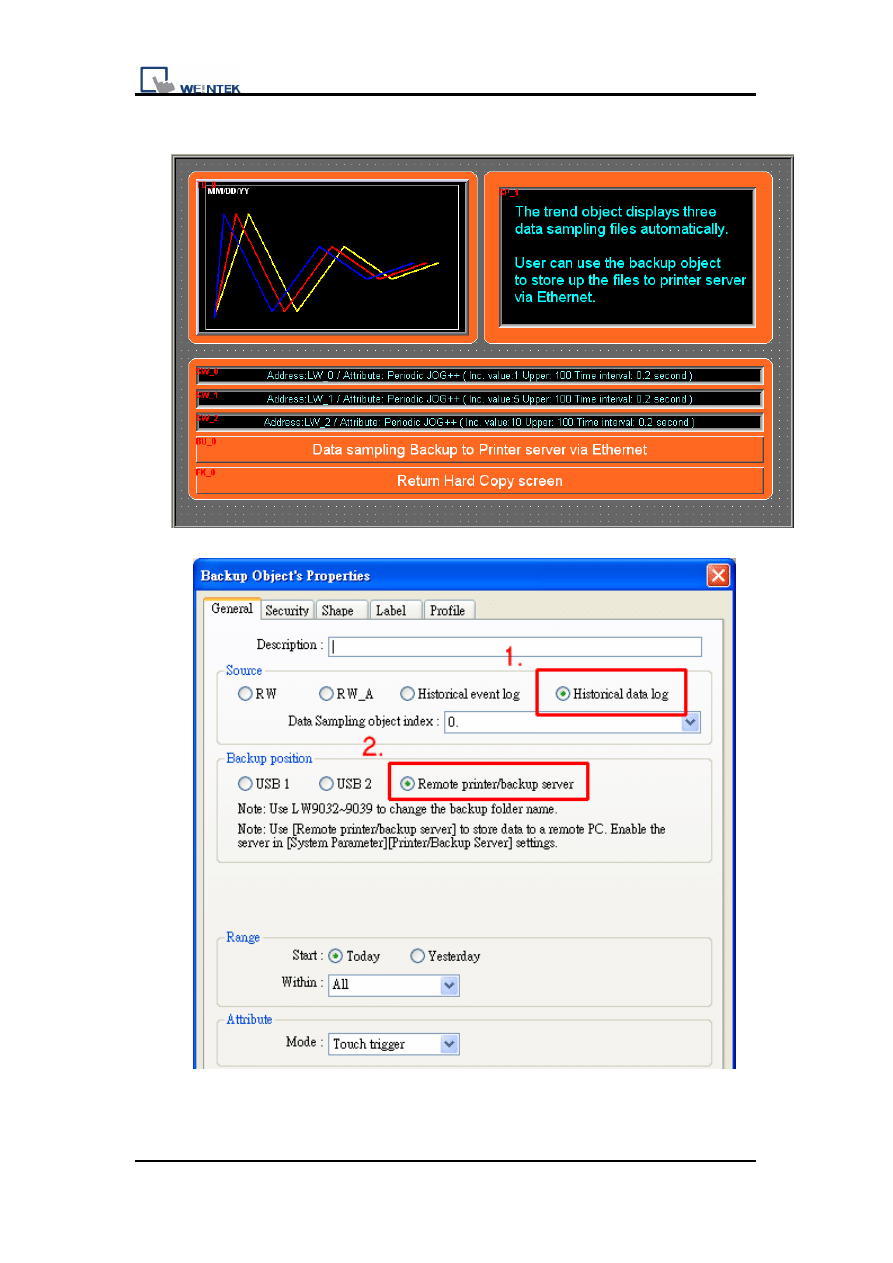
4. In second window, the sampling data backup by [Backup Object].
Printer Server & Ethernet Backup
9 v1.00
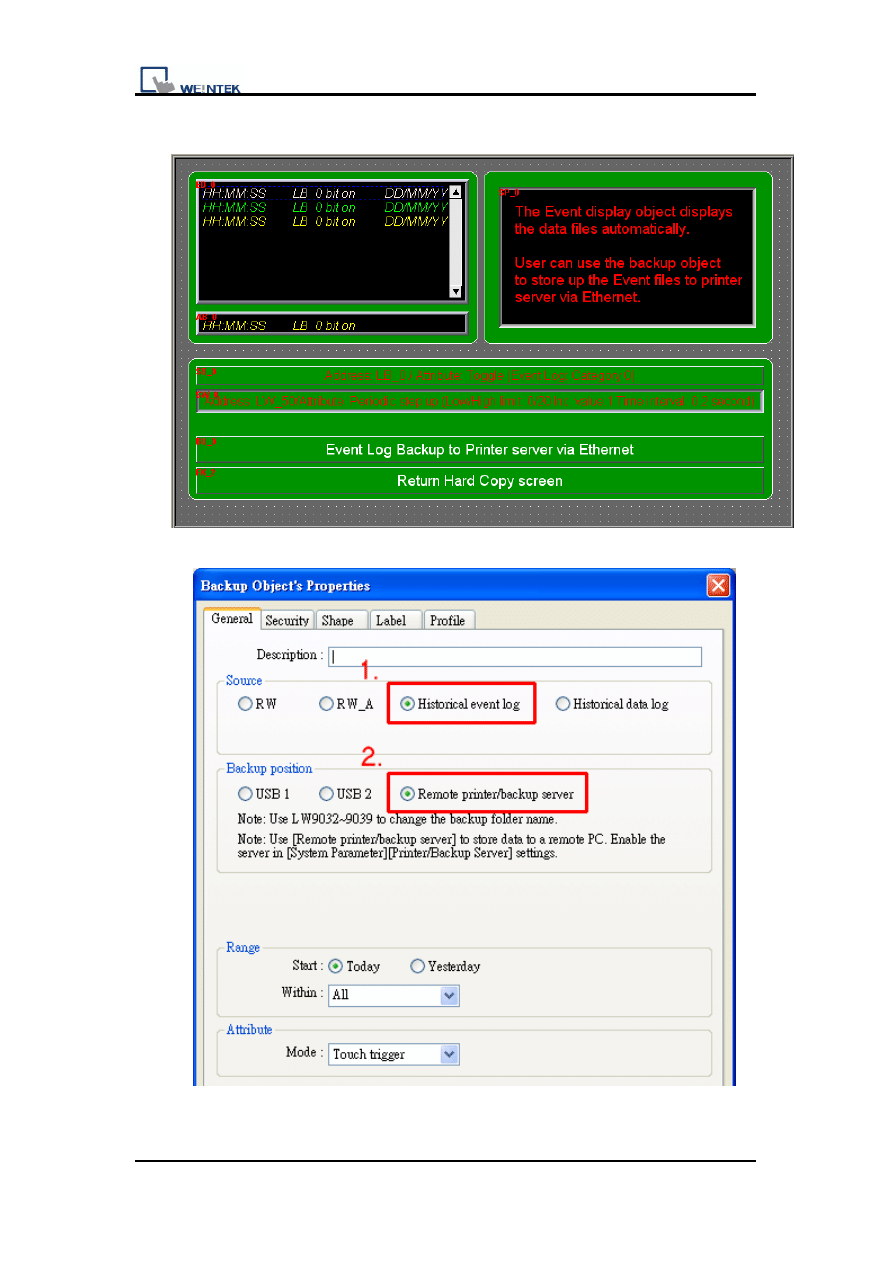
5. In third window, the event log data backup by [Backup Object].
Printer Server & Ethernet Backup
10 v1.00
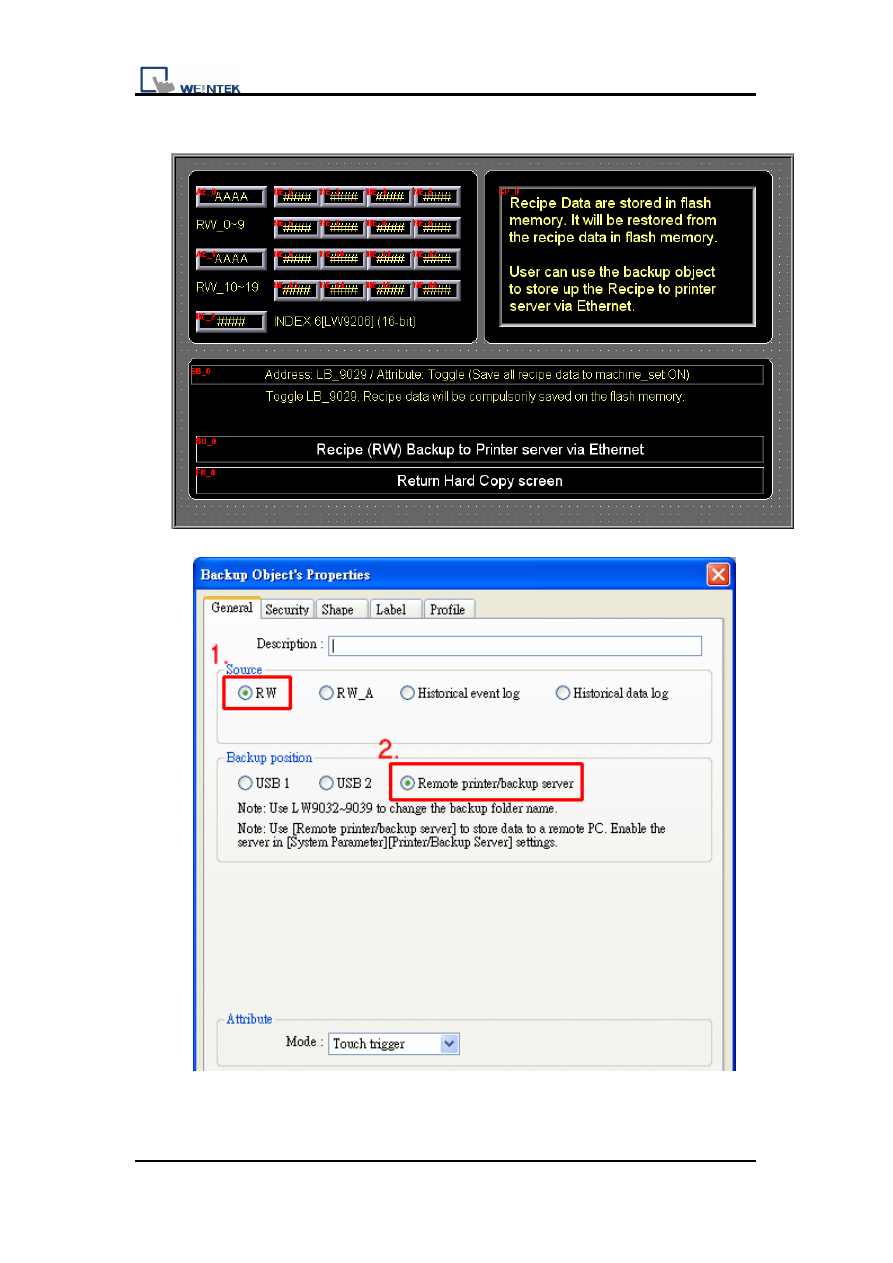
6. In fourth window, the Recipe data backup by [Backup Object].
Printer Server & Ethernet Backup
11 v1.00
4. Object
The objects used in this demo project are listed below.
Object ID
Detail
Function Key
FK0
Hard copy (window 10)
Others
Change
window
ASCII Input
AE0
Folder name (LW9032) (window 10)
Trend display
TD0
Data sampling display (window 11)
Set word
SW0~2
Trigger data sampling (window 11)
Backup
BU0
Backup sampling data (window 11)
Event display
ED0
Event log display (window 12)
Alarm bar
AB0
Event log display (window 12)
Set Bit
SB0
Category 0_Bit (window 12)
Set word
SW0
Category 0_Word (window 12)
Backup
BU0
Backup Event Log data (window 12)
ASCII Input
AE0~1
Recipe register (window 13)
Numeric
NE0~16
Recipe register (window 13)
NE2
Index 6 (LW9206) (window 13)
Backup
BU0
Backup Recipe data (window 13)
Set Bit
SB0
Save Recipe data to HMI (window 13)
Document Outline
- Demo Project for Printer Saver
- &
- Ethernet BackupTable of Contents
- 1. Overview and Operation
- 2. Setting Up the Screen
- 3. Objects
- 1. Overview and Operation
- This demo introduces how to use Printer/Backup Server to backup data via Ethernet. There are four data types can be served.
- Data sampling
- Event log
- Recipe memory
- Hard Copy
- 1. It needs to set up the system parameter of [Printer/Backup Server] while building the new project. Follow the graph to pick up the [Use MT Remote Printer/Backup Server] firstly then set up the communication setting.
- 2. Start the EasyPrinter.exe and then setup the setting in Remote Printer Server. For the detailed procedure, please refer to the relevant chapter.
- 3. In this demo project there’s some data of [event log] and [data sampling]. If user needs to know how to create the data please refer to the relevant chapter.
- Setting Up the Screen
- 1. Create a Numeric Input object to read system tag LW9032. Users can set folder name with this system register.
- 2. Set up the function key to hard copy to USB disk or Printer server.
- 3. Create new Function Key objects to change different window. Please refer to operation in the following steps.
- 4. In second window, the sampling data backup by [Backup Object].
- 5. In third window, the event log data backup by [Backup Object].
- 6. In fourth window, the Recipe data backup by [Backup Object].
- 4. Object
- The objects used in this demo project are listed below.
Wyszukiwarka
Podobne podstrony:
Printer Backup Server Printer S Nieznany (2)
5 6 3 Lab Registry Backup id 40 Nieznany (2)
History data backup Schedule De Nieznany
14 3 2 Lab Share Printer Scanner in Windows 7
14 6 5 Lab Fix Printer
printerhowto
microsoft sql server 2000 ksieg Nieznany
pkorczowski MO printerfriendly
14 3 2 Lab Share Printer Scanner
PRINTER Optionen 2009 02 27
printer 89
Easy Pcb (Printed Circuit Board) Fabrication, Using Laser Printer Toner Tran
printer 71
14 6 3 Lab Troubleshooting Printer Problems in Windows 7
HP LaserJet Companion Printer Service Manual
więcej podobnych podstron