prajwaldesai.com
http://prajwaldesai.com/installing-wsus-for-configuration-manager-2012-r2/
Prajwal Desai
Installing WSUS for Configuration Manager 2012 R2
After installing
SQL server for Configuration Manager 2012 R2
, we will now see the steps for Installing WSUS for Configuration Manager
2012 R2. WSUS is Microsoft’s separate, stand-alone server-based product for distributing updates to Windows systems. WSUS also uses
the WUA to scan for patch applicability and subsequently install updates delivered by WSUS. WSUS 3.0 Service Pack 2 is required for
System Center 2012 R2 Configuration Manager. SCCM 2012 R2 supports only 64-bit site systems, you must use the 64-bit version of WSUS
on one of the supported 64-bit editions of Windows Server. The WSUS 3.0 SP2 is available here:-
http://www.microsoft.com/en-
us/download/details.aspx?id=5216
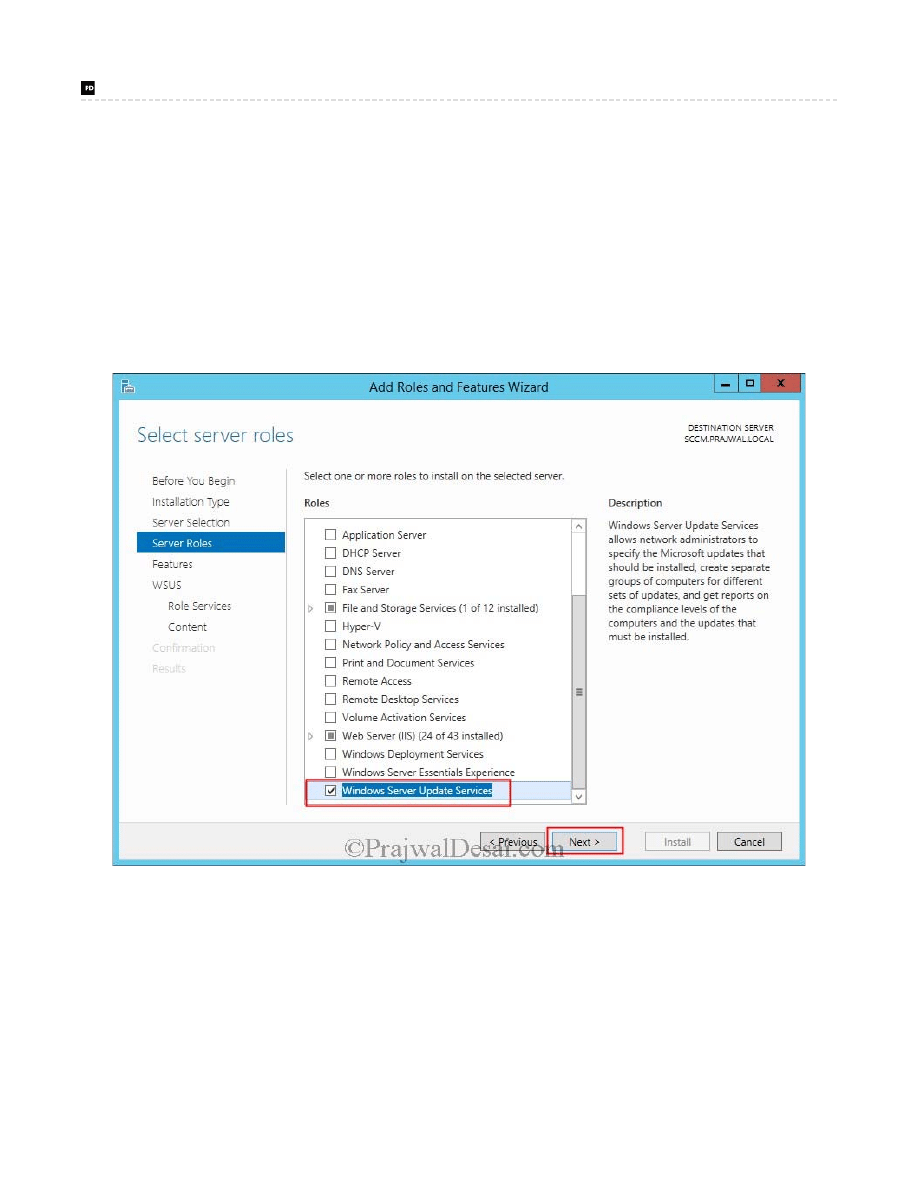
To install WSUS on Windows Server 2012 R2, click on Server Manager, click on Manage, click Add Roles and Features, select Windows
Server Update Services and click on Next.
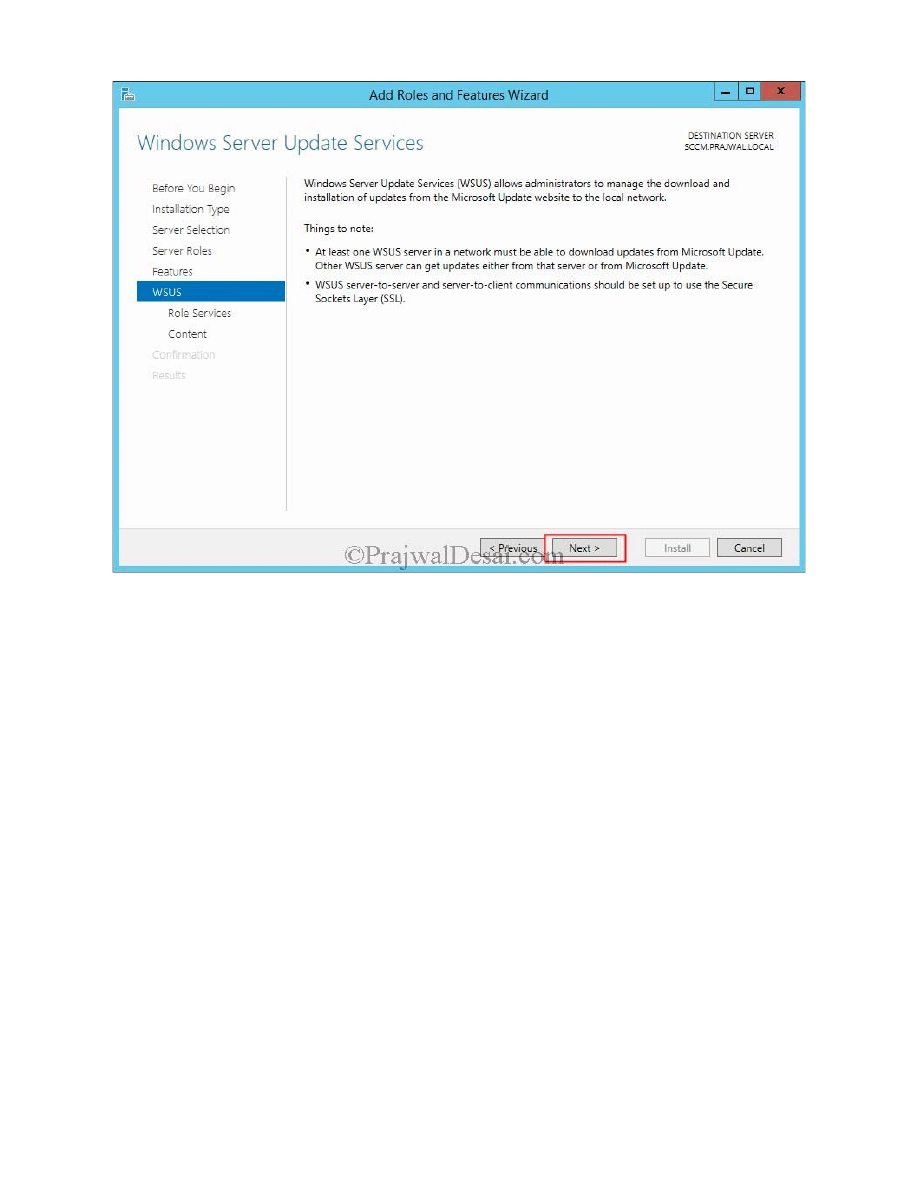
Click Next.
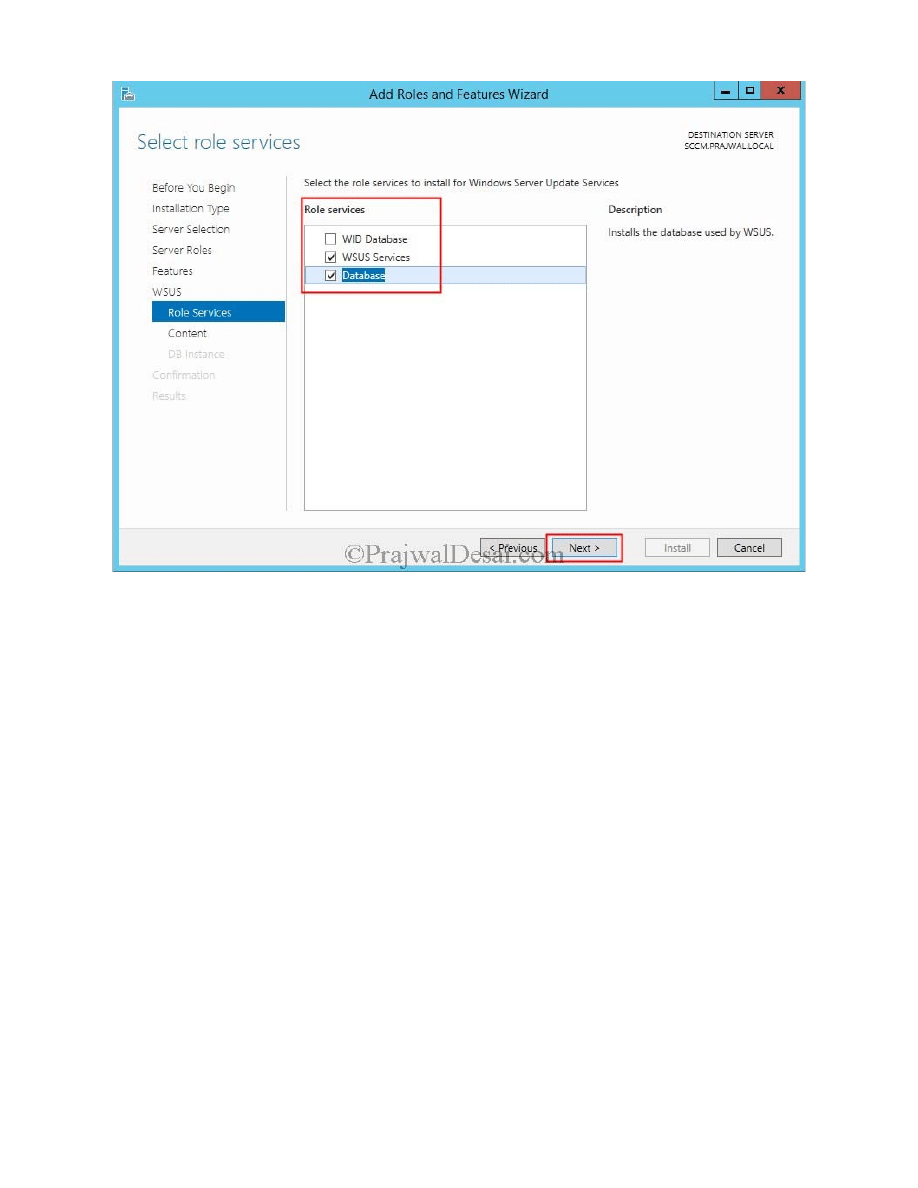
Choose WSUS Services and Database as these are the ones that are actually required. We will not select WID Database here. Click on
Next.
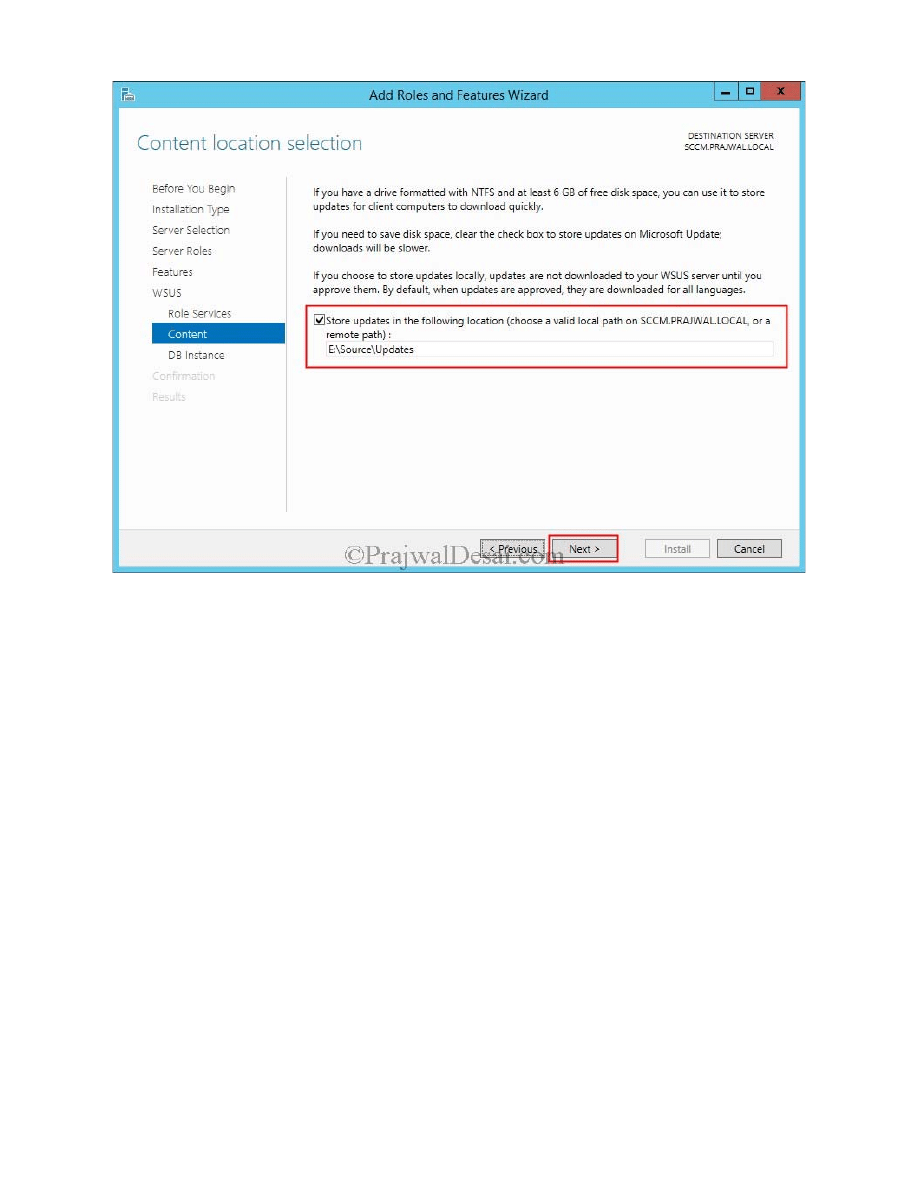
Content Location Selection – In this folder the WSUS downloads and stores license terms for specific software updates in the update
content folder. During the update synchronization process, Configuration Manager looks for applicable license terms in the content folder. If
it cannot find the license terms, it will not synchronize the update. Provide a folder path and click on Next.
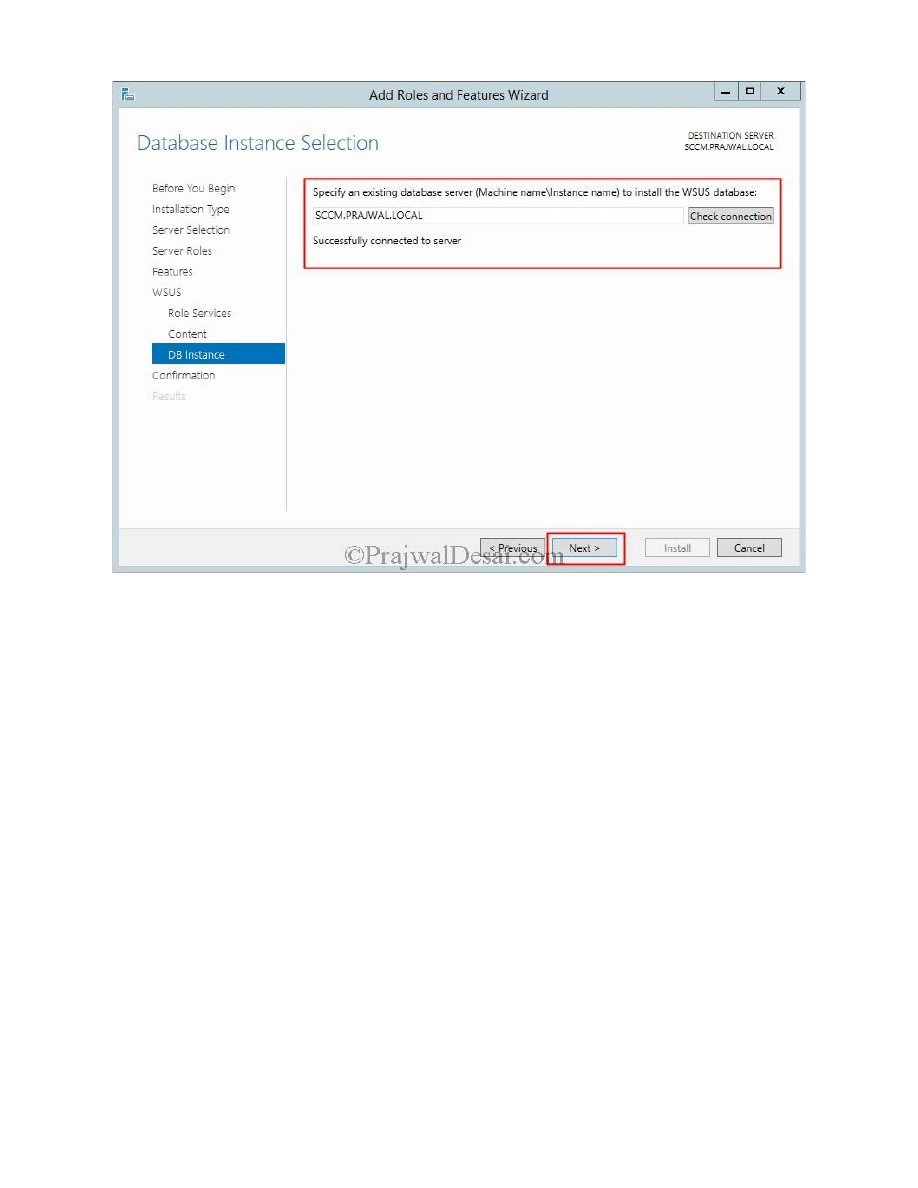
Database Instance Selection – Specify the database server where you want to store the WSUS database. Click on Check connection and
you must see the message Successfully connected to server. Click on Next.
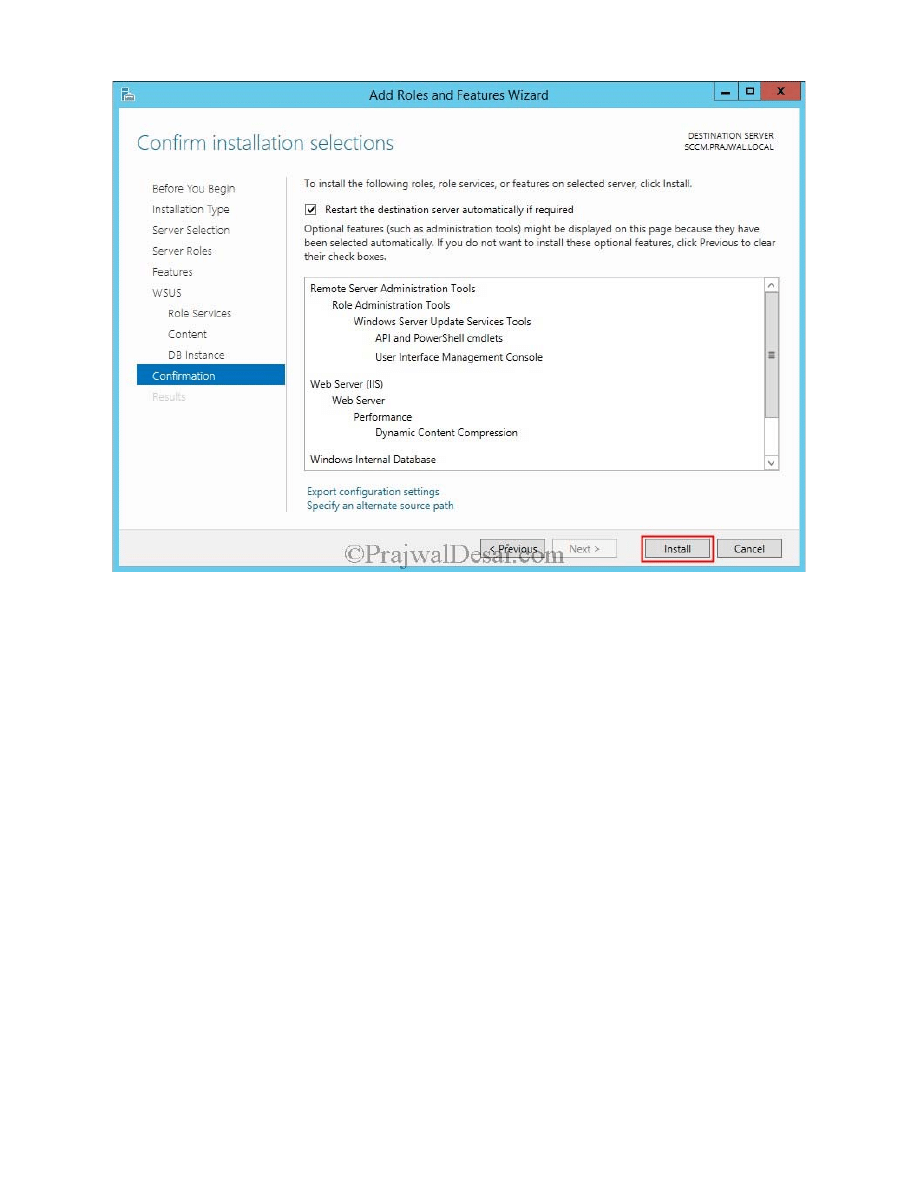
Click on Install.
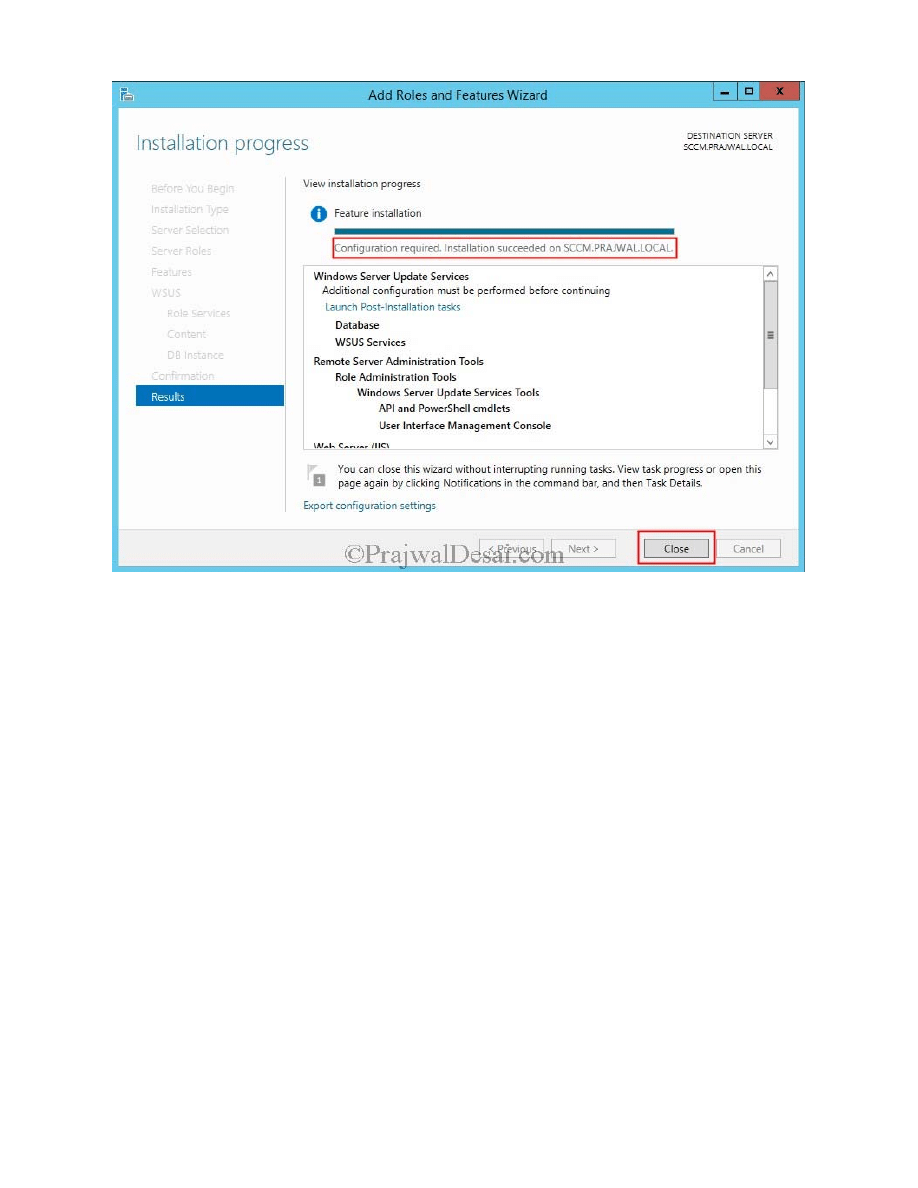
Once the installation is complete DO NOT click on Launch Post-Installation tasks. Click on Close.
We should not configure the WSUS configuration wizard, going forward Configuration Manager must be used to synchronize updates,
download updates and deploy updates. It is okay to go into the WSUS console to review updates or the synchronization status, but you
should not perform tasks such as approving or declining updates because it can adversely affect Configuration Manager’s software update
management capabilities. Click on Cancel to close the wizard. With this the installation of WSUS for Configuration Manager 2012 R2 is
complete.
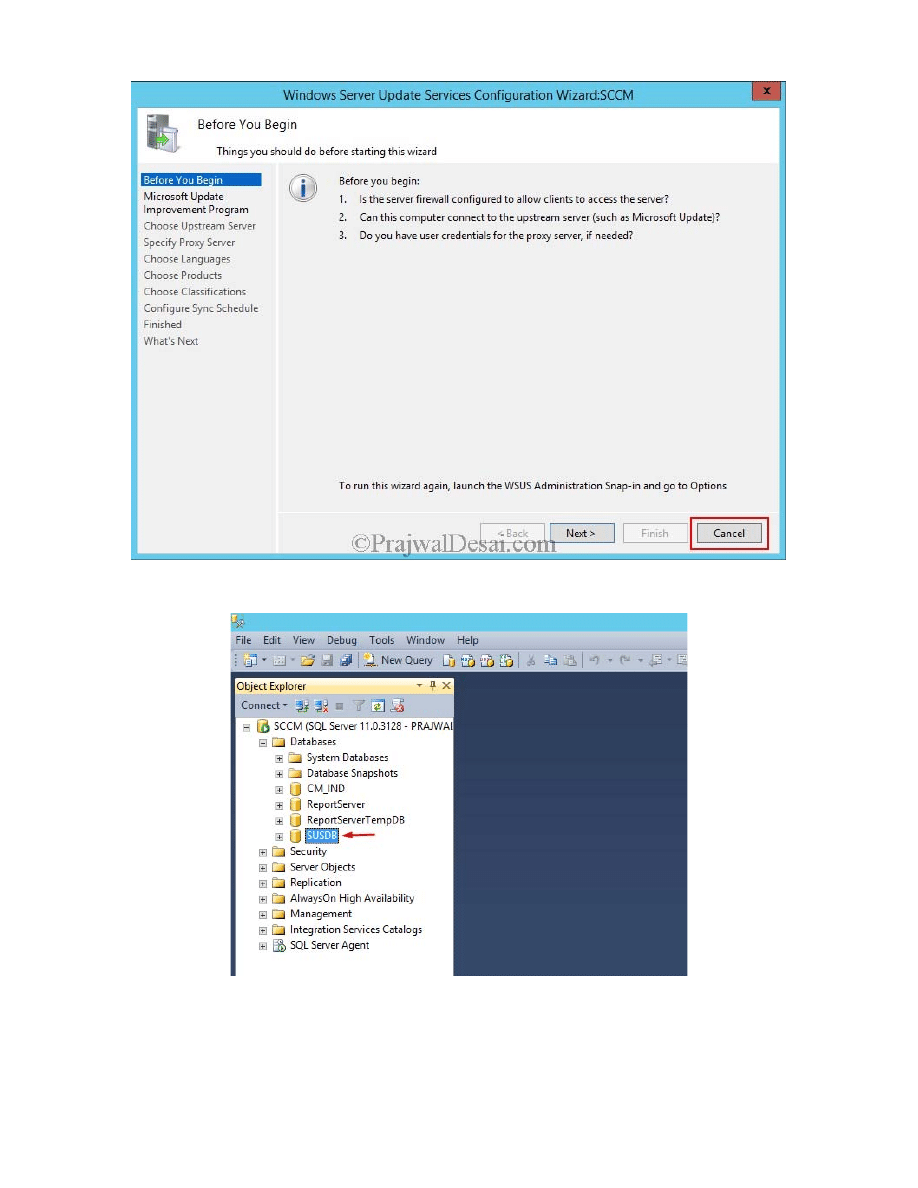
Just to see if the database has been created, launch the SQL server management studio and you should the database SUSDB.
Wyszukiwarka
Podobne podstrony:
Configuring Discovery and Boundaries in Configuration Manager 2012 R2
Configuration Manager 2012 R2 System Requirements
Instalowanie i konfigurowanie Windows Server 2012 R2
Egzamin 70412 Konfigurowanie zaawansowanych uslug Windows Server 2012 R2 Dillard Kurt
Installing Windows 7 or Windows Server 2008 R2 from USB Stick Jaxidian Update
Installation technology for Foundation Fieldbus
Installation Guide for WindowsXP
Guidelines for the Management of Aneurysmal Subarachnoid Hemorrhage
Instalacje budowlane wykład 15 03 2012
Managing Linux Computers Using SCCM 2012 R2
Novell ZENworks Configuration Management
McGraw Hill Briefcase Books Skills for New Managers
więcej podobnych podstron