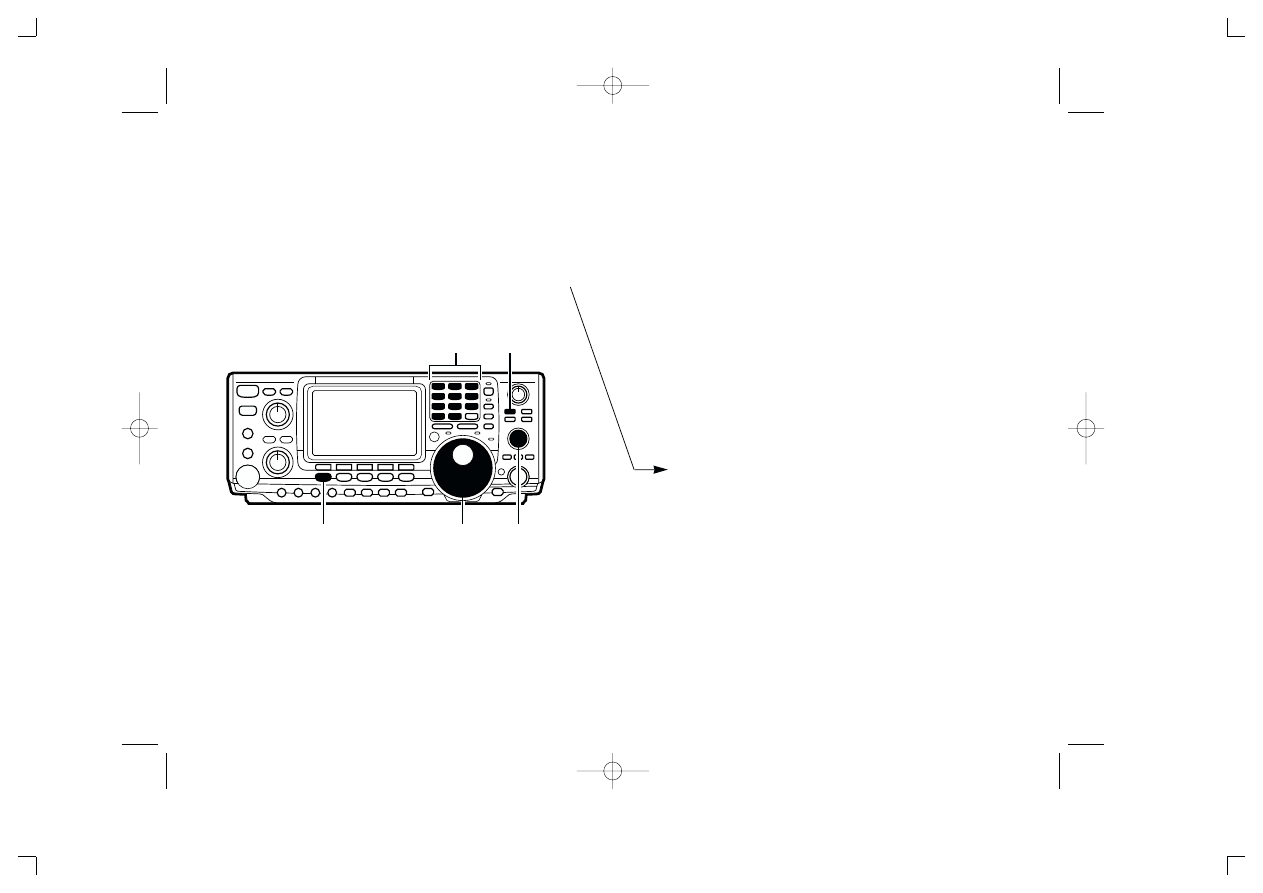
Memory names can be assigned to any memory chan-
nel. Memory names can be up to 9 characters in
length; any of the 127 standard ASCII characters (as
on a computer keyboard) can be used.
[EXAMPLE]: Programming “DX spot” into memory
channel 99.
➀
Push [V/M] to select memory mode, if necessary.
➁
Rotate [M-CH] to select memory channel 99.
➂
Push [MENU] to select menu set 2.
➃
Push [F2](MEM) to select the memory name menu.
➄
Push [F1](EDT) to select the memory edit menu.
➅
Push [F1](ABC) one or more times to select the
type of characters for input.
• “ABC” inputs capital letters A to Z.
• “abc” inputs small letters a to z.
• “etc” is used to input other characters such as punctu-
ation.
➆
Rotate the tuning dial to select the first character for
input.
➇
Push [F3](
Ç
) or [F2](
Å
) to move the cursor forwards
or backwards, respectively.
• [F5](SPC) inserts a space and [F4](DEL) deletes a char-
acter.
➈
Repeat steps
➅ to ➇ to input the remainder of the
name.
➉
Push [MENU] to set the memory name and return
to the memory name menu.
• Push [MENU] 2 more times to return to menu set 1.
IC-746 ADDENDUM
On page 53 of the IC-746 Instruction Manual, the text at right
appears regarding assigning memory names. The following
should be added to the bullet list in step
➅:
• Use the keypad to directly input numerals, “0” to “9,” in-
cluding a decimal point.
[V/M]
[0]–[9], [•]
Tuning dial
[M-CH]
[MENU]
A-5482H-8EX
IC-746 addendum 02.9.25 14:54 Page 1 (1,1)
Wyszukiwarka
Podobne podstrony:
ic 2720h addendum
IC 746 Inst Manual Erratum
ic 2100h addendum
Assembly Language for Kids Commodore 64 Addendum
IC zamienniki eu ru tomsk id 20 Nieznany
746 747
BESM Mecha Addendum
IC R3
missing addends
pacemaker przychodzi pacjent IC Nieznany
Bt 1 dla maszynisty pojazdu trakcyjnego (IC)
catalogue bsa 1971 franais addendum
Zagrożenia współczesnej młodzieży (Ic) konspekt i scenariusz
IC Recorder SONY ICD XB800
więcej podobnych podstron