
Obreey | PocketBook int
support@obreey.com
www.bookland.com
Installing Dictionaries on devices:
PocketBook Basic (PB 611)
PocketBook Basic New (PB 613)
PocketBook Touch (PB 622)
PocketBook Touch Lux (PB 623)
Download and installation of free dictionaries in
*.dic format
1. Using your computer, open the website
and select the
required language.
2. In the «Support» section, select the model of your device.
3. In the opened page, select the required dictionary under the «Dictionaries»
title and download it.
4. Unpack the archive using your PC.
5. Connect your device to the computer.
6. Copy the required dictionaries (*.dic files) from the PC to «System> Dictionaries»
folder on your device.
NoTe:
The «System» folder is hidden by default on some devices. To make it visible change
some folder parameters on your PC.
7. Disconnect the device from PC.
Purchase and installation of commercial dictionaries in
*.pbi format
and enter your account data. Please reg-
ister if you do not have an account. In order to register, click the Registration link and
create your account following the instructions.
2. After successful registration, use the Login for Customers panel to access your
account.
3. As a registered user, you can buy dictionaries using the
link and following the instructions on the site.
4. To install dictionaries on your PocketBook, please, do the following:
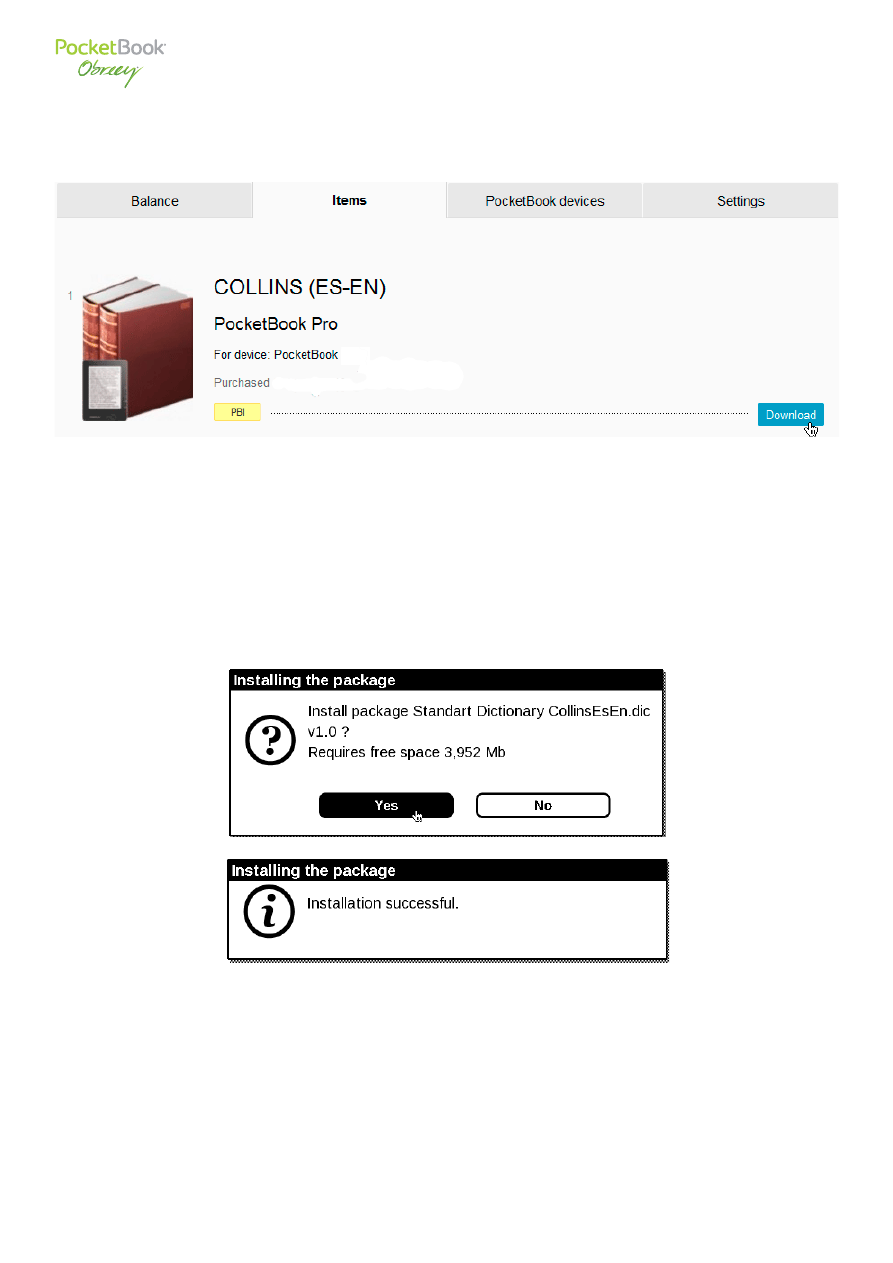
• Download the dictionary installation file with .pbi extension on PC.
• Connect your PocketBook with PC by USB cable, included in package.
• Copy the installation file to the device internal storage.
• Disconnect your PocketBook from PC.
• Loaded file will appear in «Last events».
• Launch copied extension file as an application and confirm installation of a new
dictionary.
NoTe
: Some of the dictionaries are pre-installed in the manufacturer’s firmware of your device.
Wyszukiwarka
Podobne podstrony:
PocketBook 613 RN PB 613 4 0 EN
PocketBook 613 Aktualizacja oprogramowania sprzetowego PB613 PL
User Guide PocketBook 613(PL)
User Guide PocketBook 613(EN)
613 PRAW
613 21
Dz U 2010 nr 65 poz 613(1)
613
613
613
613
613 pytania z market
613
613, W7 - inżynierii środowiska
612 613
613
613
613
więcej podobnych podstron