
Introduction to ABAP Programming
BC170_2.02.1
Introduction to ABAP
Programming

Introduction to ABAP Programming
BC170_2.02.2
Objectives
• The participants will be able to:
– Discuss the basics of ABAP Programming
– Discuss the basic functions of the ABAP
Editor
Introduction to ABAP Programming
BC170_2.02.3
Terms to Remember
Report:
•
An ABAP program whose
output is a list
Module Pool:
•
A dialog program which is a
collection of screens
List:
•
The output generated by an
ABAP report program
Program:
•
A series of ABAP statements
Introduction to ABAP Programming
BC170_2.02.4
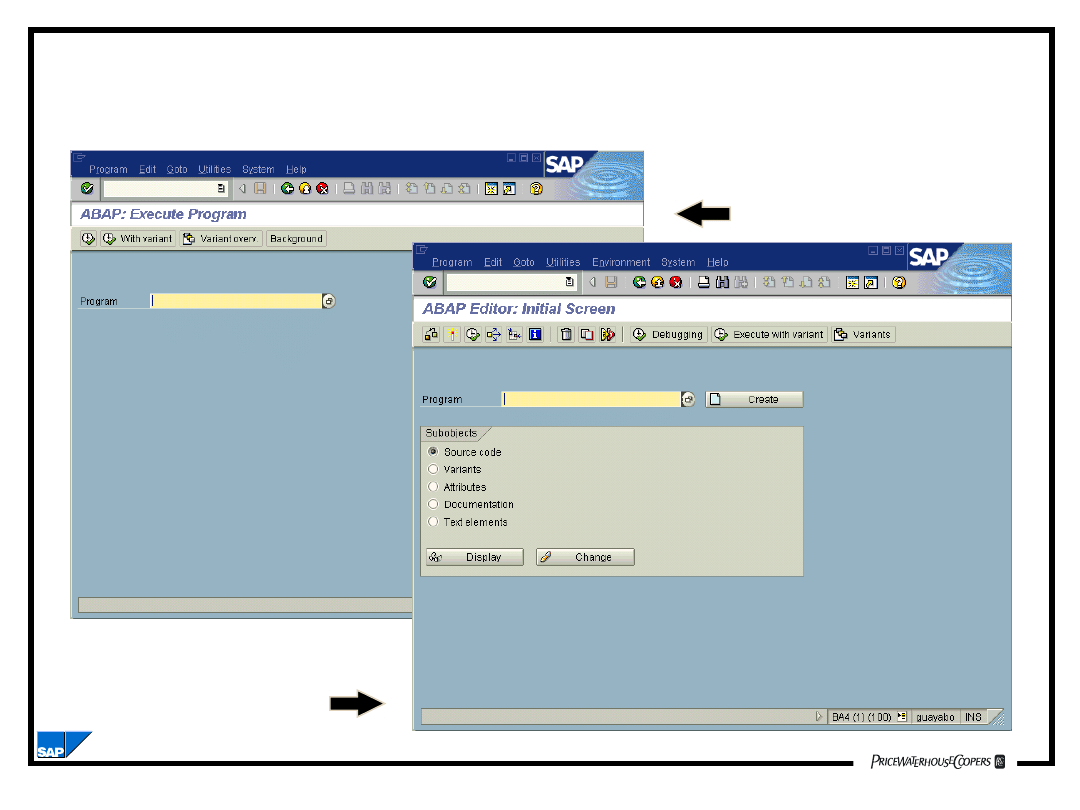
Reporting
ABAP
Development
Reporting and ABAP Development
Introduction to ABAP Programming
BC170_2.02.5
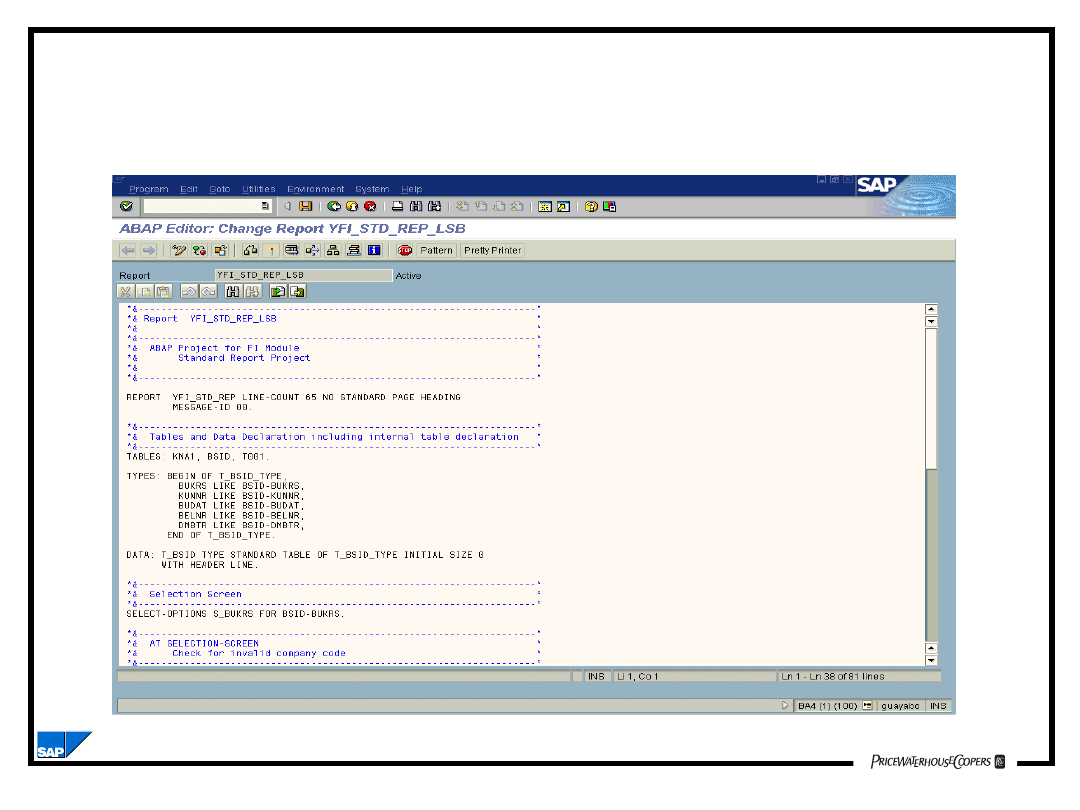
Programming Environment -
The ABAP Editor
Introduction to ABAP Programming
BC170_2.02.6
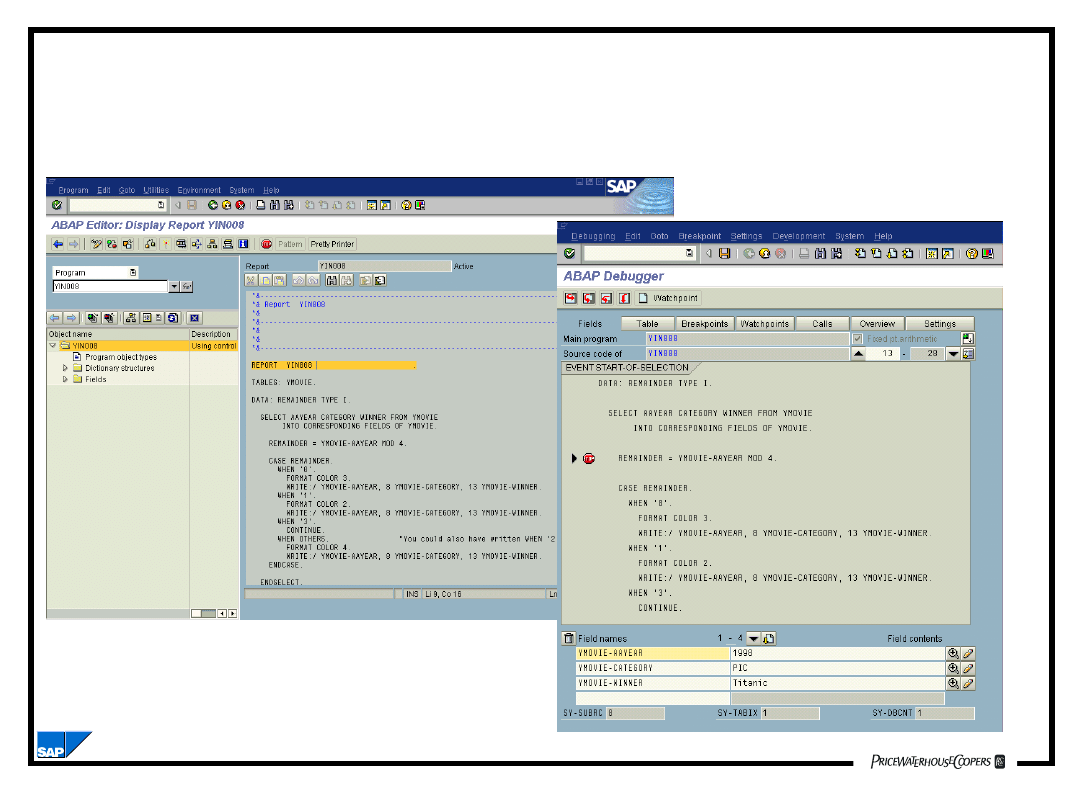
Programming Environment
Online Debugging
Introduction to ABAP Programming
BC170_2.02.7
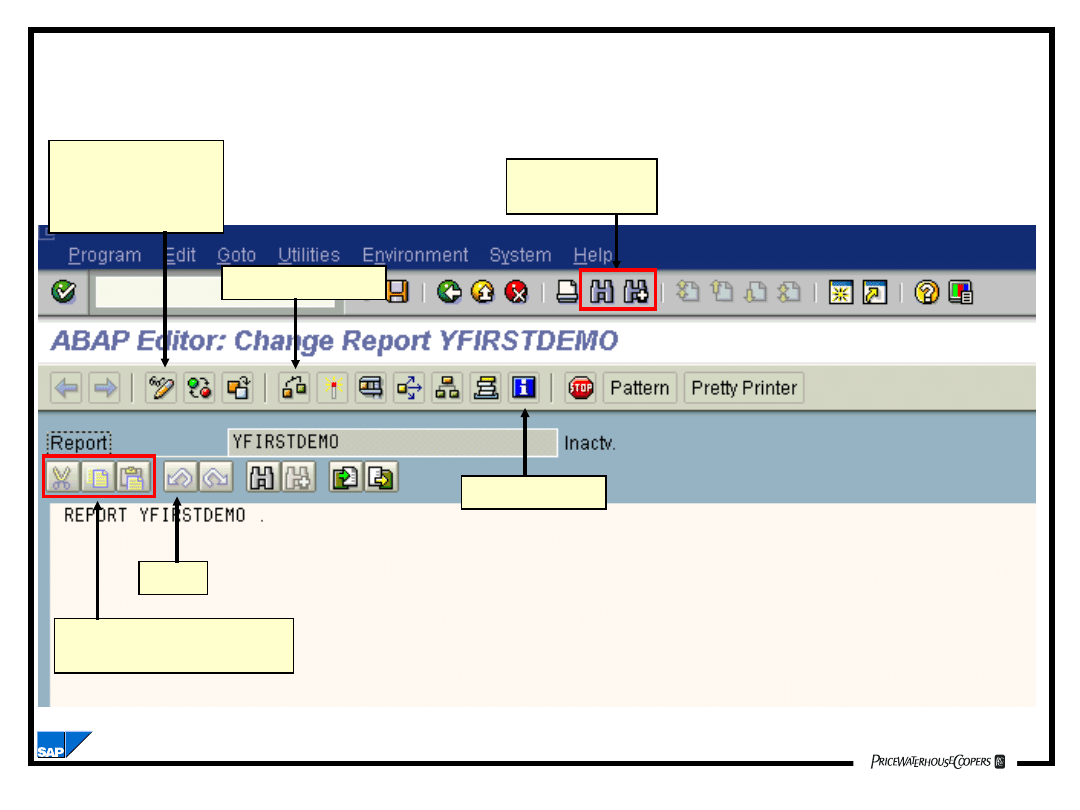
Basic Functions of the ABAP Editor
Program source entry area
Find and
Repeat Find
Undo
ABAP Help
Syntax Check
Cut, copy and paste
to and from a buffer
Toggles from
display to
change mode
Introduction to ABAP Programming
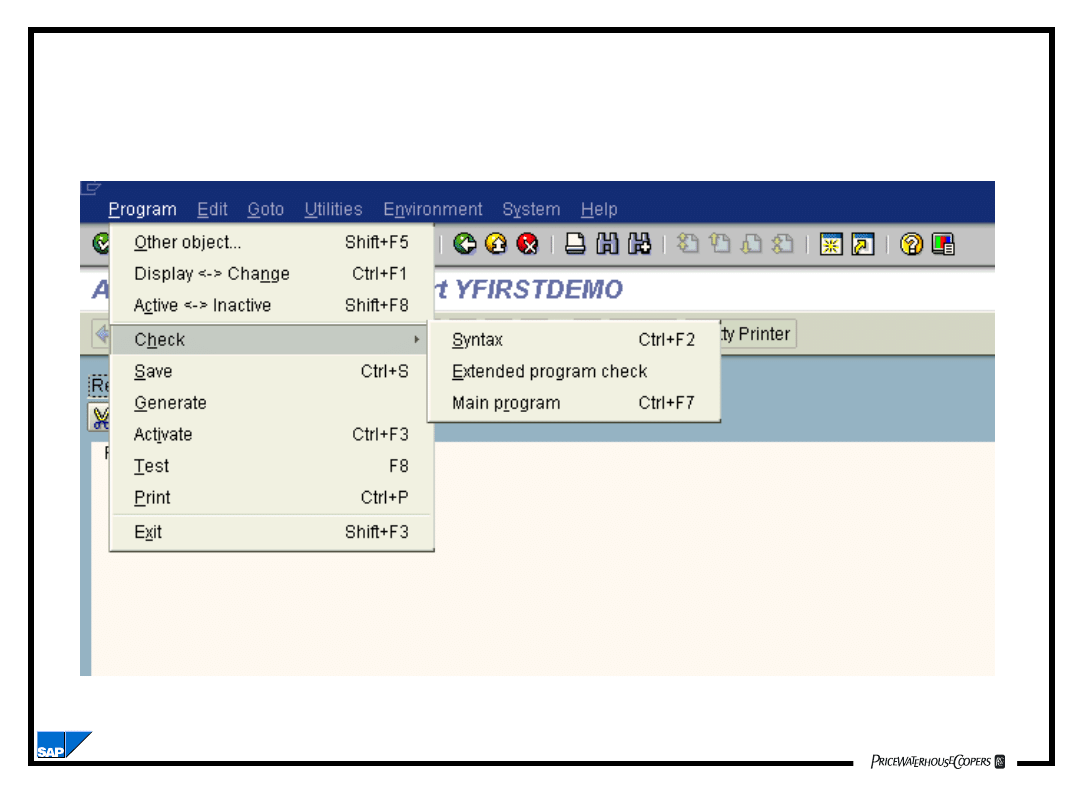
BC170_2.02.8
The Program Menu Option
Introduction to ABAP Programming
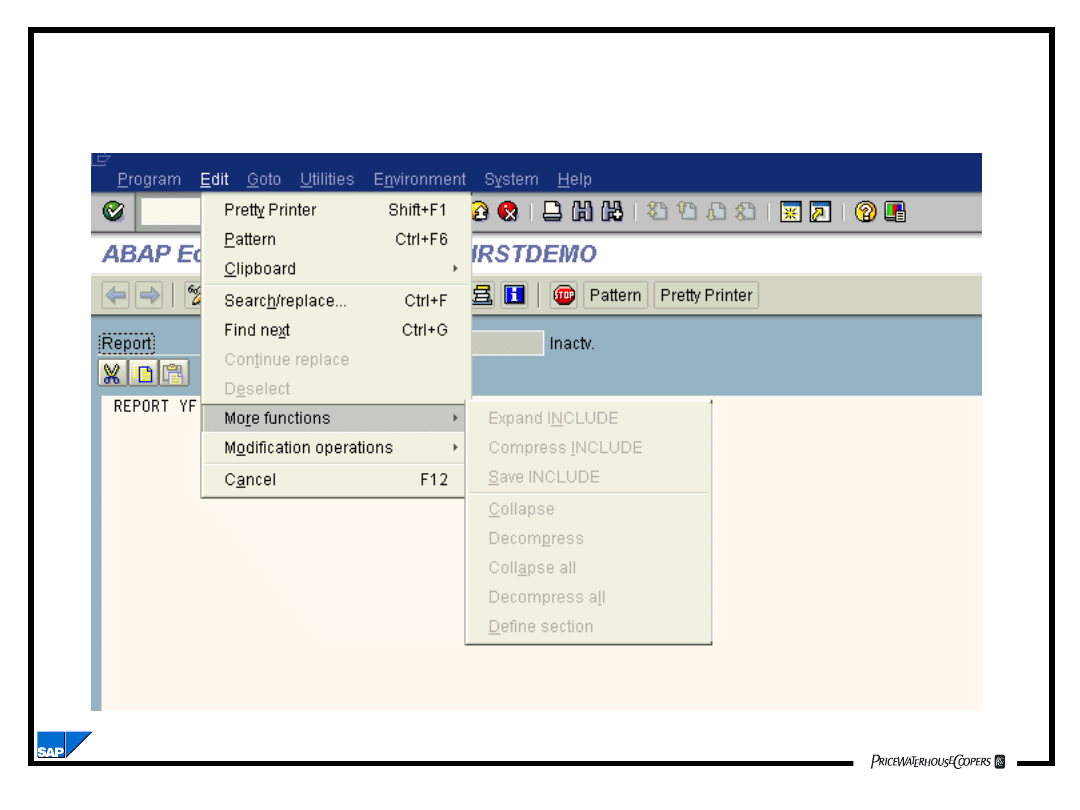
BC170_2.02.9
The Edit Menu Option
Introduction to ABAP Programming
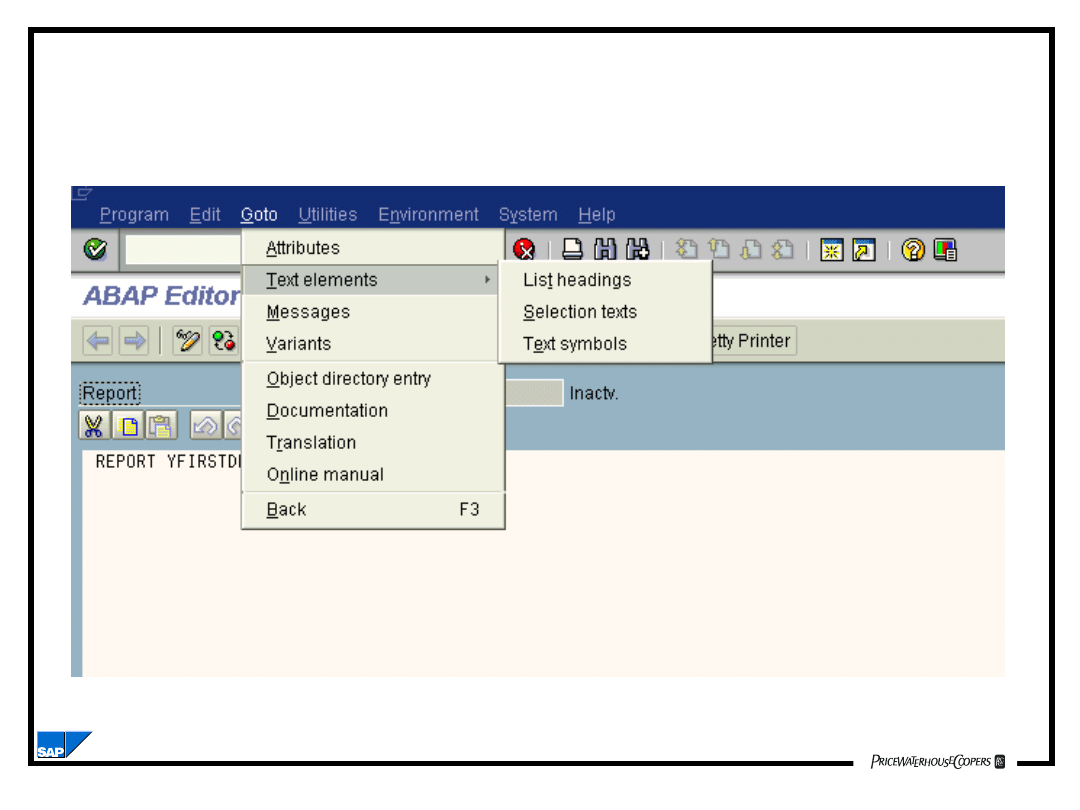
BC170_2.02.10
The Goto Menu Option
Introduction to ABAP Programming
BC170_2.02.11
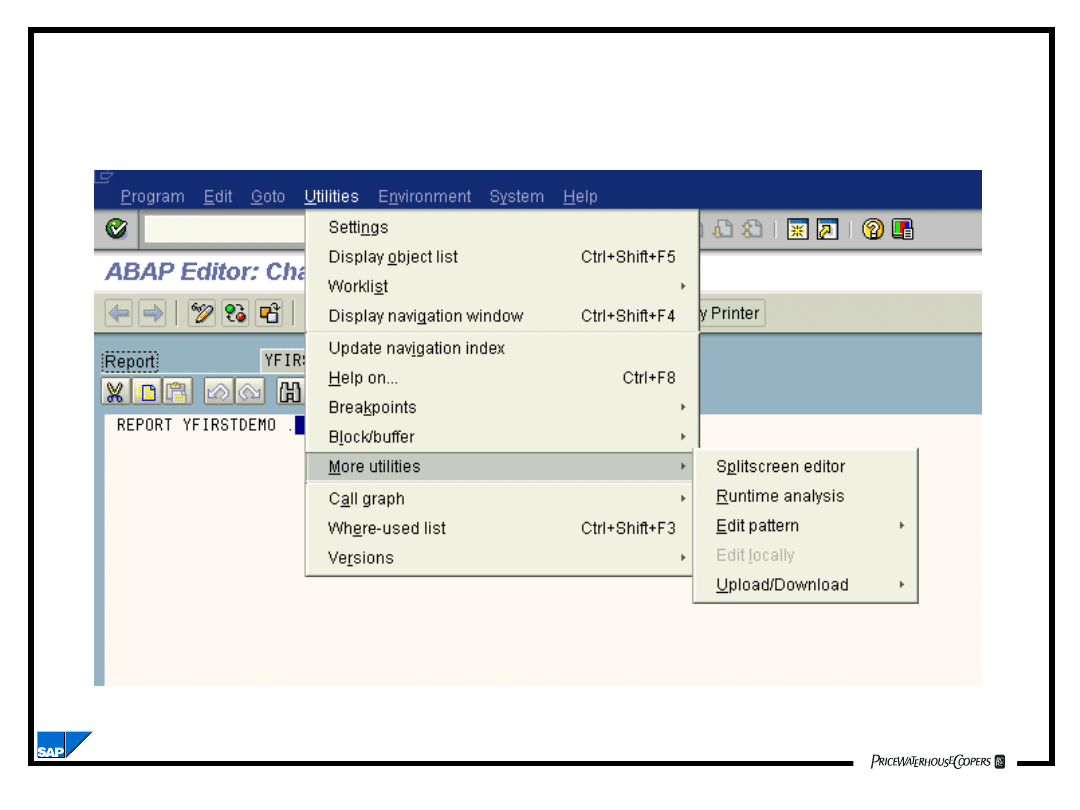
The Utilities Menu Option
Introduction to ABAP Programming
BC170_2.02.12
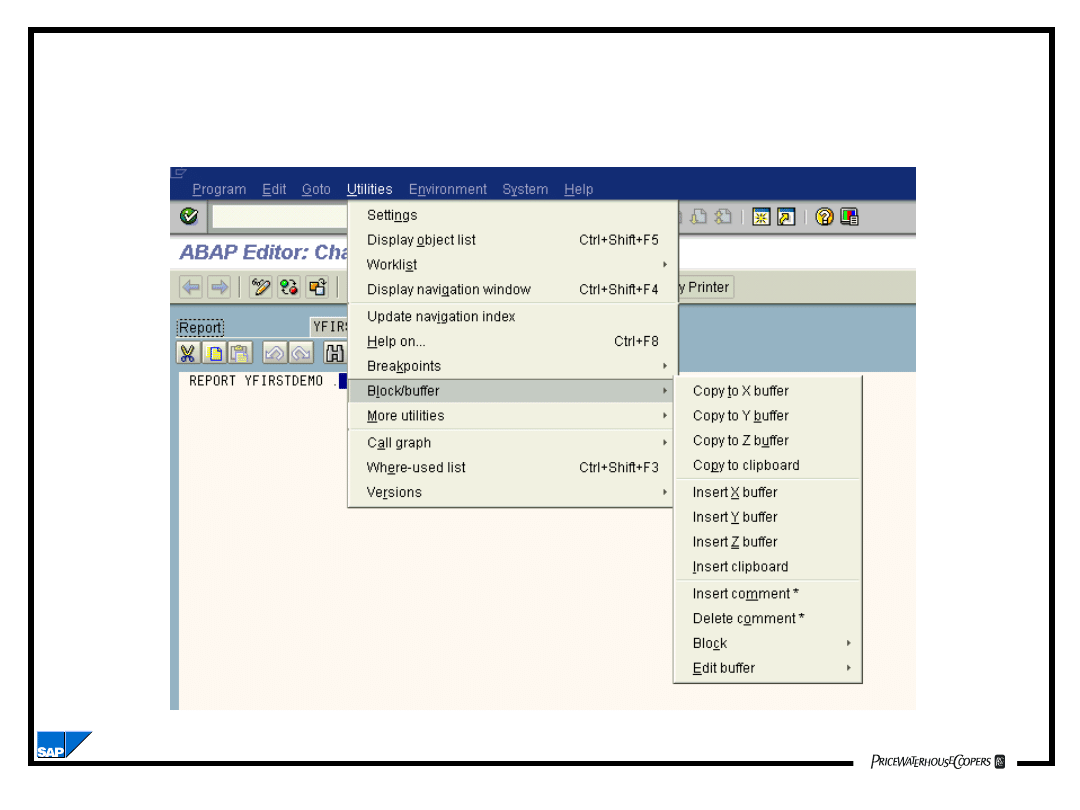
The Block/buffer Menu Option
Introduction to ABAP Programming
BC170_2.02.13
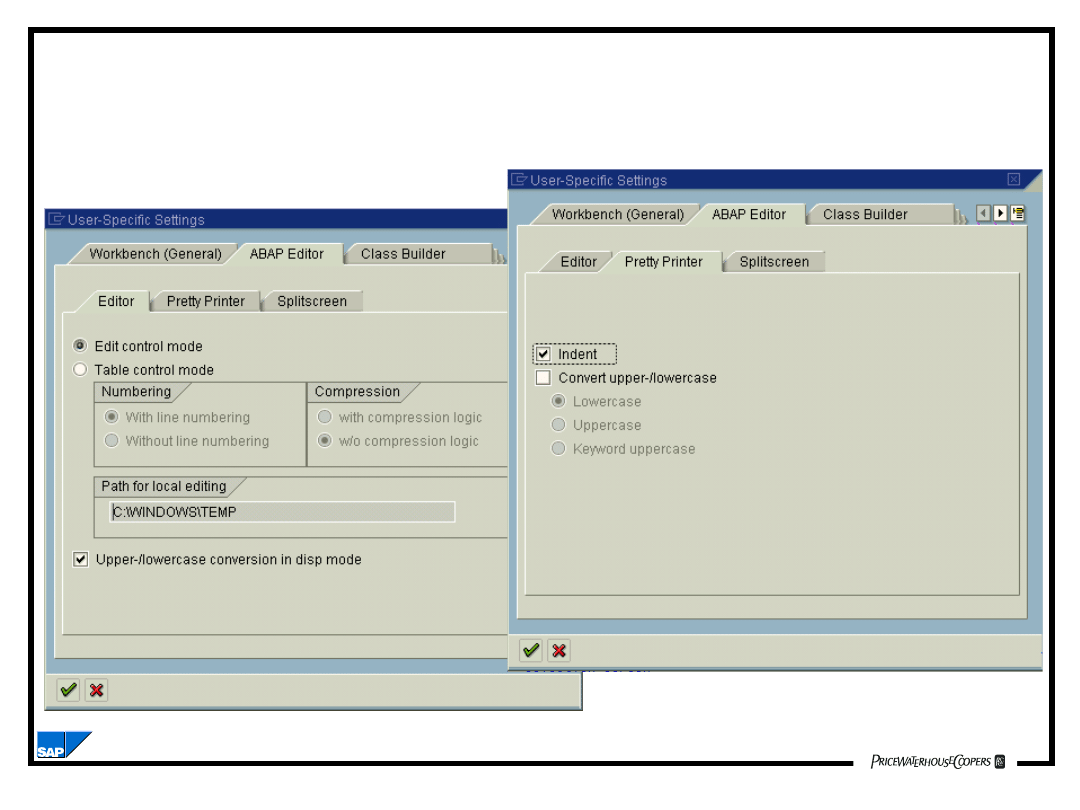
The Settings Menu Option
Introduction to ABAP Programming
BC170_2.02.14
DATA COUNT TYPE I.
DATA TITLE(25).
MOVE 1 TO COUNT.
MOVE ‘President’ TO TITLE.
WRITE TITLE.
WRITE COUNT.
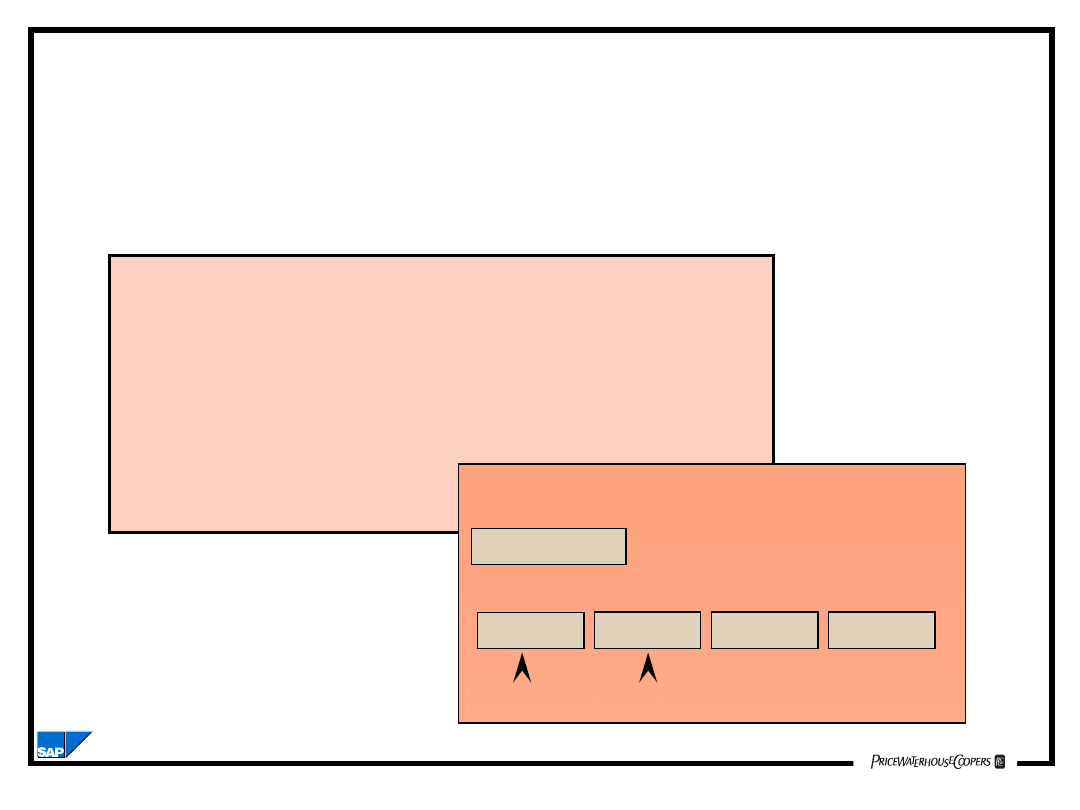
Basic ABAP Program Syntax
ABAP Program
Statement.
Word 1
Word 2
Word 3
Word 4
Key wordParameter, field, or constant
Introduction to ABAP Programming
BC170_2.02.15
Chaining Statements in ABAP
DATA COUNT TYPE I.
DATA TITLE (25).
MOVE 1 TO COUNT.
MOVE ‘President’ TO TITLE.
WRITE TITLE.
WRITE COUNT.
WRITE: TITLE, COUNT.
DATA: COUNT TYPE I,
TITLE (25).
MOVE:
1 TO COUNT,
‘President’ TO TITLE.
Introduction to ABAP Programming
BC170_2.02.16
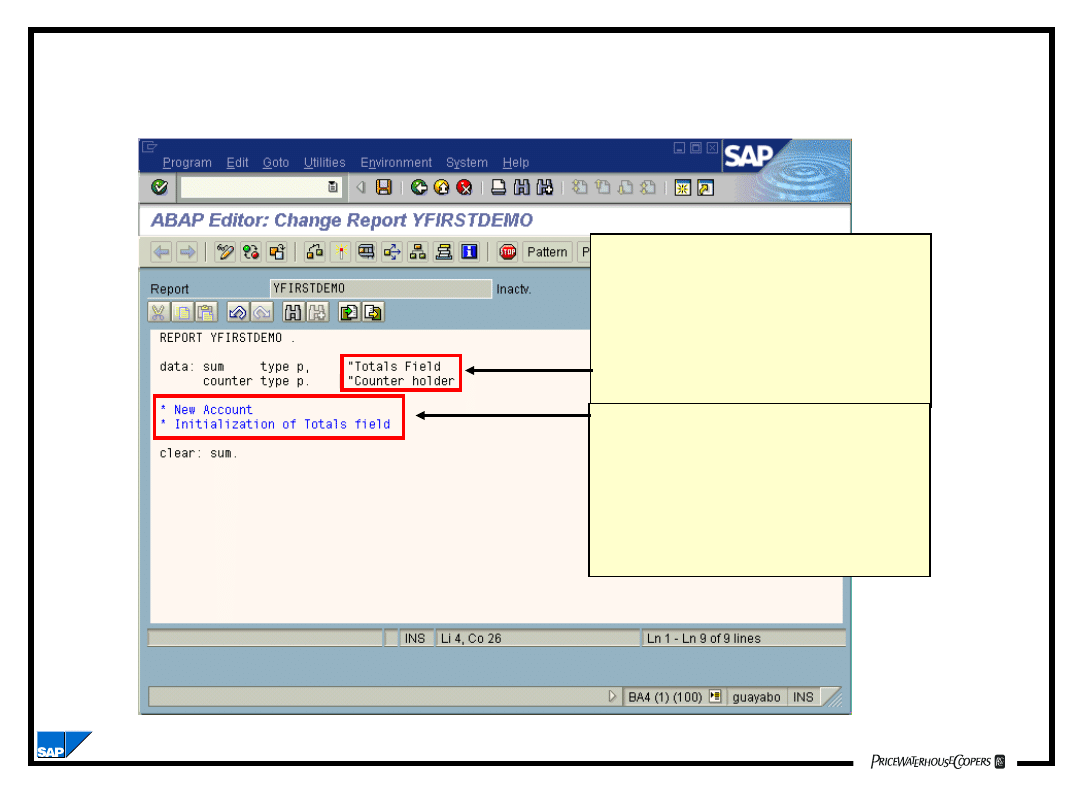
Comments in ABAP
A double quotation
mark (“) anywhere
on a line makes
everything that
follows a comment.
An asterisk (*) in
column
1 makes the entire
line
a comment line.
Introduction to ABAP Programming
BC170_2.02.17
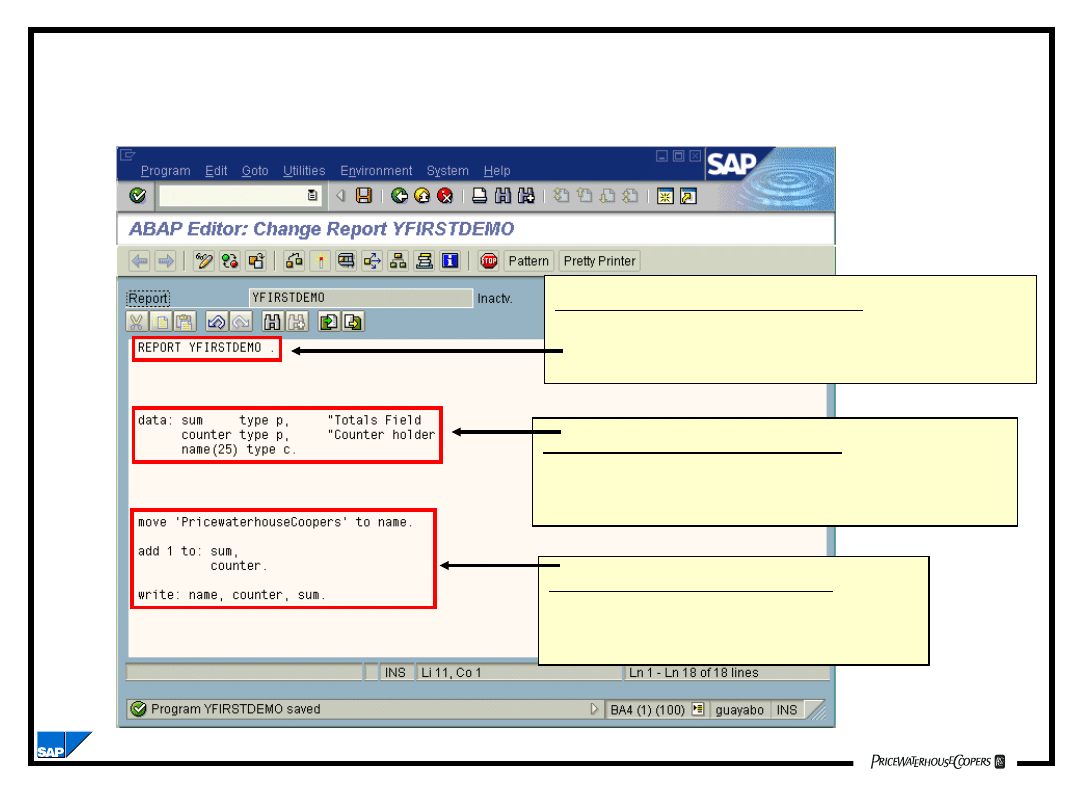
ABAP Program Structure
Program Name Area
Use REPORT for listing programs
Use PROGRAM for online programs
Declaration Section
Used for defining tables, variables
and constants
Statement Section
Used for coding executable
ABAP statement
Introduction to ABAP Programming
BC170_2.02.18
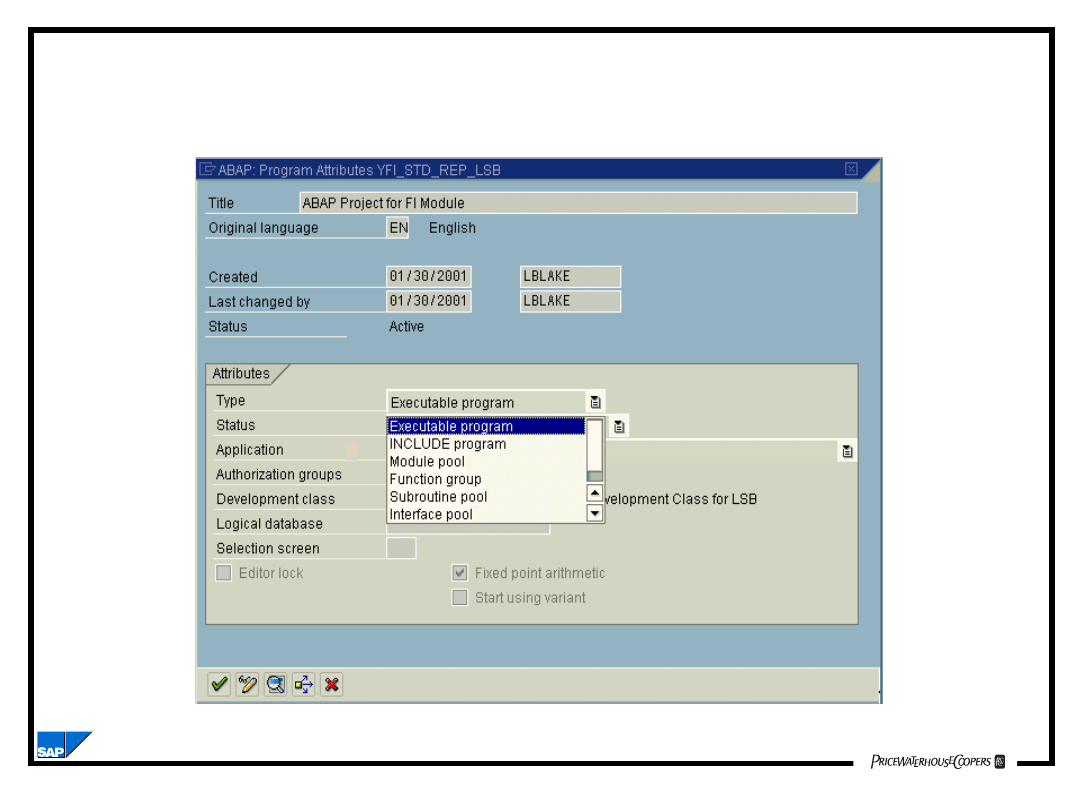
ABAP Program Attributes
Introduction to ABAP Programming
BC170_2.02.19
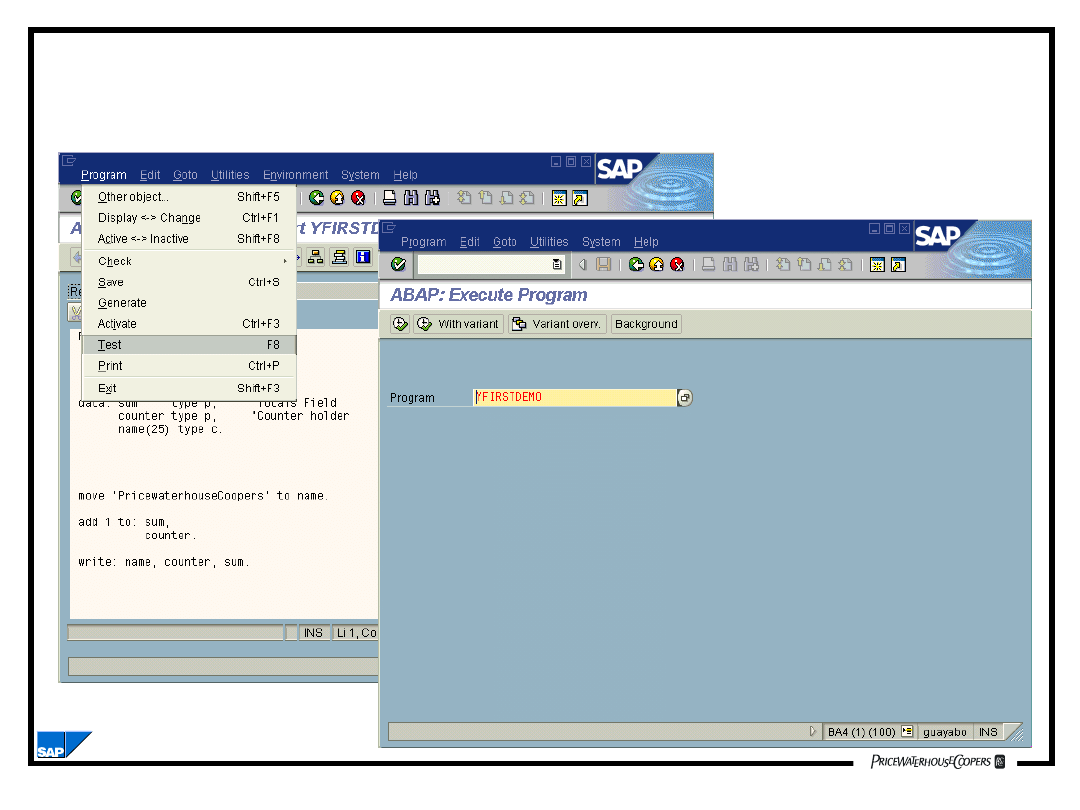
Running an ABAP Program

Introduction to ABAP Programming
BC170_2.02.20
Summary
• The participants should be able to:
– Discuss the basics of ABAP Programming
– Discuss the basic functions of the ABAP
Editor
Document Outline
- Introduction to ABAP Programming
- Objectives
- Terms to Remember
- Reporting and ABAP Development
- Programming Environment - The ABAP Editor
- Programming Environment Online Debugging
- Basic Functions of the ABAP Editor
- The Program Menu Option
- The Edit Menu Option
- The Goto Menu Option
- The Utilities Menu Option
- The Block/buffer Menu Option
- The Settings Menu Option
- Basic ABAP Program Syntax
- Chaining Statements in ABAP
- Comments in ABAP
- ABAP Program Structure
- ABAP Program Attributes
- Running an ABAP Program
- Summary
Wyszukiwarka
Podobne podstrony:
Intro to ABAP Chapter 13
Intro to ABAP Chapter 07
Intro to ABAP Chapter 12
Intro to ABAP Chapter 15
Intro to ABAP Chapter 08
Intro to ABAP Chapter 11
więcej podobnych podstron