
Project Key
Project Protection [Project Key]
1 v1.00

Project Key
Table of Contents
1. Overview and Operation
2. Setting Up the Screen
3. Objects
2 v1.00
Project Key
1. Overview and Operation
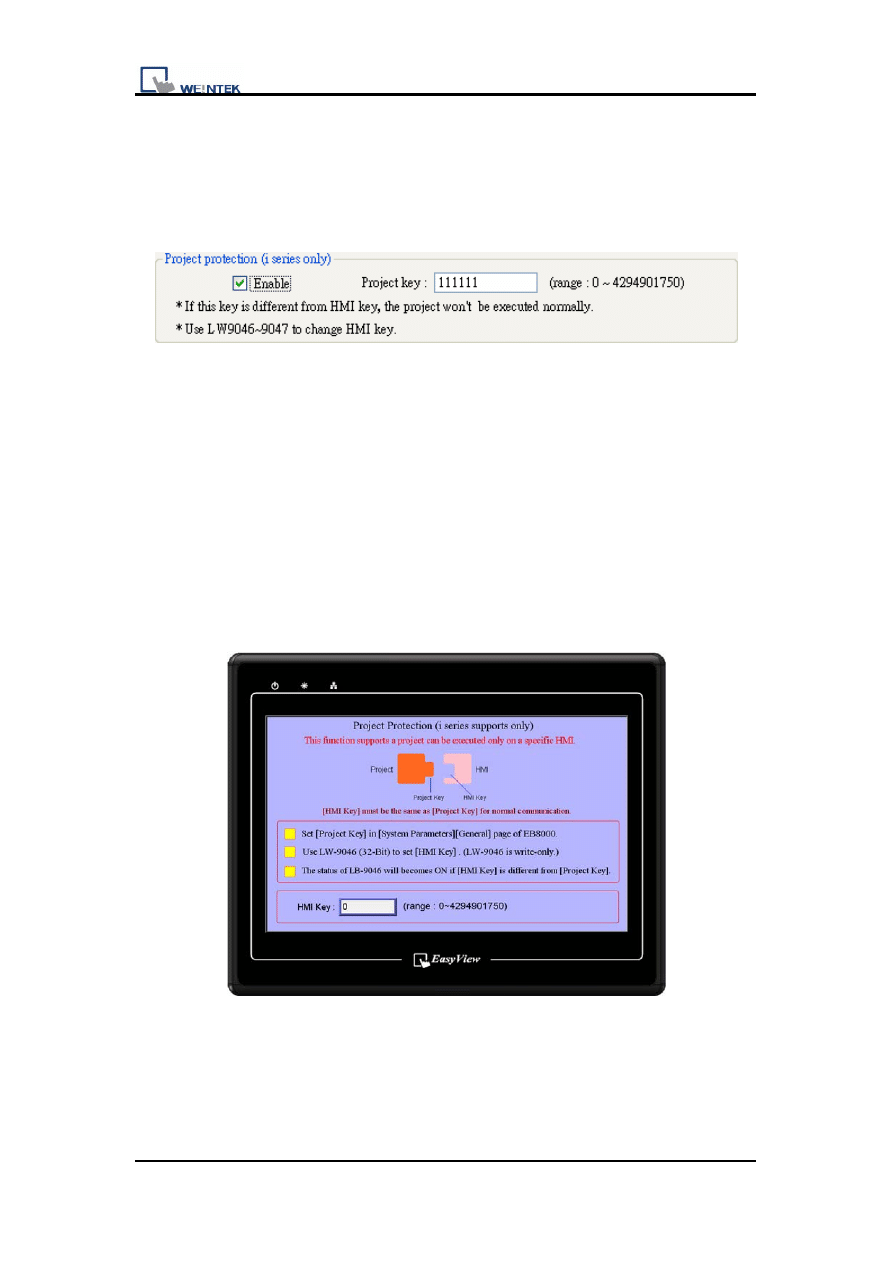
User’s project can be restrained and executed on specific HMI (only support i
series HMI). Project key can be set in EB8000 system parameter settings.
Please refer to the picture below.
User can use LW9046~LW9047 (32-bit) to set the [HMI key]. The value can not
be read or written in this two word registers even with remote HMI.
While using this function, users can set the password (project key password
range: 0~4294901750), and the XOB file can only be executed on specific HMI
when the [Project Key] is the same as [HMI key].
If the [Project Key] if different from the [HMI key], the state of system reserved
LB9046 would be ON. It needs to reboot HMI every time while setting [HMI
key].
3 v1.00
Project Key
2. Setting Up the Screen
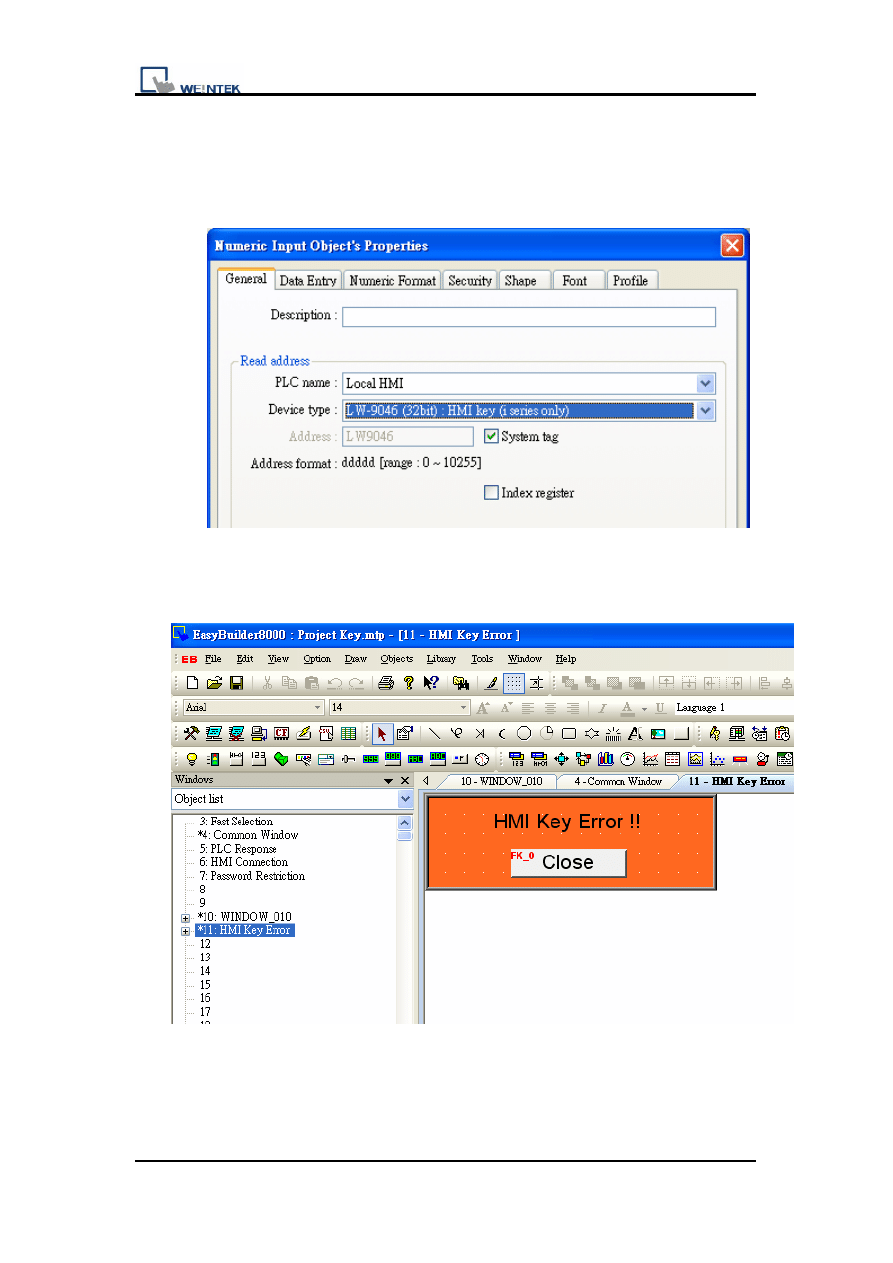
1.
Create a Numeric Input object using system tag LW9046 in window
10.
2. Set up a warning message in window 11.
4 v1.00
Project Key
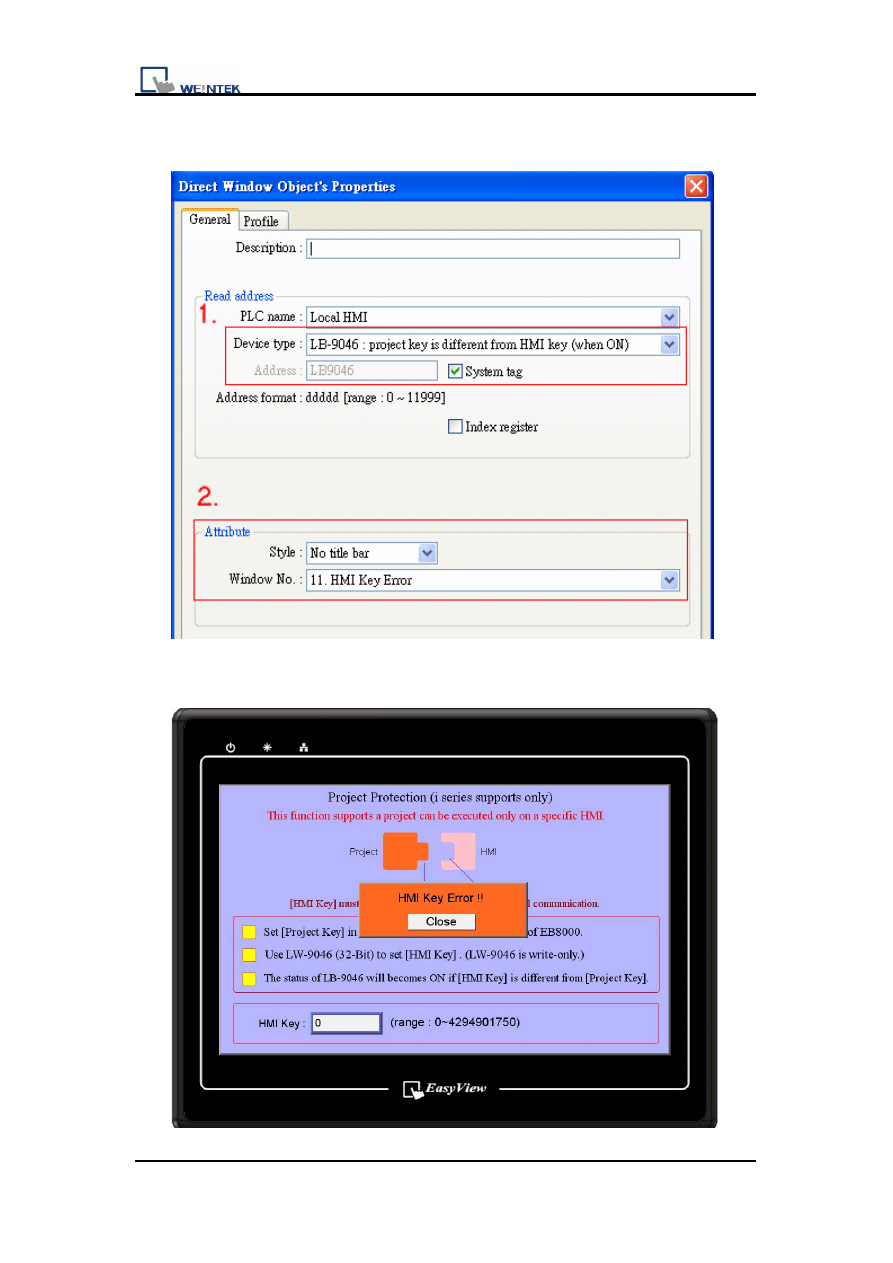
3. Create a Direct Window Object to read system tag LB9046 in window
10. And set the object attribute as picture below.
4. When the [Project Key] is different from the [HMI key], the state of
system reserved LB9046 would be ON.
5 v1.00

Project Key
3. Object
The objects used in this demo project are listed below.
Object ID
Detail
Numeric Input
NE0
System tag LW9046
Direct Window
WC0
System tag LB9046
Function Key
FK0
Close window (in window 11)
6 v1.00
Document Outline
- Project Protection [Project Key]
- Table of Contents
- 1. Overview and Operation
- 2. Setting Up the Screen
- 3. Objects
- 1. Overview and Operation
- User’s project can be restrained and executed on specific HMI (only support i series HMI). Project key can be set in EB8000 system parameter settings. Please refer to the picture below.
- User can use LW9046~LW9047 (32-bit) to set the [HMI key]. The value can not be read or written in this two word registers even with remote HMI.
- While using this function, users can set the password (project key password range: 0~4294901750), and the XOB file can only be executed on specific HMI when the [Project Key] is the same as [HMI key].
- If the [Project Key] if different from the [HMI key], the state of system reserved LB9046 would be ON. It needs to reboot HMI every time while setting [HMI key].
- 2. Setting Up the Screen
- 1. Create a Numeric Input object using system tag LW9046 in window 10.
- 2. Set up a warning message in window 11.
- 3. Create a Direct Window Object to read system tag LB9046 in window 10. And set the object attribute as picture below.
- 4. When the [Project Key] is different from the [HMI key], the state of system reserved LB9046 would be ON.
- 3. Object
- The objects used in this demo project are listed below.
Wyszukiwarka
Podobne podstrony:
więcej podobnych podstron