
Instruction Manual
by Khondoker

How To Edit & Upload Files
Hi guys & gals. Hope you have received all the files nice and clean.
You'll receive files in Zip format from our download page. You have to
extract the file using Winzip. If you don't have the software in your
computer you can download it free here.
You'll get a Zip file. Right click on it and select “extract” to extract the
files in your folder. You'll see two folders named “Resources” and
“website”.
I am about to show you how you can edit your files before you upload
to your hosting account.
The files you have to edit are html files and the emails. Mostly you
have to put your own name and your domain name url in specific
areas of the files and emails. We will go through each files and emails

separately.
You will need a domain name, a hosting account and an auto-
responder account to make your sales funnel fully functional. You must
get if you do not have these. If you want we assist you getting the
accounts please submit a ticket here.
So, let's get started. We have 12 html files in the “website” folder,
starting with:
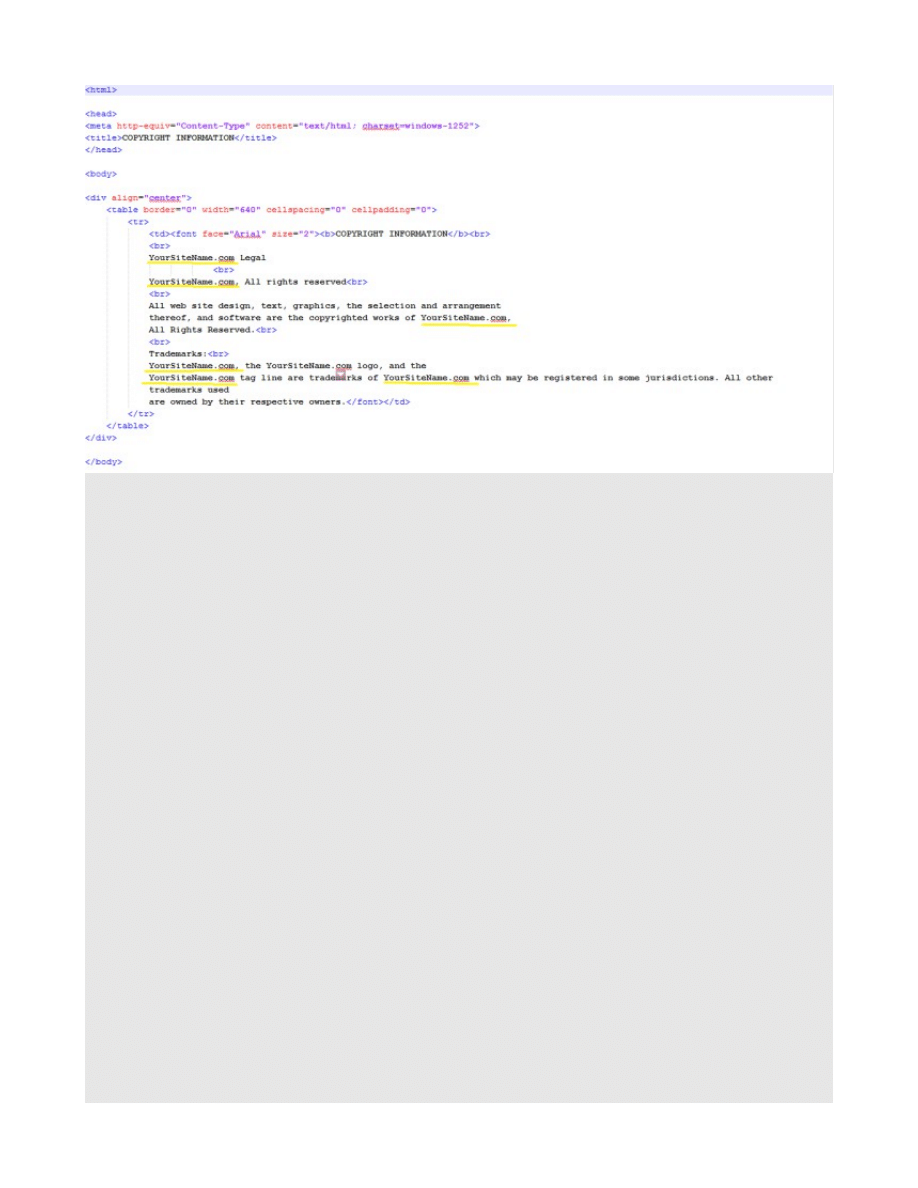
copyright.html
Right click on the “copyright” and select 'open with note pad' from the
drop down menu. Replace the word “YourSiteName.com” with your
domain name. Do it on every place you see “YourSiteName.com”.
2. delivery.html
Open it with notepad. To change the title go to line 8 . Replace
the text “One Stop List Blueprint” with your site title between
title tags at line 8.
<title>One Stop List Blueprint</title>
3. download-product.html
Open it with notepad. To change the title go to line 8 . Replace
the text “One Stop List Blueprint” between title tags at line 8.

<title>One Stop List Blueprint</title>
Go to line 26and replace the text [YOUR NAME GOES HERE]
With your Name.
4. downsell.html
Open it with notepad. To change the title go to line 8 . Replace
the text “One Stop List Blueprint” between title tags at line 8.
<title>One Stop List Blueprint</title>
5. earnings.html
just upload the file
6. index.html
Open it with notepad. To change the title go to line 8 . Replace
the text “Killer List Blueprint” between title tags at line 8.
<title> Killer List Blueprint</title>
Go to line 21 and change the id of the getrespnse form.
<div id="
WFItem1090104
" class="wf-formTpl full-box">

7. privacy.html
Find the text “http://www.YourSiteName.com” and replace it with
your own domain name in all places.
8. Product1.html
Open it with notepad. To change the title go to line 8 . Replace
the text “One Stop List Blueprint” between title tags at line 8.
<title>One Stop List Blueprint</title>
Find the text “[your name goes here]” and replace it with your
name in all places.
9. Product2.html
Open it with notepad. To change the title go to line 8 . Replace

the text “One Stop List Blueprint” between title tags at line 8.
<title>One Stop List Blueprint</title>
Find the text “[your name goes here]” and replace it with your
name in all places.
Change the value of the email of paypal account to your own
paypal email at line 83 and line 108 like below
<input type="hidden" name="business"
value="hiamreen@gmail.com">
Change the return value at line 92 and 117.
<input type="hidden" name="return"
value="http://ambidextrousbd.com/">
10.
Squeeze1
&
11.
Squeeze2

You have to insert your auto responder optin form in these files.
12. Terms
.html
Right click on the file and open with note pad. Find
MywebsiteName.com and YourWebsiteName.com, replace with your
website name.
Emails: You will find your auto-responder emails at your Resources
folder. You have to add your name at the signature of each emails. You
have to replace the url at the emails targeting your product page as
well.
That's all. If you still having an issue with anything, please submit a
Happy list building
Wyszukiwarka
Podobne podstrony:
DJ F1 S1 Instruction Manual
BSA Instruction Manual D14
ICOM instruction manual[1]
DJ F1 S1 Instruction Manual
09 INSTRUCTION MANUAL OIL PUMP 12143 3055 E
MALOWANIE LINJI easylineedge instruction manual
Instrukcja (manual) wymiany linek hamulca ręcznego (pomocniczego, awaryjnego) fiat punto I (1,1)
102003BGA Reballing Instruction Manual
#0449 – Using an Instruction Manual
06 INSTRUCTION MANUAL FUEL OIL FILTER 12153 3188 E
07c John Ashbery The Instruction Manual
08 INSTRUCTION MANUAL TEMPERATURE CONTROL VALVE 12160 3078
DocLib 5086 FP 120, FP 130, FP 160 MIG Welding System Instruction Manual (0056 1842)
05 INSTRUCTION MANUAL COUPLING M8090901A
IF 232C Instruction Manual
DJ F1 S1 Instruction Manual
Spectrum XLT Instruction Manual
Meaco DD8L Dehumidifier instruction manual December 2011
więcej podobnych podstron